





HELP with F45/F55 delete.

Thread Starter
7th Gear

Joined: Mar 2022
Posts: 7
Likes: 1
 HELP with F45/F55 delete.
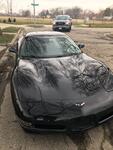
I am a brand new owner (today) of an '03 AE convertible. One of the rear shocks is leaking and I'm going to replace them with C6 Z06 shocks. I've watched the videos on the Tech II delete procedures but I'm not sure which one works on an '03. The one I watched involving a C5 was one with F45 and in that video they said the same procedure will work for a C5 with F55 (mine) but when I went and checked out the module in the trunk it looks very different and the wire connectors are pointing down and more difficult to get to. Then I watched a C6 video (I forget the year of the car but it was an early C6) and the Tech II procedure he used was much different and didn't involve unplugging the wires from the module in the trunk. In the C6 video he said it should work on all F55 cars.
Can somebody tell me which one to follow or post a step by step process or point me to a correct video?
Thanks.
Can somebody tell me which one to follow or post a step by step process or point me to a correct video?
Thanks.

Melting Slicks


Joined: Jun 2013
Posts: 3,473
Likes: 691
From: West Virginia
Quick check is the ride control switch. F45 has a 3 position switch. F45 is easy to defeat with cheap resistors replacing the shock connections. F55 is trickier. There were a ton of threads on this in the past. Google "Corvette C5 F55 delete" or "Corvette C5 F45 delete" as appropriate.

Melting Slicks


Joined: Jul 2004
Posts: 3,294
Likes: 482
From: Brea CA
The procedure is the same for F45 or F55 on 1997 to 2003 C5's. It is a bit different on the 2004 C5's. On the 2004's from what I have read all modules need to be updated to remove F55 not just the BCM.
Here is the procedure I copied from an old post on removing the F45/55 option.
1. Hook up Tech 2, turn car on, make sure module in the rear is plugged in. Do not unplug the rear module.
2. Use Tech 2 to delete the F45 option (F55 does not appear on the menu screen, use F45).
3. Save new configuration.
4. Do not turn car off, do not remove Tech 2. Go to the module in the rear of the car, unplug the grey connector (the widest one), leave any other plug(s) in. [leave the other 1 (F45) or 2 (F55) plugged in]
5. Turn off car, leave Tech 2 plugged in.
6. Remove remaining plugs from module in the rear of car. [never plug them back in again, if you do the F45 turns on automatically]
7. Turn car on to verify the "max speed 80 mph" is gone.
8. Unplug Tech 2.
For the 2005 to 2013 cars it is a bit different, you do not have to unplug anything just disable F55 in the options menu.
If you are in Southern California, I can help you with the F45/55 removal.
Gary
Here is the procedure I copied from an old post on removing the F45/55 option.
1. Hook up Tech 2, turn car on, make sure module in the rear is plugged in. Do not unplug the rear module.
2. Use Tech 2 to delete the F45 option (F55 does not appear on the menu screen, use F45).
3. Save new configuration.
4. Do not turn car off, do not remove Tech 2. Go to the module in the rear of the car, unplug the grey connector (the widest one), leave any other plug(s) in. [leave the other 1 (F45) or 2 (F55) plugged in]
5. Turn off car, leave Tech 2 plugged in.
6. Remove remaining plugs from module in the rear of car. [never plug them back in again, if you do the F45 turns on automatically]
7. Turn car on to verify the "max speed 80 mph" is gone.
8. Unplug Tech 2.
For the 2005 to 2013 cars it is a bit different, you do not have to unplug anything just disable F55 in the options menu.
If you are in Southern California, I can help you with the F45/55 removal.
Gary

Instructor


Joined: May 2021
Posts: 106
Likes: 95
From: Bellingham, WA
I have an 03 with selective ride and successfully deleted it using an Autel scan tool. I remember you had to change the RPO codes and then unplug the module with the key on or something like that. I will look back and try to find the instructions I used. It's doable and you don't need to use resistors if you have a scanner like a Tech2 or Autel.
Instructor
Joined: May 2021
Posts: 106
Likes: 95
From: Bellingham, WA
Alright, here you go. These are the instructions I followed and they worked for me.
Big thanks to user Kokopelli https://www.corvetteforum.com/forums...-and-25-a.html
Big thanks to user Kokopelli https://www.corvetteforum.com/forums...-and-25-a.html
Been lurking on this topic for a few months, thought I would write up a summary and share my experiences.
To delete F/45 you have 3 options: 1. spend $200+ or - on simulator plug-ins to go in the shock sensor plugs. 2. Install 10W 10 Ohm wire wound resistors (from Radioshack) into the shock sensor wire's. 3. Program it out with a Tech II and disconnect the ride control module.
To delete F/55 your only option is the Tech II delete - resistors will not work.
Using the sims or the resistors assumes that all the other components in the system (sensors, modules and wiring harness) are operating correctly and if something breaks you will have to fix it or get codes. In my case I had a very annoying intermittent code from a wheel position sensor that was due to a short in the wiring harness in an unreachable location. I elected to go the Tech II route as it was so easy, cheap and imo the most complete solution.
The hardest part is finding a Tech II - all GM dealers have them but they may hesitate at the programing or want to overcharge you ($125 at mine). Just start calling local shops and if they don't have one ask them if they know who does - it only took me 2 calls to get a referral to a shop that had one. Don't bother if they tell you they have a different scantool that will work - it won't, it must be a GM Tech II. Try a shop that specializes in Cadillac repair, that's what I used and it turns out they had been programming out selective ride from certain Caddy's for years because the replacement shocks are $1300 each (I guess the Caddy tax is higher than the Vette tax) and knew exactly what I wanted to do.
Go to this link http://www.stopforce.com/RPO.html and print out steps 2-14. Those are the instructions on what to do with the Tech II.
Then copy and print these procedure sequence instructions:
1. Hook up your Tech 2 (Driver's footwell), turn the car ON, make sure the module in the left rear storage compartment (pull back the velcro lining on the front of the compartment) is plugged in. DO NOT UNPLUG THIS MODULE
2. Now use the Tech 2 to delete the F45 option ( F55 option does not appear on the Tech 2 menu screen - SO - DELETE THE F45 OPTION
(use the screen captures - steps 2-14)
3. Save the new configuration
4. DO NOT TURN THE CAR OFF DO NOT REMOVE THE TECH 2 Go to the module in the rear of the car, unplug the GRAY connector - IT IS THE WIDEST ONE - leave the other 1 (F/45) or 2 (F/55) plugged in.
5. Turn off the car but LEAVE THE TECH 2 PLUGGED IN
6. Remove remaining plugs from module in the rear of the car - Never plug them back in again, if you do the F/45 turns on automatically.
7. Now the moment of TRUTH - Turn the car on and verify that the dreaded - MAX SPEED 80 MPH - is gone. This message was only present if you had already disconnected the shock sensors. Some people have had to disconnect their battery to allow the computer to reset to remove this message, but I would confirm with the Tech II that the F/45 was actually deleted first and if not reconnect everything and start again with step 1.
8. Unplug the Tech 2 - Get in the car and take it for a ride. Smile as you pass the DREADED 80 MPH.
With these instructions in their hands even the most inexperienced tech can do this. It took mine 5 minutes and they charged me $25. I would have spent much more time and effort getting and installing resistors.
If you haven't already changed your shocks drive home carefully as the shocks become very soft, not dangerous but as GM advises keep it under 80MPH.
Hope this helps somebody else.
To delete F/45 you have 3 options: 1. spend $200+ or - on simulator plug-ins to go in the shock sensor plugs. 2. Install 10W 10 Ohm wire wound resistors (from Radioshack) into the shock sensor wire's. 3. Program it out with a Tech II and disconnect the ride control module.
To delete F/55 your only option is the Tech II delete - resistors will not work.
Using the sims or the resistors assumes that all the other components in the system (sensors, modules and wiring harness) are operating correctly and if something breaks you will have to fix it or get codes. In my case I had a very annoying intermittent code from a wheel position sensor that was due to a short in the wiring harness in an unreachable location. I elected to go the Tech II route as it was so easy, cheap and imo the most complete solution.
The hardest part is finding a Tech II - all GM dealers have them but they may hesitate at the programing or want to overcharge you ($125 at mine). Just start calling local shops and if they don't have one ask them if they know who does - it only took me 2 calls to get a referral to a shop that had one. Don't bother if they tell you they have a different scantool that will work - it won't, it must be a GM Tech II. Try a shop that specializes in Cadillac repair, that's what I used and it turns out they had been programming out selective ride from certain Caddy's for years because the replacement shocks are $1300 each (I guess the Caddy tax is higher than the Vette tax) and knew exactly what I wanted to do.
Go to this link http://www.stopforce.com/RPO.html and print out steps 2-14. Those are the instructions on what to do with the Tech II.
Then copy and print these procedure sequence instructions:
1. Hook up your Tech 2 (Driver's footwell), turn the car ON, make sure the module in the left rear storage compartment (pull back the velcro lining on the front of the compartment) is plugged in. DO NOT UNPLUG THIS MODULE
2. Now use the Tech 2 to delete the F45 option ( F55 option does not appear on the Tech 2 menu screen - SO - DELETE THE F45 OPTION
(use the screen captures - steps 2-14)
3. Save the new configuration
4. DO NOT TURN THE CAR OFF DO NOT REMOVE THE TECH 2 Go to the module in the rear of the car, unplug the GRAY connector - IT IS THE WIDEST ONE - leave the other 1 (F/45) or 2 (F/55) plugged in.
5. Turn off the car but LEAVE THE TECH 2 PLUGGED IN
6. Remove remaining plugs from module in the rear of the car - Never plug them back in again, if you do the F/45 turns on automatically.
7. Now the moment of TRUTH - Turn the car on and verify that the dreaded - MAX SPEED 80 MPH - is gone. This message was only present if you had already disconnected the shock sensors. Some people have had to disconnect their battery to allow the computer to reset to remove this message, but I would confirm with the Tech II that the F/45 was actually deleted first and if not reconnect everything and start again with step 1.
8. Unplug the Tech 2 - Get in the car and take it for a ride. Smile as you pass the DREADED 80 MPH.
With these instructions in their hands even the most inexperienced tech can do this. It took mine 5 minutes and they charged me $25. I would have spent much more time and effort getting and installing resistors.
If you haven't already changed your shocks drive home carefully as the shocks become very soft, not dangerous but as GM advises keep it under 80MPH.
Hope this helps somebody else.

Administrator


Joined: Mar 2001
Posts: 368,389
Likes: 24,796
From: In a parallel universe. Currently own 2014 Stingray Coupe.
C7 of the Year - Modified Finalist 2021
MO Events Coordinator
St. Jude Co-Organizer
St. Jude Donor '03 thru '26
NCM Sinkhole Donor
CI 5, 8 & 11 Veteran
Moved to C5 Tech.
Corvette Stories
The Best of Corvette for Corvette Enthusiasts

Top 10 Most Expensive Corvettes Ever Sold on Bring A Trailer
Brett Foote
10 Things Every Corvette Owner Needs (2026 Edition)
Michael S. Palmer
8 Most "Only Corvette Owners Understand" Quirks and Problems
Pouria Savadkouei
10 Reasons the C6 Z06 is Still A Performance Benchmark After 20 Years
Joe Kucinski
How Much Horsepower Every Corvette Engine "LOST" in 1972
Joe Kucinski
Top 10 DOs and DON'Ts for Protecting Your Convertible Top!
Michael S. Palmer
Top 10 Most Explosive Corvettes Ever Made: Power-to-Weight Ratio Ranked!
Joe Kucinski
150 hp to 1,250 hp: Every Corvette Generation Compared by the Specs That Matter
Joe Kucinski
8 Coolest Corvette Pace Cars (and Replicas) of All Time
Verdad Gallardo




6th Gear
Joined: Jan 2025
Posts: 5
Likes: 6
From: Hampton, Va area
F55 delete
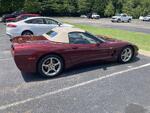
I just swapped the F55 original shocks on my 50th Ann model with C6 Z06 shocks all around. Love the new ride but am getting the alerts (80 mph limit, service susp). I've driven up to 75 mph and there is no change to engine performance. Dealer told me $190 to refresh but thinks I may need to bring him the old shocks to plug-in (I left the old plugs tucked,away and wrapped with electrical tape on the car) which will probably raise the price he quoted. Anyone know if that is required now that I've already installed the Z06 shocks?

Instructor

Joined: Dec 2020
Posts: 120
Likes: 52
From: Ankeny, Iowa
You need to find a Tech 2 tool
I just swapped the F55 original shocks on my 50th Ann model with C6 Z06 shocks all around. Love the new ride but am getting the alerts (80 mph limit, service susp). I've driven up to 75 mph and there is no change to engine performance. Dealer told me $190 to refresh but thinks I may need to bring him the old shocks to plug-in (I left the old plugs tucked,away and wrapped with electrical tape on the car) which will probably raise the price he quoted. Anyone know if that is required now that I've already installed the Z06 shocks?
If you have a quote for $190 that is not a bad price for it! You won't need the old shocks with you. Have them change your 'limp home mode' speed limit from 5mph (I think) to something reasonable...say 60mph so your not stuck some place and have to crawl home without having to be put on a rollback. They should do that as long as they are in the program for no extra charge.
BTW, could you PM me about your old shocks, I might be interested in them if you want to get rid of them!

Drifting


Joined: Feb 2017
Posts: 1,274
Likes: 399
From: Tacoma WA
2024 C4 of the Year Finalist - Unmodified
Hey Go Navy I am not sure where you are located since that info is not in your profile but find a local Corvette club for assistance. Many will have a member with a Tech 2 or a clone that can program out the F55 program. You can inquire in the local section of this forum to possibly find a club or go to the NCCC (National Council of Corvette Clubs) website to find a club in your area. It takes no more than 15 minutes at most. There are very specific instructions on this on this forum if you search for it. I am getting ready to do the same thing with my Tech 2 clone on my 2003.
6th Gear
Joined: Jan 2025
Posts: 5
Likes: 6
From: Hampton, Va area
Thanks to you both. I’m familiar with the check lists to reflash but am not a club member (Hampton Va area) & dont have access to the Tech II. Dealer wrote back saying his Corvette guy “is 90% sure” they don’t need the old shocks plugged in, but that I should bring them with me just in case. $190 to reprogram. After 30 miles I’ve not had any real impacts by the alerts, but haven’t gone to 80mph and would want it to be reprogrammed if I choose to sell one day. Again, the ride is so much better. Only regret is Rock Auto sent me what looked to be new in box, older stock. One of the stickers on the packaging was dated Jul 2011!
Melting Slicks
Joined: Jul 2004
Posts: 3,294
Likes: 482
From: Brea CA
Go Navy, you do not need the shocks to remove F55 from your car. Follow the instructions I posted early in this thread.
You will need a Tech 2 or VXNano. I have heard that the Autel bi-directional scanners also can be used possibly others.
Gary
You will need a Tech 2 or VXNano. I have heard that the Autel bi-directional scanners also can be used possibly others.
Gary
6th Gear
Joined: Jan 2025
Posts: 5
Likes: 6
From: Hampton, Va area
Thanks Gary. I’m Enjoying riding around under 80mph & so don’t feel in a hurry yet to give the dealer $190 for what may take him 20-30 minutes. Bought my car in July and now like it even more with its improved ride. Even got the 12-disc CD player to function again. Cheers.