






Enter NAV destinations while driving!!!
Thread Starter
Race Director


Joined: Dec 2007
Posts: 19,574
Likes: 168
From: Frederick, MD
 Enter NAV destinations while driving!!!
I just bought a DNX6980 from Dennis D Mods. First of all I would like to say thank you to Dennis. The transaction went great.
I'm having surgery tomorrow so I had Best Buy install it yesterday. Was quoted $140 at first but then $60 more for Steering Wheel Controls. Of course they had my car apart at the time.
Garmin based NAV is far superior to all NAVs out there. It is EXTREMELY EASY to use.
When I had BB install it they said they couldn't "bypass" the safety feature due to legal reasons. I had them hook it up anyway. I was quite surprised to find out that I CAN still enter destinations while driving or do anything with the NAV for that matter.
Today I tried it with a DVD and it shuts off immediately when you take off the parking brake so obviously the safety feature is hooked up.
IPOD works perfect. After I recover from my surgery I may take off the center console and route it thru there. They did however leave the USB port hook up (what the IPOD plugs into behind the NAV.
Everything sounds better than the stock 6CD unit.
As soon as I get access to the USB I will put a C6 logo background on it.
Definitely contact Dennis if you are interested in buying a NAV system. If you are having someone else install it (such as a dealer or store) then I recommend not paying $40 for Dennis to pre-wire it. Best Buy took apart what he did. They guarantee the install for life and the NAV works as advertise so that is what matters to me.
Kenwood/Garmin seem to upgrade their NAVs frequently. I'm hoping Kenwood updates their Bluetooth software so I can use my HTC HD2. That is the only negative I have against Kenwood now.
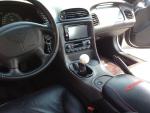
I took the pics using my cell phone.


I'm having surgery tomorrow so I had Best Buy install it yesterday. Was quoted $140 at first but then $60 more for Steering Wheel Controls. Of course they had my car apart at the time.
Garmin based NAV is far superior to all NAVs out there. It is EXTREMELY EASY to use.
When I had BB install it they said they couldn't "bypass" the safety feature due to legal reasons. I had them hook it up anyway. I was quite surprised to find out that I CAN still enter destinations while driving or do anything with the NAV for that matter.
Today I tried it with a DVD and it shuts off immediately when you take off the parking brake so obviously the safety feature is hooked up.
IPOD works perfect. After I recover from my surgery I may take off the center console and route it thru there. They did however leave the USB port hook up (what the IPOD plugs into behind the NAV.
Everything sounds better than the stock 6CD unit.
As soon as I get access to the USB I will put a C6 logo background on it.
Definitely contact Dennis if you are interested in buying a NAV system. If you are having someone else install it (such as a dealer or store) then I recommend not paying $40 for Dennis to pre-wire it. Best Buy took apart what he did. They guarantee the install for life and the NAV works as advertise so that is what matters to me.
Kenwood/Garmin seem to upgrade their NAVs frequently. I'm hoping Kenwood updates their Bluetooth software so I can use my HTC HD2. That is the only negative I have against Kenwood now.
I took the pics using my cell phone.
Former Vendor
Joined: Sep 2005
Posts: 18,293
Likes: 137
From: Hazel Green, Wi www.doubledmods.com
St. Jude Donor '12-'13
Definitely contact Dennis if you are interested in buying a NAV system. If you are having someone else install it (such as a dealer or store) then I recommend not paying $40 for Dennis to pre-wire it. Best Buy took apart what he did. They guarantee the install for life and the NAV works as advertise so that is what matters to me.
.prewire is free
no fee was added
.prewire is free
no fee was added
Thanks for the kind words and your business.
The 6980 is my favorite unit

I have some in stock right now as well if anyone else needs one.
Thanks again
Dennis
Thread Starter
Race Director
Joined: Dec 2007
Posts: 19,574
Likes: 168
From: Frederick, MD

As far as the 6980 goes even Best Buy said they would have bought the same thing. Best bang for the buck IMO.
I even drove my C6 in the rain to get it installed. Had to remember where the wipers were. (It didn't melt).
Pro

Joined: Jan 2010
Posts: 613
Likes: 1
From: Apache Junction AZ
The interface to the HUD is over rated in my book it only tells you when to turn when your a mile out and just has an arrow saying left or right what street and a count down in tenths of a mile, also you have to be in street mode which is as boring as watching an ice cube melt in December in Chicago.
Just my $.02 for what it's worth.
Just my $.02 for what it's worth.
Corvette Stories
The Best of Corvette for Corvette Enthusiasts

5 Best & 5 Worst Corvette Daily Drivers
Joe Kucinski
The Headlights of Every Corvette Generation Explained
Joe Kucinski
5 Best & 5 Most Overrated Corvette Track Packages of All Time!
Joe Kucinski
Every 2027 Corvette Engine Explained
Joe Kucinski
Designer Imagines A Corvette That Looks More Like a Corvette Than the Corvette
Verdad Gallardo
10 Ugly Corvettes That We Still Kinda Love
Joe Kucinski
Top 10 Most Expensive Corvettes Ever Sold on Bring A Trailer
Brett Foote
10 Things Every Corvette Owner Needs (2026 Edition)
Michael S. Palmer
8 Most "Only Corvette Owners Understand" Quirks and Problems
Pouria Savadkouei
Team Owner

Joined: Aug 2007
Posts: 136,140
Likes: 2,433
From: I live my life by 2 rules. 1) Never share everything you know. 2)
St. Jude Donor '11-'12-'13, '16-'17-'18
http://www.shop.sunsetorangecreation...c?productId=21

Racer

Joined: Dec 2010
Posts: 427
Likes: 1
From: Loudoun County VA
The interface to the HUD is over rated in my book it only tells you when to turn when your a mile out and just has an arrow saying left or right what street and a count down in tenths of a mile, also you have to be in street mode which is as boring as watching an ice cube melt in December in Chicago.
Just my $.02 for what it's worth.
Just my $.02 for what it's worth.
My Vette is mechanically sound, and Street Mode gives me Speed, Tach, gear # when using the paddles, what tunes I'm playing on the iPod, and directions (so I don't have to listen to some nag tell me to turn around and I don't have to take my eyes off the road)
As long as the front end is going faster than the rear end, my engine oil isn't on fire or all over the ground, the engine's not belching steam - what good is Track Mode off the Track? Seriously curious - am I missing something here?
Team Owner


Joined: Sep 2000
Posts: 25,029
Likes: 2,719
From: Far NW 'burbs of Chicago
St. Jude Donor '13
Hmmm ...interesting sentiments (and probably worth a whole new thread) but I can't see the fascination with "Track Mode" other than the name and some minor gauge info that has little bearing on my driving unless I was on a skid pad and needed to watch for break-loose Gs, or racing and didn't want to blow-up / melt the engine. Seems to me that if I have those concerns in traffic - I have bigger issues to be concerned about (like blue lights in the mirror, or serious engine issues)
My Vette is mechanically sound, and Street Mode gives me Speed, Tach, gear # when using the paddles, what tunes I'm playing on the iPod, and directions (so I don't have to listen to some nag tell me to turn around and I don't have to take my eyes off the road)
As long as the front end is going faster than the rear end, my engine oil isn't on fire or all over the ground, the engine's not belching steam - what good is Track Mode off the Track? Seriously curious - am I missing something here?
My Vette is mechanically sound, and Street Mode gives me Speed, Tach, gear # when using the paddles, what tunes I'm playing on the iPod, and directions (so I don't have to listen to some nag tell me to turn around and I don't have to take my eyes off the road)
As long as the front end is going faster than the rear end, my engine oil isn't on fire or all over the ground, the engine's not belching steam - what good is Track Mode off the Track? Seriously curious - am I missing something here?
More seriously, I keep mine in track mode for street driving if I'm not using the nav. That avoids my HUD display suddenly getting hashed up with the song name from my Ipod, and having the HUD tach and gear selection (paddle shift) disappear.
You may or may not like to use it my way, fortunately we have a choice.

Team Owner
Joined: Sep 2000
Posts: 25,029
Likes: 2,719
From: Far NW 'burbs of Chicago
St. Jude Donor '13
The interface to the HUD is over rated in my book it only tells you when to turn when your a mile out and just has an arrow saying left or right what street and a count down in tenths of a mile, also you have to be in street mode which is as boring as watching an ice cube melt in December in Chicago.
Just my $.02 for what it's worth.
Just my $.02 for what it's worth.
Out in the boonies, not much help. But in heavy traffic, especially in a city freeway area with frequent off ramps, I find it to be very useful.
Pro
Joined: Jan 2010
Posts: 613
Likes: 1
From: Apache Junction AZ
Hmmm ...interesting sentiments (and probably worth a whole new thread) but I can't see the fascination with "Track Mode" other than the name and some minor gauge info that has little bearing on my driving unless I was on a skid pad and needed to watch for break-loose Gs, or racing and didn't want to blow-up / melt the engine. Seems to me that if I have those concerns in traffic - I have bigger issues to be concerned about (like blue lights in the mirror, or serious engine issues)
My Vette is mechanically sound, and Street Mode gives me Speed, Tach, gear # when using the paddles, what tunes I'm playing on the iPod, and directions (so I don't have to listen to some nag tell me to turn around and I don't have to take my eyes off the road)
As long as the front end is going faster than the rear end, my engine oil isn't on fire or all over the ground, the engine's not belching steam - what good is Track Mode off the Track? Seriously curious - am I missing something here?
My Vette is mechanically sound, and Street Mode gives me Speed, Tach, gear # when using the paddles, what tunes I'm playing on the iPod, and directions (so I don't have to listen to some nag tell me to turn around and I don't have to take my eyes off the road)
As long as the front end is going faster than the rear end, my engine oil isn't on fire or all over the ground, the engine's not belching steam - what good is Track Mode off the Track? Seriously curious - am I missing something here?
To each there own I guess?
Happy Easter!
Racer
Joined: Dec 2010
Posts: 427
Likes: 1
From: Loudoun County VA
You know there are several "Pages" for each mode ... the simple page in streetmode shows speed only. There are other pages


Instructor
Joined: Apr 2011
Posts: 159
Likes: 0
From: Dallas TX
i have a 6160 and i can put in NAV directions while in drive (no mods).
ill agree with you on the bluetooth, but my issues are that more than half the time the iphone doesnt auto connect. my guess is due to the time it takes to boot the thing up, if im already moving down the road the bluetooth stuff doesnt search if its in drive.
ill agree with you on the bluetooth, but my issues are that more than half the time the iphone doesnt auto connect. my guess is due to the time it takes to boot the thing up, if im already moving down the road the bluetooth stuff doesnt search if its in drive.

Le Mans Master


Joined: Dec 2005
Posts: 7,753
Likes: 210
From: North Western Connecticut
I also have the 6980 on order from Dennis right now! Will do my on install and also save a few bucks but mostly because I enjoy the work. Already have a 6960 in my F150 and really like the unit. Does everything I need and has worked very well. That was also a self install with a backup camera.
Just waiting for my EMAIL from Dennis to confirm everything is ordered... etc......
Just waiting for my EMAIL from Dennis to confirm everything is ordered... etc......

Race Director

Joined: May 2005
Posts: 13,787
Likes: 0
From: . [Rotorhead] "You seem to be a douche. What I'm getting at is just STFU" [/Rotorhead]
St. Jude Donor '06 & '09 & '11
While this would be a nice feature, truth be told, how many times do you need to enter NAV data when driving? Me = not bery often.

Le Mans Master

Joined: Feb 2007
Posts: 8,514
Likes: 235
From: Currently somewhere in IL,IN,KY,TN,MO,AR,MS,AL, or FL
The advance warning on turns seems to vary with speed, or at least the type of road you are on. Cruising the interstate, it gives me a 2 mile warning with the countdown bar. In the city, I think it's 1/2 mile.
Out in the boonies, not much help. But in heavy traffic, especially in a city freeway area with frequent off ramps, I find it to be very useful.
Out in the boonies, not much help. But in heavy traffic, especially in a city freeway area with frequent off ramps, I find it to be very useful.
 The advance warning on the HUD varies with speed as do the audio warnings.
And for the OP, you did know before replacing the NAV that the factory NAV also allows you to enter destinations while moving? Yes, you have to preprogram most of them but you can select from about 100 destinations (as I recall). You can always select nearest hospitals, police, and dealers while moving.
But I also agree that the ability to set a destination while moving is overrated. You're driving down the interstate and suddenly decide you want to go to a different state than you had planned? If I decide to change plans in mid-trip, I don't think stopping would be such a big inconvenience. It is far more likely that I would suddenly decide that I wanted to stop at a Chinese restaurant so where is the closest one. That information can always be done while moving using the POIs.