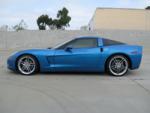






Windows 7 Corvette Theme Version II

Thread Starter
Advanced


Joined: Jan 2010
Posts: 91
Likes: 14
From: Tucson Arizona
 Windows 7 Corvette Theme Version II
I have completed version II of the Corvette theme (more pictures). Just go to http://www.deanblakely.com/corvettetheme.aspx click on the download link and hit open and the theme will be installed on your Windows 7 system.
If you have any questions email me at Gary@DeanBlakely.com.
Gary Blakely
If you have any questions email me at Gary@DeanBlakely.com.
Gary Blakely

Burning Brakes

Joined: May 2008
Posts: 1,005
Likes: 1
From: Ottawa Ontario
I have completed version II of the Corvette theme (more pictures). Just go to http://www.deanblakely.com/corvettetheme.aspx click on the download link and hit open and the theme will be installed on your Windows 7 system.
If you have any questions email me at Gary@DeanBlakely.com.
Gary Blakely
If you have any questions email me at Gary@DeanBlakely.com.
Gary Blakely
Thread Starter
Advanced
Joined: Jan 2010
Posts: 91
Likes: 14
From: Tucson Arizona
theme
If you don't like it, I will see to it that you get your money back

Gary Blakely
Thread Starter
Advanced
Joined: Jan 2010
Posts: 91
Likes: 14
From: Tucson Arizona
Corvette Stories
The Best of Corvette for Corvette Enthusiasts

How Much Horsepower Every Corvette Engine "LOST" in 1972
Joe Kucinski
Top 10 DOs and DON'Ts for Protecting Your Convertible Top!
Michael S. Palmer
Top 10 Most Explosive Corvettes Ever Made: Power-to-Weight Ratio Ranked!
Joe Kucinski
150 hp to 1,250 hp: Every Corvette Generation Compared by the Specs That Matter
Joe Kucinski
8 Coolest Corvette Pace Cars (and Replicas) of All Time
Verdad Gallardo
Top 10 Corvette Engines RANKED by Peak Torque (70+ Years of Muscle!)
Joe Kucinski
Corvette ZR1X Will Be Pacing the Indy 500, And Could Probably Race, Too!
Verdad Gallardo
Top 10 Corvettes Coming to Mecum Indy 2026!
Brett Foote
Top 10 C9 Corvette MUST-HAVES to Fix These C8 Generation Flaws!
Michael S. Palmer
Melting Slicks


Joined: Apr 2010
Posts: 2,790
Likes: 108
From: On the coast North of SF bay
Hey Gary, where are all the photos stored by version - I recall having provided one and don't even know if you used it or what version it's included in.
I think everyone would like to see the photos before installing. This brings to mind the method of install. Typically one is offered an option to cancel before install - in this case it would have been good avoid the possible concern some of us might have with seeing our desktops immediately change without any forewarning whatsoever.
Also though, if I had not saved my desktop as a template, and if I was not a savy PC user, I might not have been able to readily reset my settings by simply choosing my previous template/settings. Just sayin.....
Is there a way to step through the photos after the install - didn't spend much time looking, but in any case, didn't find it?
I think everyone would like to see the photos before installing. This brings to mind the method of install. Typically one is offered an option to cancel before install - in this case it would have been good avoid the possible concern some of us might have with seeing our desktops immediately change without any forewarning whatsoever.
Also though, if I had not saved my desktop as a template, and if I was not a savy PC user, I might not have been able to readily reset my settings by simply choosing my previous template/settings. Just sayin.....
Is there a way to step through the photos after the install - didn't spend much time looking, but in any case, didn't find it?


Team Owner

Joined: Aug 2007
Posts: 136,140
Likes: 2,432
From: I live my life by 2 rules. 1) Never share everything you know. 2)
St. Jude Donor '11-'12-'13, '16-'17-'18
Know what I hate more than spam?
Downloaded stuff that forces a change without FIRST ASKING.
Might as well be sending it from Nigeria...
Downloaded stuff that forces a change without FIRST ASKING.
Might as well be sending it from Nigeria...



Thread Starter
Advanced
Joined: Jan 2010
Posts: 91
Likes: 14
From: Tucson Arizona
Hey Gary, where are all the photos stored by version - I recall having provided one and don't even know if you used it or what version it's included in.
I think everyone would like to see the photos before installing. This brings to mind the method of install. Typically one is offered an option to cancel before install - in this case it would have been good avoid the possible concern some of us might have with seeing our desktops immediately change without any forewarning whatsoever.
Also though, if I had not saved my desktop as a template, and if I was not a savy PC user, I might not have been able to readily reset my settings by simply choosing my previous template/settings. Just sayin.....
Is there a way to step through the photos after the install - didn't spend much time looking, but in any case, didn't find it?
I think everyone would like to see the photos before installing. This brings to mind the method of install. Typically one is offered an option to cancel before install - in this case it would have been good avoid the possible concern some of us might have with seeing our desktops immediately change without any forewarning whatsoever.
Also though, if I had not saved my desktop as a template, and if I was not a savy PC user, I might not have been able to readily reset my settings by simply choosing my previous template/settings. Just sayin.....
Is there a way to step through the photos after the install - didn't spend much time looking, but in any case, didn't find it?
If you load any theme, including mine, and don't like it you just load another theme that you like. So, I'm not sure I really understand your point.
Gary
Thread Starter
Advanced
Joined: Jan 2010
Posts: 91
Likes: 14
From: Tucson Arizona
Gary
Thread Starter
Advanced
Joined: Jan 2010
Posts: 91
Likes: 14
From: Tucson Arizona

Thread Starter
Advanced
Joined: Jan 2010
Posts: 91
Likes: 14
From: Tucson Arizona
Thread Starter
Advanced
Joined: Jan 2010
Posts: 91
Likes: 14
From: Tucson Arizona