












Any regrets about not getting NAV?

Thread Starter
Burning Brakes


Joined: Sep 2013
Posts: 786
Likes: 123
From: Northern VA
 Any regrets about not getting NAV?
It seems the majority of the cars at dealerships were ordered with NAV, and from reading a lot of threads it appears the majority of the folks have NAV. I know there are a lot of threads debating why folks believe it is better to have it than not, and vice versa, with one of the reasons to have it being it is probably better to have for resale (not that resale is a major concern or thought when buying). I am wondering if there is anyone that didn't get NAV, if you have regrets about it? Thanks in advance.

Race Director

Joined: Mar 2005
Posts: 16,684
Likes: 1,193
From: La Center WA
Even though I know it's not the world's best system I ordered it anyway because it's still pretty darned good IMO. Yeah, I know that it was antiquated (compared to other nav systems) before it went into production, but I still like it a lot. Yeah, it's overpriced (even though it includes PDR) but I'll keep enjoying it long after I forget about the extra $1,795. It's light years ahead of the C6's nav system, it's integrated with the HUD, and it works well. I wouldn't have one of these cars without it. YMMV.

Le Mans Master

Joined: Dec 2014
Posts: 6,140
Likes: 2,745
From: Northeast
I have it, glad that I have it, but have yet to use it. I have it in all of my vehicles.
It's one of those antiquated tech gadgets that I'll have to be weaned off of... The iPhone seems to be my go-to if directions are needed.
Funny, I just received a notice from GM to update the maps, at a cost of course, but I think I'll pass...
It's one of those antiquated tech gadgets that I'll have to be weaned off of... The iPhone seems to be my go-to if directions are needed.
Funny, I just received a notice from GM to update the maps, at a cost of course, but I think I'll pass...

Burning Brakes
Joined: May 2014
Posts: 776
Likes: 373
From: Yukon Oklahoma
No regrets. I recently upgraded my 2014 infotainment system so that I could use Apple CarPlay for navigation. I know there are limitations (e.g., loss of LTE will not allow map data to be loaded, etc.), but when I do get the map, it's as current as it can be.
Another reason I don't like factory nav is what I'm currently experiencing with my 2012 GMC Yukon. I'm planning two extensive road trips in it in the next 5 months, so I thought I'd update the factory Nav so I wouldn't have to mess with my phone and take advantage of the larger screen and instructions coming through the vehicle sound system (the only benefits of factory Nav, in my opinion). I go to the GM NavDisc web site and plug in the vehicle info and "v2016" comes up, meaning it came out in late 2015. So now we're looking at data that is coming up on 2 years old and they still wanted to charge $179.00 for an almost 2 year old map!! So I called them to see if they are planning on releasing a "v2018" any time soon. I was transferred to their mapping department and they said they haven't been instructed to produce one yet!! He said normally they try to update every 18 months at the latest, but there was nothing planned yet. It appears that as the vehicles get older, they push the older vehicles aside and at some point there won't be any update for an older system. So another reason the factory system, unless they come up with a good, reasonably priced way of doing this, I'd forget about the factory system. My 2-Cents....

Another reason I don't like factory nav is what I'm currently experiencing with my 2012 GMC Yukon. I'm planning two extensive road trips in it in the next 5 months, so I thought I'd update the factory Nav so I wouldn't have to mess with my phone and take advantage of the larger screen and instructions coming through the vehicle sound system (the only benefits of factory Nav, in my opinion). I go to the GM NavDisc web site and plug in the vehicle info and "v2016" comes up, meaning it came out in late 2015. So now we're looking at data that is coming up on 2 years old and they still wanted to charge $179.00 for an almost 2 year old map!! So I called them to see if they are planning on releasing a "v2018" any time soon. I was transferred to their mapping department and they said they haven't been instructed to produce one yet!! He said normally they try to update every 18 months at the latest, but there was nothing planned yet. It appears that as the vehicles get older, they push the older vehicles aside and at some point there won't be any update for an older system. So another reason the factory system, unless they come up with a good, reasonably priced way of doing this, I'd forget about the factory system. My 2-Cents....
Last edited by monicatomokc; Jun 17, 2017 at 08:27 PM.

Safety Car


Joined: May 2016
Posts: 4,492
Likes: 1,028
From: MN
Occasionally I do regret not having it. On some of my "random drives" I miss the chance to just push a button and make sure where I am. If I know I am going to need nav, I can just plug in my iPhone and maps works fine--just not quite the same as having it built in. Note: When actually using Nav to get somewhere, on any of my cars I have used my phone and Navigon. Not because it's the best, but because I use it for business and am very used to it.
Corvette Stories
The Best of Corvette for Corvette Enthusiasts

Every 2027 Corvette Engine Explained
Joe Kucinski
Designer Imagines A Corvette That Looks More Like a Corvette Than the Corvette
Verdad Gallardo
10 Ugly Corvettes That We Still Kinda Love
Joe Kucinski
Top 10 Most Expensive Corvettes Ever Sold on Bring A Trailer
Brett Foote
10 Things Every Corvette Owner Needs (2026 Edition)
Michael S. Palmer
8 Most "Only Corvette Owners Understand" Quirks and Problems
Pouria Savadkouei
10 Reasons the C6 Z06 is Still A Performance Benchmark After 20 Years
Joe Kucinski
How Much Horsepower Every Corvette Engine "LOST" in 1972
Joe Kucinski
Top 10 DOs and DON'Ts for Protecting Your Convertible Top!
Michael S. Palmer
E-Ray, 3LZ, ZER, LIFT


Joined: Sep 2007
Posts: 35,050
Likes: 12,415
From: NE South Carolina
Had a 3LT 2014 with NAV. It was OK but updates are expensive and a PIA. Have a Garmin that was being relegated to when we use rental cars since the wife's SUV has NAV. The Garmin has free lifetime updates.
Bought the new Grand Sport as a 2LT and was not about to put $1700 into the GM NAV and pay for their updates. A forum poster suggested putting the Garmin in the cubby! Great idea, works like a charm! When I need as NAV or just want to check the speed limit on a road I'm on, I just lower the screen! It's usually set to maps. It's plugged into the cubby's USB with a short cored and turns on and off with the car. Note you need a specially wired cord not the one used to undate with a computer. That same poster who made the suggestion, sent me a cord since he sold the Vette!
A poster recently questioned possible overheating in the cubby. Drove for ~1 hour with the screen up. When I was home, with the engine running, used my infrared thermometer and measured temps. Face was 95 F. The outer black rim on the face the hottest at 103. The cubby interior about 90 F. It was 88 degrees outside.
The Garmin specs say operating range through 140 F.
Great solution. I did make a mount with an 1/8 inch aluminum base cut to the shape of the floor with sides the put pressure on the top of the cubby to keep it in place. Then used a suction mount to the cubby floor.
Bought the new Grand Sport as a 2LT and was not about to put $1700 into the GM NAV and pay for their updates. A forum poster suggested putting the Garmin in the cubby! Great idea, works like a charm! When I need as NAV or just want to check the speed limit on a road I'm on, I just lower the screen! It's usually set to maps. It's plugged into the cubby's USB with a short cored and turns on and off with the car. Note you need a specially wired cord not the one used to undate with a computer. That same poster who made the suggestion, sent me a cord since he sold the Vette!
A poster recently questioned possible overheating in the cubby. Drove for ~1 hour with the screen up. When I was home, with the engine running, used my infrared thermometer and measured temps. Face was 95 F. The outer black rim on the face the hottest at 103. The cubby interior about 90 F. It was 88 degrees outside.
The Garmin specs say operating range through 140 F.
Great solution. I did make a mount with an 1/8 inch aluminum base cut to the shape of the floor with sides the put pressure on the top of the cubby to keep it in place. Then used a suction mount to the cubby floor.
Last edited by JerryU; Jun 17, 2017 at 09:13 PM.



Advanced


Joined: Jun 2017
Posts: 63
Likes: 25
From: PA
I ordered without then changed to get the PDR, I probably will not use the NAV much and with a Garmin and cell phone which operate better then my experience with on board Nav systems I don't see how anyone would be sorry to not get it.

Drifting

Joined: Jul 2008
Posts: 1,802
Likes: 450
From: FEMA Region 4
Call me cheap, but there no way I'll pay for PDR or NAV. I wouldn't use either one. As you mentioned most cars on lots have both of them as options because the dealers make more money on loaded cars and believe people want these options. Rethinking what I just said, if the dealer could drop the l price on a car on the lot with these options and the price difference was close enough to an ordered C7 without them I'd consider them.
Team Owner


Joined: Aug 2004
Posts: 24,129
Likes: 1,038
From: The Beautiful Pacific Northwest
St. Jude Donor '05-'06-'07-'08-'09, '14-'15-'16-'17-'18
I regret that it was part of the package that came with my car.
I use Google Maps/Navigation via Android Auto and it runs circles around GM Nav which is clunky and inaccurate at times. Ever try using voice command with the GM Nav to find a location in a hurry? With Google, just tell it to navigate to wherever you want to be and there you go!
I use Google Maps/Navigation via Android Auto and it runs circles around GM Nav which is clunky and inaccurate at times. Ever try using voice command with the GM Nav to find a location in a hurry? With Google, just tell it to navigate to wherever you want to be and there you go!

Safety Car
Joined: Feb 2016
Posts: 4,980
Likes: 3,826
From: Bainbridge Island WA
I like the convenience of having it integrated, but I had an experience in Texas that makes me question NAV at a basic level. I was traveling from Ft Worth to Amarillo through some heavy construction. The Nav system kept giving me directions that were taking me in circles. I was getting VERY frustrated, and this is one of those times that causes tension with spouse. I finally ran up Google Maps with my Samsung and it told me to go in the OPPOSITE direction from the Nav. Mind you I was driving and doing all this phone stuff at the same time--not good. So I did an Executive Decision and went with Google--and got to Amarillo. Bottom line is the Nav system screwed me up. I have not trusted it since.


Team Owner
Joined: Aug 2004
Posts: 24,129
Likes: 1,038
From: The Beautiful Pacific Northwest
St. Jude Donor '05-'06-'07-'08-'09, '14-'15-'16-'17-'18
I like the convenience of having it integrated, but I had an experience in Texas that makes me question NAV at a basic level. I was traveling from Ft Worth to Amarillo through some heavy construction. The Nav system kept giving me directions that were taking me in circles. I was getting VERY frustrated, and this is one of those times that causes tension with spouse. I finally ran up Google Maps with my Samsung and it told me to go in the OPPOSITE direction from the Nav. Mind you I was driving and doing all this phone stuff at the same time--not good. So I did an Executive Decision and went with Google--and got to Amarillo. Bottom line is the Nav system screwed me up. I have not trusted it since.
You might want to try out Android Auto. It's an app that you download to your Samsung which links up with the car infotainment system. It displays a map on that big 8 inch screen and directs you to your destination the same way the phone does. I've been using that quite a bit and it works first time, every time.

Team Owner
Joined: Jul 2006
Posts: 97,155
Likes: 1,471
From: Calgary, AB. There's a reason why white was the only color offered on every year Corvette. Proud Canadian German Jamaican!
St. Jude Donor '09, '12-'13-'14-'15-'16-'17
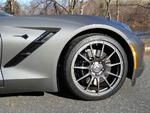
the three options that I didn't spring for because IMO they are totally useless and a huge waste of money:
more colored bits in the interior.
painted calipers
NAV
more colored bits in the interior.
painted calipers
NAV



Safety Car

Joined: Mar 2009
Posts: 4,101
Likes: 719
From: Northeast MA & Mad Beach FL
I prefer having OEM NAV and would miss not having it.
It's integrated and convenient even if I'm not going to a specific destination.
Wasn't sure I liked it as much as the C6 NAV, but took a first time long trip from MA to FL and back.
I learned to make it do what I want it to do and really like it now.
Planned the route on Google maps for destination, and 10 way stops to get it to take me the way I wanted to go.
Punched them all into the NAV in 5 minutes and it worked great the whole trip.
When I did have a problem on a separate side trip, I changed the Route preferences and that straightened it out.
I agree other units are more user friendly but still have to learn how they work.
It's only a tool and matter of personal preference
It's integrated and convenient even if I'm not going to a specific destination.
Wasn't sure I liked it as much as the C6 NAV, but took a first time long trip from MA to FL and back.
I learned to make it do what I want it to do and really like it now.
Planned the route on Google maps for destination, and 10 way stops to get it to take me the way I wanted to go.
Punched them all into the NAV in 5 minutes and it worked great the whole trip.
When I did have a problem on a separate side trip, I changed the Route preferences and that straightened it out.
I agree other units are more user friendly but still have to learn how they work.
It's only a tool and matter of personal preference