When you click on links to various merchants on this site and make a purchase, this can result in this site earning a commission. Affiliate programs and affiliations include, but are not limited to, the eBay Partner Network.
Sometimes, the littlest wins are very rewarding. I use an Android device (Samsung S8) with Android Auto but most cables are too long and many are a little sketchy for charging and data transfer.
Was looking for a shorty cable for some time and really wanted a right-angle end to clean things up a bit. Searching Amazon brought up items that were close but no cigar, until recently. The TecMad USB C cable looks so far to be a durable, short cable with a right-angle connector that reliably connects and no issues with data transfer. Tucks the phone into the center console with no excess but enough to pull out if need be. The cable is long enough to set the phone in with it plugged in with the connector at the bottom but it seems to work better to just turn it 90 degrees.
Oddly, I am not sure how I stumbled onto this particular item since it didn't come up previously. Assume it is a newer product based on few reviews but figured it was worth a shot. Of note, there are more reviews of the same product at international Amazon sites:
My phone seems to get hot in the armrest especially if I use GPS. It also reduces the cellular signal in some cases. I end up putting it on the passenger seat. Not sure what other way to deal with it. I also bought a short cable but it’s a little too short.
I bought a shorty cable from Amazon for use in my center console as well but it's just a plain black one, I should have gotten that fancy looking one instead!
I bought a similar 6" cable from Amazon before buying my GS thinking I might use the Android Auto feature. I haven't, but also selected it so I could charge the phone from within the console. When buying a cable be advised that micro USB connectors vary in configuration, and the one I bought worked with my S4 but not my S8 that I bought later. Also, some cheaper USB cables have only the 5V charging function, so read the specs before buying.
it is ok i guess, if you want the phone flying all over the place.
How do you prefer to connect yours for Android Auto?
Originally Posted by iclick
When buying a cable be advised that micro USB connectors vary in configuration, and the one I bought worked with my S4 but not my S8 that I bought later.
Very true...for those scoring at home, the one linked in the OP is for newer Android phones with USB-C connections as opposed to the Micro USB used on most older phones.
My phone seems to get hot in the armrest especially if I use GPS. It also reduces the cellular signal in some cases. I end up putting it on the passenger seat. Not sure what other way to deal with it. I also bought a short cable but it’s a little too short.
Was a little concerned with the heat as well but recently did a longer trip (9+ hours per day on the road) with zero issues.
On the GPS topic, I was experimenting with the phone in the "cubby" behind the screen (instead of in the console) and while it worked, it seemed reception and orientation for NAV seemed much better in the console. Go figure...
Since a few here have purchased the same cable recently, PLEASE post back up here and in Amazon reviews if you experience any problems AND if it works well! Along the same lines if there are issues, please report back if the company resolves it.
Asking to avoid me (us) suggesting a POS since I know all too well how finicky electronics (especially cables) can be. Really want to promote quality items and weed out the junk wherever possible...
May-Day....May-Day!!!!!!!
Sooooo! From reading these post, my issue may be a cheap usb cable. I'm using a LG G6 (C to A usb). I get a responsive touch screen for AA. I see everything I'm supposed to, just no audio. I've checked phone & infotainment system for volume. Crickets! I then used dash cluster options and toggled down to audio while in AA. The center display read, Audio Off. Switch to radio or pull usb cable and Voila! Sound. So what I'm reading is this is cable related. Just ordered a usb 3.0 that can also use 2.0 & 1.0 . Not sure what type usb slot is in vette. Oh yeah, its a 3' cable. I guess if this doesn't work I can prop my phone in the cup holder turn volume to high just to use waze without usb/AA.. Sidebar: when I first downloaded the AA app, it worked fine.
Last edited by Bfon1987; Apr 12, 2018 at 08:54 PM.
May-Day....May-Day!!!!!!!
...I get a responsive touch screen for AA. I see everything I'm supposed to, just no audio...
For me, this has happened but have been able to rule out cables so far.
The AA app still seems a little wonky (unstable) after using it over time. As mentioned, I have experienced this (display and normal indications, just no audio) on a few occasions. Swapping cables seemed to have no effect and correcting the problem seemed accidental and random.
Only consistent remedy for me has been power cycling the phone- I have to assume this clears caches and resets the USB bus with how it interfaced with the AA system in the vehicle.
In geek parlance, it looks to be a hung-bit somewhere in the Android OS that the developers have yet to exorcise.
For me, this has happened but have been able to rule out cables so far.
The AA app still seems a little wonky (unstable) after using it over time. As mentioned, I have experienced this (display and normal indications, just no audio) on a few occasions. Swapping cables seemed to have no effect and correcting the problem seemed accidental and random.
Only consistent remedy for me has been power cycling the phone- I have to assume this clears caches and resets the USB bus with how it interfaced with the AA system in the vehicle.
In geek parlance, it looks to be a hung-bit somewhere in the Android OS that the developers have yet to exorcise.
Allen
Are you powering the phone down while still plugged into USB? Read somewhere that another issue is that the phone display has to be unlocked. Any credibility to that? Seem like in the android world they get us used to an app, then they update and all hell breaks loose. Anyway! Until this is resolved i'm back to in vehicle Nav. I've started using my SD card slot to play music from personal library. So much for progress. Thanks for your input.
Last edited by Bfon1987; Apr 13, 2018 at 02:34 PM.




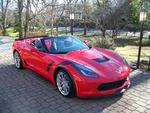












 Perfect USB cable? Perhaps...