







Check engine light

Thread Starter
Burning Brakes

Joined: Aug 2007
Posts: 922
Likes: 1
From: cobourg ont
 Check engine light
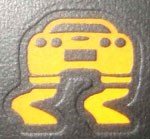
Stalled car trying to leave stop light in third gear Check engine light came on right after. Shut car off, light still on. Any problem driving 02 Z06 with 30,000 km on it. Have to go to Toronto tomorrow nite for sure with it. Will I hurt it. Car runs fine.
Check engine light came on right after. Shut car off, light still on. Any problem driving 02 Z06 with 30,000 km on it. Have to go to Toronto tomorrow nite for sure with it. Will I hurt it. Car runs fine.
Racer

Joined: May 2004
Posts: 401
Likes: 1
From: richmond hill ontario

Le Mans Master


Joined: Aug 2003
Posts: 5,474
Likes: 50
From: = From Toronto = 9/11/01 FDNY 343 Never Forget
CI 6-7-8-9-10 Veteran
St. Jude Donor '08-'09-'10-'11-'13-'14
To list your codes, turn the ignition key to the ON position, but don't start the engine. Clear any present DIC messages (like Door Ajar, or Service Steering Column) by pressing the RESET button. Then hold the OPTIONS button down, while pressing the FUEL button 4 times. This will get you into the CODES section of the DIC.
The computer will automatically display all the codes your car is or has created. It will cycle through each code every 3 seconds. You can watch it display codes for every module in your car. If you want to write them down, go ahead. Any code that ends in H is a history code - something that has occurred in the past but is fine now. The computer is very sensitive and would throw a code if you turned the radio off while tuning it.
Once the computer has finished going through all of it's automatic codes, press RESET to enter Manual Configuration. It should start with a module and show "NO CODES" or "# CODES". If it shows a number of codes, press and hold RESET until it displays "NO CODES".
2002 C5 DTC comprehensive info - LIST OF CODES IS HERE
Hope this helps.
The computer will automatically display all the codes your car is or has created. It will cycle through each code every 3 seconds. You can watch it display codes for every module in your car. If you want to write them down, go ahead. Any code that ends in H is a history code - something that has occurred in the past but is fine now. The computer is very sensitive and would throw a code if you turned the radio off while tuning it.
Once the computer has finished going through all of it's automatic codes, press RESET to enter Manual Configuration. It should start with a module and show "NO CODES" or "# CODES". If it shows a number of codes, press and hold RESET until it displays "NO CODES".
2002 C5 DTC comprehensive info - LIST OF CODES IS HERE
Hope this helps.
Thread Starter
Burning Brakes
Joined: Aug 2007
Posts: 922
Likes: 1
From: cobourg ont
To list your codes, turn the ignition key to the ON position, but don't start the engine. Clear any present DIC messages (like Door Ajar, or Service Steering Column) by pressing the RESET button. Then hold the OPTIONS button down, while pressing the FUEL button 4 times. This will get you into the CODES section of the DIC.
The computer will automatically display all the codes your car is or has created. It will cycle through each code every 3 seconds. You can watch it display codes for every module in your car. If you want to write them down, go ahead. Any code that ends in H is a history code - something that has occurred in the past but is fine now. The computer is very sensitive and would throw a code if you turned the radio off while tuning it.
Once the computer has finished going through all of it's automatic codes, press RESET to enter Manual Configuration. It should start with a module and show "NO CODES" or "# CODES". If it shows a number of codes, press and hold RESET until it displays "NO CODES".
2002 C5 DTC comprehensive info - LIST OF CODES IS HERE
Hope this helps.
The computer will automatically display all the codes your car is or has created. It will cycle through each code every 3 seconds. You can watch it display codes for every module in your car. If you want to write them down, go ahead. Any code that ends in H is a history code - something that has occurred in the past but is fine now. The computer is very sensitive and would throw a code if you turned the radio off while tuning it.
Once the computer has finished going through all of it's automatic codes, press RESET to enter Manual Configuration. It should start with a module and show "NO CODES" or "# CODES". If it shows a number of codes, press and hold RESET until it displays "NO CODES".
2002 C5 DTC comprehensive info - LIST OF CODES IS HERE
Hope this helps.
Corvette Stories
The Best of Corvette for Corvette Enthusiasts

How Much Horsepower Every Corvette Engine "LOST" in 1972
Joe Kucinski
Top 10 DOs and DON'Ts for Protecting Your Convertible Top!
Michael S. Palmer
Top 10 Most Explosive Corvettes Ever Made: Power-to-Weight Ratio Ranked!
Joe Kucinski
150 hp to 1,250 hp: Every Corvette Generation Compared by the Specs That Matter
Joe Kucinski
8 Coolest Corvette Pace Cars (and Replicas) of All Time
Verdad Gallardo
Top 10 Corvette Engines RANKED by Peak Torque (70+ Years of Muscle!)
Joe Kucinski
Corvette ZR1X Will Be Pacing the Indy 500, And Could Probably Race, Too!
Verdad Gallardo
Top 10 Corvettes Coming to Mecum Indy 2026!
Brett Foote
Top 10 C9 Corvette MUST-HAVES to Fix These C8 Generation Flaws!
Michael S. Palmer
Le Mans Master
Joined: Nov 2004
Posts: 5,761
Likes: 28
From: ontario Ontario

Drifting


Joined: Aug 2005
Posts: 1,757
Likes: 5
From: Peterborough, Ontario
stalled
end of serious note....
1st or second when stopped
3rd allow much higher rpm
4th a bit of a chore and
5th take your time out of the hole.....need to ride the clutch a tad
I don't know if you can get out in 6th and still have a clutch
at the end of it all LOL.
Ian