Digital Camera Recommendations
Thread Starter
Drifting


Joined: Nov 2001
Posts: 1,658
Likes: 25
From: Rochester Minnesota
 Digital Camera Recommendations
I'm thinking of putting a digital camera on my shopping list. What features should I look for?
How many pixels are enough for just general stuff?
Thanks---maybe if Santa comes through, I can finally post some photos of my car.
How many pixels are enough for just general stuff?
Thanks---maybe if Santa comes through, I can finally post some photos of my car.

Safety Car


Joined: Nov 2001
Posts: 4,166
Likes: 2
From: Las Vegas NV
Re: Digital Camera Recommendations (427435)
Personally. I recommend and own the CANON G2. Check the forum archives, there are several threads and several opinions.
Good Luck with your decision.!!!
Good Luck with your decision.!!!

Burning Brakes

Joined: May 2001
Posts: 862
Likes: 2
Re: Digital Camera Recommendations (DaBo)
There's an excellent website with reviews of ALL of them. http://www.dcresourse.com dc as in "digital camera." Yeah, I know it's obvious, but I didn't figure it out for the longest time! :rolleyes:
- Mike Greene
- Mike Greene

Race Director


Joined: Jan 2000
Posts: 10,067
Likes: 266
From: Slower than a speeding bullet................ Fort Lauderdale, FL
Re: Digital Camera Recommendations (427435)
I have the Olympus D460, and really like it a lot.
It is a little over a year old, and newer models are out now.
It is only 1.3 mp, but very ample for general purposes. I do a lot of
eBay auctions with car pics, and it gives great results.
Of course, you could spend $1,000, and buy a new 5mp camera,
but there's no reason to go that high. 3mp is more than enough,
and can probably be had for about $300 or so.
Just look for a camera with the features that you like, and is
comfortable in your hand. Lots of choices :D
You will surely enjoy your new toy... happy shooting :cheers:
It is a little over a year old, and newer models are out now.
It is only 1.3 mp, but very ample for general purposes. I do a lot of
eBay auctions with car pics, and it gives great results.
Of course, you could spend $1,000, and buy a new 5mp camera,
but there's no reason to go that high. 3mp is more than enough,
and can probably be had for about $300 or so.
Just look for a camera with the features that you like, and is
comfortable in your hand. Lots of choices :D
You will surely enjoy your new toy... happy shooting :cheers:

Le Mans Master


Joined: Jul 2000
Posts: 8,506
Likes: 3
From: Calhoun, GA_______ Let It Rock
Re: Digital Camera Recommendations (427435)
I think megapixels is only relative to printing the photos ie: 6 megapixels would allow a nice looking 8x10 print, etc....
I have an Olympus and have borrowed some of the Sonys and others. The Olympus has a much clearer and defined photos, in my opinion.
I also purchased a "digital camcorder", you can hold these in the palm of your hand. I got a Sony that has a Smartcard, you can videotape as normal on these and also take still pictures just like a regular digital camera. The real neat thing is that you can pause the video that you shot at any
point on playback and take a digital snapshot from the video ! By just pressing a button. So, if you go to a car show, etc...just videotape all that you want and when you want a still digital photo of anything, just pause and press another button for digital still. I got mine at Costco for around $600.00 It also has a super zoom lenses and extremely low light condition photography.
I have an Olympus and have borrowed some of the Sonys and others. The Olympus has a much clearer and defined photos, in my opinion.
I also purchased a "digital camcorder", you can hold these in the palm of your hand. I got a Sony that has a Smartcard, you can videotape as normal on these and also take still pictures just like a regular digital camera. The real neat thing is that you can pause the video that you shot at any
point on playback and take a digital snapshot from the video ! By just pressing a button. So, if you go to a car show, etc...just videotape all that you want and when you want a still digital photo of anything, just pause and press another button for digital still. I got mine at Costco for around $600.00 It also has a super zoom lenses and extremely low light condition photography.
Melting Slicks


Joined: Sep 2001
Posts: 3,031
Likes: 1,104
From: Aggieland TX
Re: Digital Camera Recommendations (427435)
427
I use a Sony DSC 75 (3.3 megapixel). I bought this one because it has a Zeiss lens and I use the same camera at work for various purposes (macrophotography, etc.). Most of the time I shoot 640x480 and they work fine assuming you don't want too much blow-up. They eat from about 50 to 150-160k of disc space on my PC. 1280's take about 500k. This one can handle up to 2048x1536. I just today saw the DSC 85 (4 megapixel) at Best Buy for what I paid for the 75 about three months ago. Bought a Sony DSC P51 (2.2mp) ($250) today for my daughter for Christmas. On my PCs at home and work I use the Sony Optical mouse with the Memory stick slot in it. Just plug the Memory stick in and it becomes another "drive".
Mega pixel needs probably depend on how much enlargement you want to push for. Just remember, the larger the image resolution, the more memory each photo will eat on your memory card in the camera.
There are lots of "good buys" out there! Good luck and have fun.
DZ
I use a Sony DSC 75 (3.3 megapixel). I bought this one because it has a Zeiss lens and I use the same camera at work for various purposes (macrophotography, etc.). Most of the time I shoot 640x480 and they work fine assuming you don't want too much blow-up. They eat from about 50 to 150-160k of disc space on my PC. 1280's take about 500k. This one can handle up to 2048x1536. I just today saw the DSC 85 (4 megapixel) at Best Buy for what I paid for the 75 about three months ago. Bought a Sony DSC P51 (2.2mp) ($250) today for my daughter for Christmas. On my PCs at home and work I use the Sony Optical mouse with the Memory stick slot in it. Just plug the Memory stick in and it becomes another "drive".
Mega pixel needs probably depend on how much enlargement you want to push for. Just remember, the larger the image resolution, the more memory each photo will eat on your memory card in the camera.
There are lots of "good buys" out there! Good luck and have fun.
DZ

Drifting
Joined: Oct 2000
Posts: 1,642
Likes: 0
From: Boerne Texas
Re: Digital Camera Recommendations (427435)
I concur with the other posts here. You should shop around and, like buying a "new" old Vette, decide what you want it for and how you intend to use it. The choices are many....
I use an old Sony Mavica at present, but am in the process of upgrading to a Sony CD-400 at 4.1 megapixels. I use a digital a lot for work purposes and for a lot of close-up stuff. Personally, I like this Sony model because it shoots directly to a mini-CD that can be used in any computer (at least those with CD drives....which is the majority these days.... :yesnod: )...PC or Mac platforms. Not everyone has a memory stick reader. My present Sony shoots directly to a floppy, but most newer 'puters no longer have the floppy drives.
Just my $0.02....good luck with Santa! :cheers:
********************

********************
Jeff
‘66. Modified L72
“The Silver Beast”
Keep on :cheers: :seeya :seeya
I use an old Sony Mavica at present, but am in the process of upgrading to a Sony CD-400 at 4.1 megapixels. I use a digital a lot for work purposes and for a lot of close-up stuff. Personally, I like this Sony model because it shoots directly to a mini-CD that can be used in any computer (at least those with CD drives....which is the majority these days.... :yesnod: )...PC or Mac platforms. Not everyone has a memory stick reader. My present Sony shoots directly to a floppy, but most newer 'puters no longer have the floppy drives.
Just my $0.02....good luck with Santa! :cheers:
********************
********************
Jeff
‘66. Modified L72
“The Silver Beast”
Keep on :cheers: :seeya :seeya

Melting Slicks
Joined: Mar 2001
Posts: 2,145
Likes: 340
From: Just About 40 Min's from NYC
Re: Digital Camera Recommendations (427435)
I am one who has a problem with reading large operators manuals.
my first camera I purchased a olympus D-450 and thought it was great easey to operate with a 1.3 megapixels
a freind shown me a photo taken with a zoom lenz and I upgrade to the olympus C-700 only for the zoom lenz.this camera has a 2.1 megapixels both are simple for me to operate.
I did not purchase on price on I purchased on ease of operation I found the sony's tought to understand,I probabley only use 1/10th the capaplities of my camera.this is a picture taken with the zoom lenz

I am definatley standing more then 150 feet from the car I love the way the zoom makes a car look.
http://temp.corvetteforum.net/classi...//p8180034.jpg
click on the link above it show the picture full screen.
the C-700 beside being easey to operate has the capabilities to take a 15 secound vid when I figure out how to post it I will take the C2 out for a ride to give the fellows an idea of what the sounds are when your shifting a b/b with side pipes up around its redline
My dad who is not computer smart has a digital camera and paid under 100.00 for it and he post's and emails pictures to all his freinds as long as he is in focus and not moving around the pictures really look no different then the ones from my d-450
[Modified by Ih2lose, 11:01 PM 12/8/2002]
[Modified by Ih2lose, 11:07 PM 12/8/2002]
my first camera I purchased a olympus D-450 and thought it was great easey to operate with a 1.3 megapixels
a freind shown me a photo taken with a zoom lenz and I upgrade to the olympus C-700 only for the zoom lenz.this camera has a 2.1 megapixels both are simple for me to operate.
I did not purchase on price on I purchased on ease of operation I found the sony's tought to understand,I probabley only use 1/10th the capaplities of my camera.this is a picture taken with the zoom lenz
I am definatley standing more then 150 feet from the car I love the way the zoom makes a car look.
http://temp.corvetteforum.net/classi...//p8180034.jpg
click on the link above it show the picture full screen.
the C-700 beside being easey to operate has the capabilities to take a 15 secound vid when I figure out how to post it I will take the C2 out for a ride to give the fellows an idea of what the sounds are when your shifting a b/b with side pipes up around its redline
My dad who is not computer smart has a digital camera and paid under 100.00 for it and he post's and emails pictures to all his freinds as long as he is in focus and not moving around the pictures really look no different then the ones from my d-450
[Modified by Ih2lose, 11:01 PM 12/8/2002]
[Modified by Ih2lose, 11:07 PM 12/8/2002]
Corvette Stories
The Best of Corvette for Corvette Enthusiasts

Corvette & Porsche 911: How Two Icons Conquered the Last 25 Years
Joe Kucinski
2027 Chevrolet Silverado 1500 First Look: Everything You NEED to Know!
Michael S. Palmer
5 Best & 5 Worst Corvette Daily Drivers
Joe Kucinski
The Headlights of Every Corvette Generation Explained
Joe Kucinski
5 Best & 5 Most Overrated Corvette Track Packages of All Time!
Joe Kucinski
Every 2027 Corvette Engine Explained
Joe Kucinski
Designer Imagines A Corvette That Looks More Like a Corvette Than the Corvette
Verdad Gallardo
10 Ugly Corvettes That We Still Kinda Love
Joe Kucinski
Top 10 Most Expensive Corvettes Ever Sold on Bring A Trailer
Brett Foote
Racer


Joined: Apr 2001
Posts: 311
Likes: 11
From: Florence SC
Re: Digital Camera Recommendations (427435)
I just purchased a Canon powershot A 40 with 2.1 megapixels, an optical zoom, digital zoom and it can also shoot up to a 30 second movie with audio.It seems to be easy to use. It has to be or I would be looking for a simpler camera

Melting Slicks
Joined: May 2000
Posts: 2,743
Likes: 146
From: Chuckanut WA
Re: Digital Camera Recommendations (427435)
We purchased an Olympus C-700 2 years ago for our Europe trip. Great camera, compact, light, tough, and easy to use with the best zoom available for this size camera. We got a 128 meg smart card for it and took our entire trip, over 360 pics at high resolution on one card. At the end of each day we simply reviewed the pics taken that day and then just deleted the ones we didn't like. For the price it would in my opinion be very hard to beat. Under $500.00. :cheers:

Melting Slicks
Joined: Dec 1999
Posts: 2,489
Likes: 32
From: New Smyrna Beach FL
Re: Digital Camera Recommendations (427435)
I just bought an Olympus D550 for 285 on amazon.com. 3.1 megapixel at the best price I have seen. You also get a free memory card for it. Check it out.
I used http://www.dpreview.com/ to help me decide. I am a newbie but it still takes great pictures.
I used http://www.dpreview.com/ to help me decide. I am a newbie but it still takes great pictures.

Le Mans Master


Joined: May 2000
Posts: 6,168
Likes: 395
From: Halifax, Nova Scotia, Canada NS
Re: Digital Camera Recommendations (67435animal)
I bought a Fuji4700 (4mp) for 1/2 price at FutureShop (Canadian Best Buys).
Easy to use and simple...but loves to eat batteries...
Easy to use and simple...but loves to eat batteries...
Melting Slicks
Joined: Nov 2002
Posts: 2,460
Likes: 5
From: Wheaton IL
Re: Digital Camera Recommendations (427435)
427435-
I recommend no less and no more than 2 megapixel. 2 Megapixel will give you outstanding quality - even on enlargements but will now eat up disk space as much as 3+ megapixel will.
Also, I recommend at least 2x OPTICAL zoom. Digital zoom is no good because it only enlarges the picture and crops it whcih can be done more efficiently thorugh any photo editing software.
Macro lens - The detail this macro lens can pick up is amazing - perfect fpr trying to communicate corvette Problems.
I recommend the fuji finepix 2600. You can get it complete with batteries and charger for just over $200. Its only drawbacks are that it needs a fair amoutn of light to operate well.
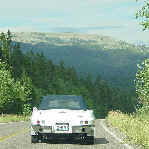
Here's some proof
Regular

macro

Whatever you do - go check out the cameras in person and look at the pictures on something other than the LCD screen on the camera. My buddy has a 2megapixel kodak and it stinks.
AllcoupeduP
I recommend no less and no more than 2 megapixel. 2 Megapixel will give you outstanding quality - even on enlargements but will now eat up disk space as much as 3+ megapixel will.
Also, I recommend at least 2x OPTICAL zoom. Digital zoom is no good because it only enlarges the picture and crops it whcih can be done more efficiently thorugh any photo editing software.
Macro lens - The detail this macro lens can pick up is amazing - perfect fpr trying to communicate corvette Problems.
I recommend the fuji finepix 2600. You can get it complete with batteries and charger for just over $200. Its only drawbacks are that it needs a fair amoutn of light to operate well.
Here's some proof
Regular
macro
Whatever you do - go check out the cameras in person and look at the pictures on something other than the LCD screen on the camera. My buddy has a 2megapixel kodak and it stinks.
AllcoupeduP
Le Mans Master
Joined: Nov 2000
Posts: 7,246
Likes: 21
From: Going too fast over the hill. Iowa
What kind of connections are available?? (Allcoupedup)
I work with a company portable - no usb connection. What kind of connection does the camera provide to offload the pictures? :confused:
Melting Slicks
Joined: Nov 2002
Posts: 2,460
Likes: 5
From: Wheaton IL
Re: What kind of connections are available?? (magicv8)
MagicV8 -
If you had a desktop computer with no USB interface you culd add an USB interface easily. You can do the same for your laptop through the PCMCIA slots (assuming you have one free)
A quick search yielded the following at about $55
http://www.addonics.com/products/hos...b2_adapter.asp
It will allow you to plug USB devices into a laptop that did not come stock with a uSB connection. I'm sorry your computer won't be numbers matching anymore. :lol:
Don't consider buying any camera that does not have a USB connection.
If you had a desktop computer with no USB interface you culd add an USB interface easily. You can do the same for your laptop through the PCMCIA slots (assuming you have one free)
A quick search yielded the following at about $55
http://www.addonics.com/products/hos...b2_adapter.asp
It will allow you to plug USB devices into a laptop that did not come stock with a uSB connection. I'm sorry your computer won't be numbers matching anymore. :lol:
Don't consider buying any camera that does not have a USB connection.

Safety Car


Joined: Dec 1999
Posts: 4,406
Likes: 1,195
From: Lexington,NC,USA
C1 of Year Finalist (track prepared) 2019
Re: Digital Camera Recommendations (427435)
I have had a two digital cameras in the last 5 years. The first was an easy to use, point and click, Ricoh brand, with a maximum resolution of 768 x 512 pixels. My current camera is a Fuji FinePix S602. My experience has been that if you want to shoot mainly outdoors pictures in good light and use the pictures on the internet, that 640 x 480 is good and that 1280 x 960 pixels (approximately 1 megapixel resolution) is all that you will need. If you ever intend to use your computer printer to get nearly "film" quality prints, 4"x6" or higher, go to a higher resolution camera.
If you are looking for a digital camera that has all the features of a 35mm SLR film camera, I would recommend the Fuji FinePix S602. It has resolutions from 640 x 480 up to 2832 x 2128 pixels, motion picture mode (640 x 480 resolution at 30 frames per second), 6x optical zoom, built in flash, time exposure, and much, much more. My complete camera kit with 128 MEG memory card, USB card reader, wide angle and 2X telephoto lens, three filters, cleaning kit, carrying case, and tripod was about $800. However, if you are just looking for a simple to use camera, DO NOT buy this one. Even though it can be operated in a "point and click" mode, it is rather intimidating to set up and has a 90 page manual.
One thing you should be aware of when comparing pixel resolutions of digital cameras is that some advertise their maximum "enhanced" or "recorded" resoultions which can be higher than the actual resolution of the camera's CCD (Charge-Coupled device) , the device which "sees" the image. Usually, the higher the CCD resolution, the better the picture quality and expense.
Also recommend you get a camera that uses a readily available battery type, i.e. rechargeable AA cells instead of some proprietary battery.
Most cameras now come with a cable that will connect to your computer's USB port for downloading pictures. If you have an older computer that does not have a USB port, you may have to add a card to your computer. I would NOT recommend using a regular serial port for downloading pictures, too slow.
Charles
If you are looking for a digital camera that has all the features of a 35mm SLR film camera, I would recommend the Fuji FinePix S602. It has resolutions from 640 x 480 up to 2832 x 2128 pixels, motion picture mode (640 x 480 resolution at 30 frames per second), 6x optical zoom, built in flash, time exposure, and much, much more. My complete camera kit with 128 MEG memory card, USB card reader, wide angle and 2X telephoto lens, three filters, cleaning kit, carrying case, and tripod was about $800. However, if you are just looking for a simple to use camera, DO NOT buy this one. Even though it can be operated in a "point and click" mode, it is rather intimidating to set up and has a 90 page manual.
One thing you should be aware of when comparing pixel resolutions of digital cameras is that some advertise their maximum "enhanced" or "recorded" resoultions which can be higher than the actual resolution of the camera's CCD (Charge-Coupled device) , the device which "sees" the image. Usually, the higher the CCD resolution, the better the picture quality and expense.
Also recommend you get a camera that uses a readily available battery type, i.e. rechargeable AA cells instead of some proprietary battery.
Most cameras now come with a cable that will connect to your computer's USB port for downloading pictures. If you have an older computer that does not have a USB port, you may have to add a card to your computer. I would NOT recommend using a regular serial port for downloading pictures, too slow.
Charles

Team Owner


Joined: Oct 2000
Posts: 38,897
Likes: 1,927
From: Washington Michigan
Re: Digital Camera Recommendations (cbernhardt)
I bought my first digital camera 4-5 years ago, an Olympus, with a serial connecting cable (before USB came out); great camera, but it took forever to download images - today it's a $700 paperweight :cry
I have a Sony DSC-S70 3mp, terrific device. For me, critical needs are optical zoom (not just digital, which degrades resolution as you increase zoom), and macro capability - the Sony will macro focus down to 1-5/8" from the lens. I shoot 99% of my images at 640x480, which serves most of my needs, and those 55K-65K images don't have to be re-sized down to post on the boards I frequent; if I plan to make a large print, I shoot at higher resolution and switch back. I don't fiddle with USB cables to download - I have a PC card adapter for my laptop (just pop the Memory Stick out of the camera, into the card, and stick the card in the slot to download instantly), and a USB Memory Stick "card reader" permanently connected to my desktop PC - just insert the Memory Stick in the reader's slot and instantly download. Don't buy a "bargain" camera and be disappointed in its shortcomings two weeks later; make sure the one you buy meets your current (and future) needs - the technology changes every month :eek:
I have a Sony DSC-S70 3mp, terrific device. For me, critical needs are optical zoom (not just digital, which degrades resolution as you increase zoom), and macro capability - the Sony will macro focus down to 1-5/8" from the lens. I shoot 99% of my images at 640x480, which serves most of my needs, and those 55K-65K images don't have to be re-sized down to post on the boards I frequent; if I plan to make a large print, I shoot at higher resolution and switch back. I don't fiddle with USB cables to download - I have a PC card adapter for my laptop (just pop the Memory Stick out of the camera, into the card, and stick the card in the slot to download instantly), and a USB Memory Stick "card reader" permanently connected to my desktop PC - just insert the Memory Stick in the reader's slot and instantly download. Don't buy a "bargain" camera and be disappointed in its shortcomings two weeks later; make sure the one you buy meets your current (and future) needs - the technology changes every month :eek:
Le Mans Master
Joined: Nov 2000
Posts: 7,246
Likes: 21
From: Going too fast over the hill. Iowa
Re: What kind of connections are available?? (Allcoupedup)
Thanks for the help guys. My "home" PC is an hp omnibook 4150 owned by the company I work for. This gives them 7x24 server coverage while my hp vectra vl holds down my work desk. Since the portable has no slots and I can't mod the hardware, I will put the camera off unless I can still find one that store shots on a 3.5inch disk. I almost bought one of those last year. Two more years until retirement (assuming my 200.5k retirement account becomes a 401k again) at which point I'll buy a desktop machine of my own.

Using a company machine has fringe benefits ( aside from cost to purchase) - last Saturday it crapped out (for the second time) after a 300 mile cold ride to EauClaire WI - and the support people at work popped the video board in an hour this morning. Here I am, back again. ;)
Using a company machine has fringe benefits ( aside from cost to purchase) - last Saturday it crapped out (for the second time) after a 300 mile cold ride to EauClaire WI - and the support people at work popped the video board in an hour this morning. Here I am, back again. ;)
Team Owner
Joined: Oct 2000
Posts: 38,897
Likes: 1,927
From: Washington Michigan
Re: What kind of connections are available?? (magicv8)
If your 4150 has an available USB port, you're in business - you can use the card-reader made for desktops - just plug it in (or use the USB cable that comes with the camera and plug it in direct from the camera).