







my fourth try

Le Mans Master


Joined: Aug 2000
Posts: 9,662
Likes: 7
From: Semper ubi, sub ubi
Cruise-In VI Veteran
Cruise-In VII Veteran
 Re: my fourth try (twoinchgroup52)
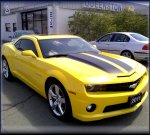
I've noticed a problem lately with posting pictures in the forum, it seems that the img tags have to be capitalized or they won't work. I'm going to try and post your car's image and see if I have any better luck than you did.

This is just too strange, I right clicked on the image, got the properties of the image, then copied and pasted it into my address bar on the webpage. Hit the go button and it showed the picture, when I went back to the Forum page the picture showed up it my post and in twoinchgroup52's. It must be the hosting site that is preventing remote linking somehow! Wierd!!
[Modified by Smokehouse69, 8:29 PM 11/25/2003]
This is just too strange, I right clicked on the image, got the properties of the image, then copied and pasted it into my address bar on the webpage. Hit the go button and it showed the picture, when I went back to the Forum page the picture showed up it my post and in twoinchgroup52's. It must be the hosting site that is preventing remote linking somehow! Wierd!!
[Modified by Smokehouse69, 8:29 PM 11/25/2003]
Melting Slicks


Joined: Oct 2002
Posts: 2,865
Likes: 1
From: I may be getting old but I refuse to grow up
Re: my fourth try (Smokehouse69)
I had the same thing happen......when I copied and pasted the address I could see the picture, backed up to the topic and the picture showd up. went offline for a bit and now the picture doesn't appear.
:confused: :confused:
Steve :steering:
:confused: :confused:
Steve :steering:
Corvette Stories
The Best of Corvette for Corvette Enthusiasts

Top 10 Most Expensive Corvettes Ever Sold on Bring A Trailer
Brett Foote
10 Things Every Corvette Owner Needs (2026 Edition)
Michael S. Palmer
8 Most "Only Corvette Owners Understand" Quirks and Problems
Pouria Savadkouei
10 Reasons the C6 Z06 is Still A Performance Benchmark After 20 Years
Joe Kucinski
How Much Horsepower Every Corvette Engine "LOST" in 1972
Joe Kucinski
Top 10 DOs and DON'Ts for Protecting Your Convertible Top!
Michael S. Palmer
Top 10 Most Explosive Corvettes Ever Made: Power-to-Weight Ratio Ranked!
Joe Kucinski
150 hp to 1,250 hp: Every Corvette Generation Compared by the Specs That Matter
Joe Kucinski
8 Coolest Corvette Pace Cars (and Replicas) of All Time
Verdad Gallardo



Burning Brakes

Joined: Mar 2002
Posts: 1,102
Likes: 0
From: Montreal QC
Re: my fourth try (stpman)
I had the same thing happen......when I copied and pasted the address I could see the picture, backed up to the topic and the picture showd up. went offline for a bit and now the picture doesn't appear.

Race Director


Joined: Feb 1999
Posts: 19,659
Likes: 34
From: Lenoir City Tennessee
Ci 6, 8 & 10 Veteran
St. Jude Donor '05-'06-'07-'08-'09-'10-'11-'12-'13-'14-'15
Re: my fourth try (FinnShark)
I think it has something to do with who is hosting the pic. Sometimes some of the hosts do not allow remote linking. And it seems webshots and photohosts are making a lot of red x's show up.
BTW, nice looking CE.
BTW, nice looking CE.

Thread Starter
Advanced

Joined: Mar 2003
Posts: 59
Likes: 0
From: Saratoga NY
Re: my fourth try (twoinchgroup52)
Thanks guys. I appreciate your efforts in posting my pic. I spent hours on this yesterday. You would think that picture posting would be simple like on Ebay---directly from "my documents." Anyway. thanks again and have a happy Thanksgiving!
Sincerely,
Twoinchgroup52 :cheers:
Sincerely,
Twoinchgroup52 :cheers: