






digital camera

Race Director


Joined: Feb 1999
Posts: 19,659
Likes: 34
From: Lenoir City Tennessee
Ci 6, 8 & 10 Veteran
St. Jude Donor '05-'06-'07-'08-'09-'10-'11-'12-'13-'14-'15
 Re: digital camera (big632)
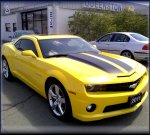
For posting here, more pixels will make it harder to upload and harder for every one to see. You want more pixels if you are going to do some printing of your pictures. I have an old Sony that is 3.1 MP at max resolution. I usually use the camera at its smallest setting to make the pictures that I post on here. Click on the picture in my sig and see. It is taken at 480X640. This is a good size for posting, not very good for printing at much bigger than 3X5 though. If I am going to do some printing I make a picture as big as my camera will allow. This way there is no graininess showing in the pics. This is an example of a pic taken on max resolution, 1600X1200, by my camera. Click on the link. BTW, I am partial to the Sony. Never had anything else though.
http://temp.corvetteforum.net/c4/eddie_96//dsc00096.jpg
http://temp.corvetteforum.net/c4/eddie_96//dsc00096.jpg
Melting Slicks


Joined: Oct 2002
Posts: 2,865
Likes: 1
From: I may be getting old but I refuse to grow up
Re: digital camera (Eddie 70)
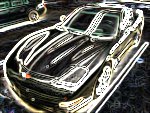
I bought a Canon A70 (3.2 Mmega pixels) last June and I realy like it. easy to use.. I haven't taken any pictures with max res yet though
 This one was at 640x480
Steve :steering:
This one was at 640x480Steve :steering:
Race Director


Joined: Jan 2000
Posts: 12,399
Likes: 247
From: San Jose CA
Re: digital camera (big632)
I just upgraded from a Kodak DC260 (P&S 1.6MPX) to a Nikon D70 (SLR, 6.1MPX)
To be honest, this SLR kicks the living crap out of any other digital camera I've ever used.

Obviously, though, it's a little pricey and a little unnecessary for just "posting pictures". If all you want is to take some pics for projects, or to upload a sig pic or whatever, I don't even see why you'd want to go over 2.0 mpx.
-Steve
[Modified by Pacin'California, 3:04 PM 4/10/2004]
To be honest, this SLR kicks the living crap out of any other digital camera I've ever used.
Obviously, though, it's a little pricey and a little unnecessary for just "posting pictures". If all you want is to take some pics for projects, or to upload a sig pic or whatever, I don't even see why you'd want to go over 2.0 mpx.
-Steve
[Modified by Pacin'California, 3:04 PM 4/10/2004]

Race Director
Joined: May 2003
Posts: 11,814
Likes: 9
From: Science Bitch! Mississauga, Ontario
Canadian Events Coordinator
Re: digital camera (Pacin'California)
Get something cheap 2MP's....you won't notice a big difference and you won't spend a poopieload :thumbs:

Melting Slicks


Joined: Mar 2001
Posts: 3,365
Likes: 5
From: Lake Villa IL
Cruise-In IV Veteran
Cruise-In V Veteran
St. Jude Contributor
Re: digital camera (big632)
I have a 2meg Sony I bought two years ago. I really like it. I use it to document all my repairs. As pointed out, when you take photos for posting, keep it small.
You can dial back the resolution, or pump it up. The cameras let you adjust just about everything.
[Modified by joeveto, 7:15 PM 4/10/2004]
You can dial back the resolution, or pump it up. The cameras let you adjust just about everything.
[Modified by joeveto, 7:15 PM 4/10/2004]
Melting Slicks
Joined: Oct 2002
Posts: 2,865
Likes: 1
From: I may be getting old but I refuse to grow up
Re: digital camera (big632)
Thanks guys,one more question if I go with more pixels is there a control on the camera to tone it down or are all pics at that pixel rating?
Steve :steering:
Corvette Stories
The Best of Corvette for Corvette Enthusiasts

Top 10 Most Expensive Corvettes Ever Sold on Bring A Trailer
Brett Foote
10 Things Every Corvette Owner Needs (2026 Edition)
Michael S. Palmer
8 Most "Only Corvette Owners Understand" Quirks and Problems
Pouria Savadkouei
10 Reasons the C6 Z06 is Still A Performance Benchmark After 20 Years
Joe Kucinski
How Much Horsepower Every Corvette Engine "LOST" in 1972
Joe Kucinski
Top 10 DOs and DON'Ts for Protecting Your Convertible Top!
Michael S. Palmer
Top 10 Most Explosive Corvettes Ever Made: Power-to-Weight Ratio Ranked!
Joe Kucinski
150 hp to 1,250 hp: Every Corvette Generation Compared by the Specs That Matter
Joe Kucinski
8 Coolest Corvette Pace Cars (and Replicas) of All Time
Verdad Gallardo
Melting Slicks

Joined: Sep 2003
Posts: 3,050
Likes: 2
From: Orange Ct
Re: digital camera (big632)
Get the best camera you can. Take the pictures in high resolution and save them in the computer or on CD for future printing or whatever. Then use
a program like Photoshop Elements to resize for e-mail or posting. With the
higher resolution you can crop out parts of the picture and
blow it up with out losing too much quality.
Bob
a program like Photoshop Elements to resize for e-mail or posting. With the
higher resolution you can crop out parts of the picture and
blow it up with out losing too much quality.
Bob

Advanced

Joined: Jul 2003
Posts: 75
Likes: 0
From: Murrieta CA
Re: digital camera (w1ctc)
Get the best camera you can. Take the pictures in high resolution and save them in the computer or on CD for future printing or whatever. Then use
a program like Photoshop Elements to resize for e-mail or posting. With the
higher resolution you can crop out parts of the picture and
blow it up with out losing too much quality.
Bob
a program like Photoshop Elements to resize for e-mail or posting. With the
higher resolution you can crop out parts of the picture and
blow it up with out losing too much quality.
Bob
I have the SONY Cybershot 5.0 and love it.

Race Director
Joined: Feb 1999
Posts: 16,978
Likes: 7
From: In Dreams There Is Truth Ohio
Re: digital camera (big632)
I have a kodak 290, 3.1 pixels, now obsolete, took my sig pic with that camera. Shoot the pics at the camera's highest resolution. The forum's software will automaticaly downsize the pic. If you want to downsize the pic yourself, XP has that function.
[Modified by GDaina, 3:19 AM 4/11/2004]
[Modified by GDaina, 3:19 AM 4/11/2004]
Race Director
Joined: Jan 2000
Posts: 12,399
Likes: 247
From: San Jose CA
Re: digital camera (GDaina)
I have a kodak 290, 3.1 pixels, now obsolete, took my sig pic with that camera. Shoot the pics at the camera's highest resolution. The forum's software will automaticaly downsize the pic. If you want to downsize the pic yourself, XP has that function.
[Modified by GDaina, 3:19 AM 4/11/2004]
[Modified by GDaina, 3:19 AM 4/11/2004]
Race Director
Joined: Feb 1999
Posts: 16,978
Likes: 7
From: In Dreams There Is Truth Ohio
Re: digital camera (Pacin'California)

Yep, you have to upload the image, but I'd rather shoot the pic at the highest resolution in case I want to have a permanet file or maybe make it into an 8x10 or 11x14 print. Compare the pic to the pic in my sig...same pic, but the one you see now is downsized.

Drifting

Joined: Jan 2002
Posts: 1,453
Likes: 2
From: Toronto
Re: digital camera (GDaina)
The forum's software will automaticaly downsize the pic. If you want to downsize the pic yourself, XP has that function.
If you don't have XP (though, of course, everyone should have XP!), there's an excellent free program on the net called Irfanview that I used on the pre-XP era for downsizing pics, doing slideshows, etc. It can also do batch conversions, downsizing many pics in one operation, rather than one-at-a-time.
http://www.irfanview.com/

Team Owner

Joined: Aug 1999
Posts: 30,995
Likes: 99
From: Ontario
Re: digital camera (big632)
I recently purchased a Sony Cyber-shot 5.0 megapixel. Wonderful camera but the software is pitiful. For years I used a Kodak DC280 2.1 megapixel and it worked very well. For your purposes I would suggest that a quality camera with 2.1 megapixels is just fine. I like the Sony's capabilities but I can foresee that most shots will be taken at 2.1. What has not been mentioned is that the 5.0 megapixel files will fill up a hard drive very quickly! Right now I am shooting at 1.2 megapixels for that reason.
I re-size the pics for Forum purposes using JASC Paint Shop Pro software but as mentioned by George most Windows packages have built-in editing functions.

I re-size the pics for Forum purposes using JASC Paint Shop Pro software but as mentioned by George most Windows packages have built-in editing functions.

Team Owner


Joined: Jun 2001
Posts: 23,375
Likes: 1,067
From: Virginia USA
Re: digital camera (paul67)
I use either our old Olympus 2.0MP or the camera that I just bought for my wife for Christmas last year FujiFilm S3000 3.2Mp 6x optical zoom. Good camera. I agree that the SLR Digitals are the way to go.
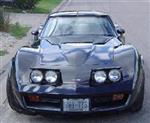
I use Photoshop to reduce the size and resolution before I post them for our dial-up friends. I take all my pictures at max resolution.
I use Photoshop to reduce the size and resolution before I post them for our dial-up friends. I take all my pictures at max resolution.
Le Mans Master


Joined: Apr 2001
Posts: 5,000
Likes: 1
From: Minneapolis, Mn USA
Re: digital camera (GDaina)
[QUOTE] If you want to downsize the pic yourself, XP has that function.
QUOTE]
What part of XP has this function? MS Paint?
Ive got pics that are 1MB and Id want to reduce down to say 10-100KB for a sig pic.
Brent...
[Modified by MN-Brent, 1:58 PM 4/11/2004]
QUOTE]
What part of XP has this function? MS Paint?
Ive got pics that are 1MB and Id want to reduce down to say 10-100KB for a sig pic.
Brent...
[Modified by MN-Brent, 1:58 PM 4/11/2004]

Drifting

Joined: Oct 2000
Posts: 1,825
Likes: 56
From: Shawano WI
Re: digital camera (MN-Brent)
If you want to downsize the pic yourself, XP has that function.
Then when ever you are on a picture you can right click and resize a picture. IIt is quick and easy. Saves alot of time over any other package.
Pete
[Modified by Pete79L82, 3:29 PM 4/11/2004]
Team Owner

Joined: Feb 2000
Posts: 51,504
Likes: 6
From: Sacramento CA
Re: digital camera (Pete79L82)
5.0mp wont really fill a hard drive fast.
One note about megapixels is the lens is more important, and the camera
eample, theres a sony cybershot 8.0 megapixel, but the Canon 300D DSLR and Nikon D70, although 6MP, produce a better image with better true resolution.
at 5.0 megapixel, it would take roughly 80-100,000 photographs at 100% JPeG quality to fill a modern hard drive.
One thing to note about forum downsizing.
The forum ONLY has a maximum value in the HTML image tags.
it will *not* change your photograph in any way.
it ONLY changes how large it appears in your browser window.
it works like this:
Johnny Bigpicture posts a 1024x768 picture of his new C5. It is 150k in size.
The Forum software says "Oh damn, thats much much too many pixels"
When you view it, the forum software says "My maximum is 600 pixels wide."
"Show this photograph AS IF it was 600 pixels wide.)
The photo is still 150k in size. The photo is *still* 1024x768. What is happening here, is the software is just displaying it with a maximum pixel width.
So it doesnt actually change the size of the image.
It just looks like it did because it "squeezes" (without modifying) the image into the maximum forum dimensions.
hope this is clear.
The moral of the story is, the forum software doesn't truly resize your image.
So... don't count on forum software to make that 300k 1600x1200 JPEG image small enough for dialup users to download. It may LOOK smaller, but it will take the same time to download because... its the same image.
Do your resizing before posting.
[Modified by Kale, 2:49 PM 4/11/2004]
One note about megapixels is the lens is more important, and the camera
eample, theres a sony cybershot 8.0 megapixel, but the Canon 300D DSLR and Nikon D70, although 6MP, produce a better image with better true resolution.
at 5.0 megapixel, it would take roughly 80-100,000 photographs at 100% JPeG quality to fill a modern hard drive.
One thing to note about forum downsizing.
The forum ONLY has a maximum value in the HTML image tags.
it will *not* change your photograph in any way.
it ONLY changes how large it appears in your browser window.
it works like this:
Johnny Bigpicture posts a 1024x768 picture of his new C5. It is 150k in size.
The Forum software says "Oh damn, thats much much too many pixels"
When you view it, the forum software says "My maximum is 600 pixels wide."
"Show this photograph AS IF it was 600 pixels wide.)
The photo is still 150k in size. The photo is *still* 1024x768. What is happening here, is the software is just displaying it with a maximum pixel width.
So it doesnt actually change the size of the image.
It just looks like it did because it "squeezes" (without modifying) the image into the maximum forum dimensions.
hope this is clear.
The moral of the story is, the forum software doesn't truly resize your image.
So... don't count on forum software to make that 300k 1600x1200 JPEG image small enough for dialup users to download. It may LOOK smaller, but it will take the same time to download because... its the same image.
Do your resizing before posting.
[Modified by Kale, 2:49 PM 4/11/2004]
Race Director
Joined: Feb 1999
Posts: 19,659
Likes: 34
From: Lenoir City Tennessee
Ci 6, 8 & 10 Veteran
St. Jude Donor '05-'06-'07-'08-'09-'10-'11-'12-'13-'14-'15
Re: digital camera (Pete79L82)
If you want to downsize the pic yourself, XP has that function.
Download XP power toys from here http://www.microsoft.com/windowsxp/h.../powertoys.asp
Cool Tools. Thanks Pete.
Then when ever you are on a picture you can right click and resize a picture. IIt is quick and easy. Saves alot of time over any other package.
Pete
[Modified by Pete79L82, 3:29 PM 4/11/2004]
Download XP power toys from here http://www.microsoft.com/windowsxp/h.../powertoys.asp
Cool Tools. Thanks Pete.
Then when ever you are on a picture you can right click and resize a picture. IIt is quick and easy. Saves alot of time over any other package.
Pete
[Modified by Pete79L82, 3:29 PM 4/11/2004]