





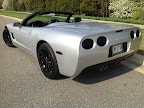





window valet problems

Thread Starter
Instructor


Joined: Aug 2007
Posts: 156
Likes: 8
 window valet problems
quite often when pushing the lock 3 times the windows go up and then immediately go down, push again and they stay up on a second or third try. I have removed the valet for a minute and that seems to cure it temporarily but it still is giving me trouble. Any suggestions?

Le Mans Master


Joined: Dec 2001
Posts: 5,706
Likes: 552
From: St. Peters MO
C7 of Year Finalist (stock) 2019
2018 C7 of Year Finalist
quite often when pushing the lock 3 times the windows go up and then immediately go down, push again and they stay up on a second or third try. I have removed the valet for a minute and that seems to cure it temporarily but it still is giving me trouble. Any suggestions?
The Window ValetTM makes an attempt to detect obstructions in the windows' paths. If its safety mechanism decides an obstruction was encountered, both windows will immediately lower. The top window seal is an obstruction. When it is reached, the Window ValetTM tries to determine if the top seal was reached, or if a foreign object was encountered. Because of this, both windows must be fully lowered before the window up feature can be expected to operate properly, otherwise, the top seal will be encountered before it's expected and thus determined to be a safety fault. To test this, let the windows partially up prior to activating the Window ValetTM window-up feature. Do not obstruct the power moving window. Re-read the legal disclaimers

Burning Brakes

Joined: Aug 2010
Posts: 1,148
Likes: 22
From: Portland OR
Mine has done that a few times,so I just open the doors and raise the windows up and then close the doors[PIA]After that it seems to work OK.I hardly ever put my top up or my windows for that matter.So I think the top and window seals get a little adjustment the way I do this.
Fred
Fred

Race Director


Joined: Feb 2004
Posts: 11,039
Likes: 2,592
From: Del Boca Vista FL
I experienced the same condition described in your post. Weak battery or too much resistance will cause the malfunction you describe. First make sure battery is at proper charge. Second reinstall window valet as described in instructions.

Tech Contributor
Joined: Dec 2003
Posts: 19,384
Likes: 87
From: Horncastle Lincolnshire, England
2023 C5 of the Year Finalist - Unmodified
The WV needs calibrating. You can set 2 strengths so have a play. If the calibration is out the WV senses the top seal as an obstruction and lowers.
If you've lost the WV instructions here are the relevant bits describing how to calibrate it.
The Window Valet TM makes an attempt to detect obstructions in the windows’ paths. If its safety mechanism decides an obstruction was encountered, both windows will immediately lower. The top window
seal is an obstruction. When it is reached, the Window Valet TM tries to determine if the top seal was reached, or if a foreign object was encountered. Because of this, both windows must be fully lowered before the window up feature can be expected to operate properly,
otherwise, the top seal will be encountered before it’s expected and thus determined to be a safety fault. To test this, let the windows partially up prior to activating the Window Valet’s TM window up feature. Do not obstruct the power moving window. Re-read the legal
disclaimers.
Configuration
Please understand the gesture sensitive features before choosing which features to enable on the Window Valet TM. The following example will show how the Configuration Menu Structure can be read from the outline on page 12.
How to Read the Configuration Menu Structure: To enter configuration mode, press 'unlock' on the driver’s door panel while holding 'reset' on the Driver’s Information Center. It's best to do this with the key
off and removed. Once in configuration mode, any feature can be activated or enabled by tracing through the Configuration Menu Structure outline.
Note: To enable and calibrate the windows, be sure that the coupe top is in, or the convertible top is raised. This will let the calibration sequence detect the normal position of the top window seal. For example, to configure the remote power window option, follow through the Configuration Menu Structure. The top level has four options:
1-Panic! Mode
2-Display high speed
3-Activate accessory power
4-Enter configuration menu
You'll press '4' on the DIC to enter the configuration menu. Under the '4' option, there's four more items:
1 - configure windows
2 - configure door locks
3 - configure accessory power
4 - restore factory defaults
You'll press '1' on the DIC to access the window configuration options.
Under the '1' options, there's four more items:
1 - disable
2 - enable and calibrate
3 - window up strength, normal
4 - window up strength, strong
You'll press '2' on the DIC to enable and calibrate the windows. This option requires a pin number. The last paragraph of the disclaimer describes the relationship between the PIN number and the serial number. The serial number is on the disclaimer page and on the unit.
Please be sure you've read the disclaimer.
To enter the pin number, just key it in on the DIC.
Here's what you'll see and hear as you configure the windows.
The sequence:
1) Get into configuration mode by holding 'reset' and pressing 'unlock.' You'll hear a triple chime and see the tach move to 1K RPM.
2) Press the '4' button. Tachometer goes to 2K RPM.
3) Press the '1' button. Tachometer goes to 3K RPM, speedometer goes to 10 MPH.
4) Press the '2' button. Tachometer goes to 6K RPM, speedometer goes to 40 MPH.
5) Enter the PIN number. (See the disclaimer.). Each time a digit is read, the speedometer needle will increase by about 10 MPH. If you press a digit and the needle doesn't move. Press it again, completely.
If all is accepted, the windows will drop to the bottom completely. The horn will toot to warn that the windows are about to go up. The windows will go up completely. Once everything is settled, you should be able to raise and lower the windows with three clicks of the remote
(three ‘locks’ to raise; three ‘unlocks’ to lower).
If you've lost the WV instructions here are the relevant bits describing how to calibrate it.
The Window Valet TM makes an attempt to detect obstructions in the windows’ paths. If its safety mechanism decides an obstruction was encountered, both windows will immediately lower. The top window
seal is an obstruction. When it is reached, the Window Valet TM tries to determine if the top seal was reached, or if a foreign object was encountered. Because of this, both windows must be fully lowered before the window up feature can be expected to operate properly,
otherwise, the top seal will be encountered before it’s expected and thus determined to be a safety fault. To test this, let the windows partially up prior to activating the Window Valet’s TM window up feature. Do not obstruct the power moving window. Re-read the legal
disclaimers.
Configuration
Please understand the gesture sensitive features before choosing which features to enable on the Window Valet TM. The following example will show how the Configuration Menu Structure can be read from the outline on page 12.
How to Read the Configuration Menu Structure: To enter configuration mode, press 'unlock' on the driver’s door panel while holding 'reset' on the Driver’s Information Center. It's best to do this with the key
off and removed. Once in configuration mode, any feature can be activated or enabled by tracing through the Configuration Menu Structure outline.
Note: To enable and calibrate the windows, be sure that the coupe top is in, or the convertible top is raised. This will let the calibration sequence detect the normal position of the top window seal. For example, to configure the remote power window option, follow through the Configuration Menu Structure. The top level has four options:
1-Panic! Mode
2-Display high speed
3-Activate accessory power
4-Enter configuration menu
You'll press '4' on the DIC to enter the configuration menu. Under the '4' option, there's four more items:
1 - configure windows
2 - configure door locks
3 - configure accessory power
4 - restore factory defaults
You'll press '1' on the DIC to access the window configuration options.
Under the '1' options, there's four more items:
1 - disable
2 - enable and calibrate
3 - window up strength, normal
4 - window up strength, strong
You'll press '2' on the DIC to enable and calibrate the windows. This option requires a pin number. The last paragraph of the disclaimer describes the relationship between the PIN number and the serial number. The serial number is on the disclaimer page and on the unit.
Please be sure you've read the disclaimer.
To enter the pin number, just key it in on the DIC.
Here's what you'll see and hear as you configure the windows.
The sequence:
1) Get into configuration mode by holding 'reset' and pressing 'unlock.' You'll hear a triple chime and see the tach move to 1K RPM.
2) Press the '4' button. Tachometer goes to 2K RPM.
3) Press the '1' button. Tachometer goes to 3K RPM, speedometer goes to 10 MPH.
4) Press the '2' button. Tachometer goes to 6K RPM, speedometer goes to 40 MPH.
5) Enter the PIN number. (See the disclaimer.). Each time a digit is read, the speedometer needle will increase by about 10 MPH. If you press a digit and the needle doesn't move. Press it again, completely.
If all is accepted, the windows will drop to the bottom completely. The horn will toot to warn that the windows are about to go up. The windows will go up completely. Once everything is settled, you should be able to raise and lower the windows with three clicks of the remote
(three ‘locks’ to raise; three ‘unlocks’ to lower).
Corvette Stories
The Best of Corvette for Corvette Enthusiasts

Top 10 Most Expensive Corvettes Ever Sold on Bring A Trailer
Brett Foote
10 Things Every Corvette Owner Needs (2026 Edition)
Michael S. Palmer
8 Most "Only Corvette Owners Understand" Quirks and Problems
Pouria Savadkouei
10 Reasons the C6 Z06 is Still A Performance Benchmark After 20 Years
Joe Kucinski
How Much Horsepower Every Corvette Engine "LOST" in 1972
Joe Kucinski
Top 10 DOs and DON'Ts for Protecting Your Convertible Top!
Michael S. Palmer
Top 10 Most Explosive Corvettes Ever Made: Power-to-Weight Ratio Ranked!
Joe Kucinski
150 hp to 1,250 hp: Every Corvette Generation Compared by the Specs That Matter
Joe Kucinski