


RFA code B0605


Thread Starter
Racer


Joined: Dec 2002
Posts: 405
Likes: 46
From: Manahawkin NJ
 RFA code B0605
I need some help. I have a 98 A4. I had been having some problems with the remote fob retaining memory and the tire sensors were taking a long time to register. Then I got the code for RFA - no comm. I replaced the RFA and programmed the fobs and the tires sensors. Now, I am getting the SERVICE TIRE WARN SYS message whenever I start the car and it set code B0605 for the RFA. According to the manual, it says it is an internal malfunction and the only way to fix it is to replace it. This one is new, I just got it from Fred Beans and installed it. Am I missing something?
Need help...dont want to let the dealer have it.

Need help...dont want to let the dealer have it.



Tech Contributor


Joined: Dec 1999
Posts: 32,910
Likes: 2,402
From: Anthony TX
CI 6,7,8,9,11 Vet
St. Jude Donor '08
First thing that I would do is recheck your installation. Remove the module, inspect the plugs and connectors. Look for connectors that are not seated, bent broken pins and felale pins that are damaged. Here is an example of a bad and good female pin:
GOOD on the LEFT & BAD on the RIGHT!!
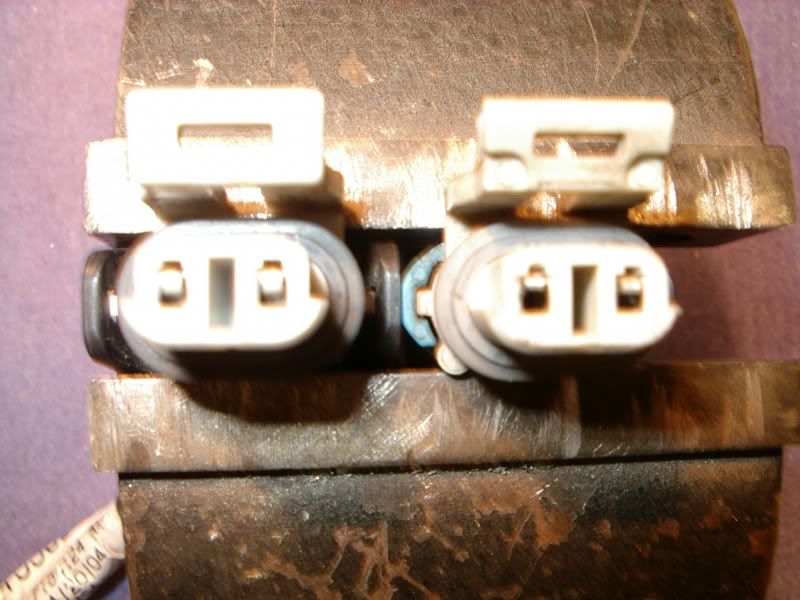
If you still have the old module, put it back in and see if the symptions change. Also go back and check the basics:
Instrument Panel Electrical center:
Fuse# 27 (10 amp) (HVACCON)
The chassis ground for that circuit is next to the battery on top of the frame. just follow the small black negative lead down to the frame ground stud:
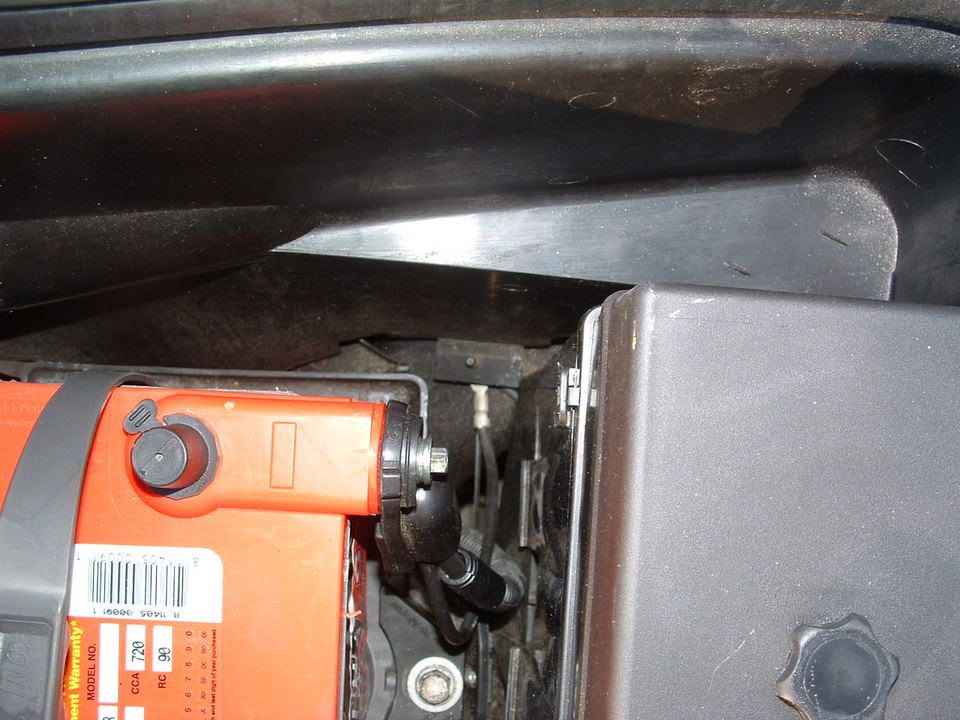
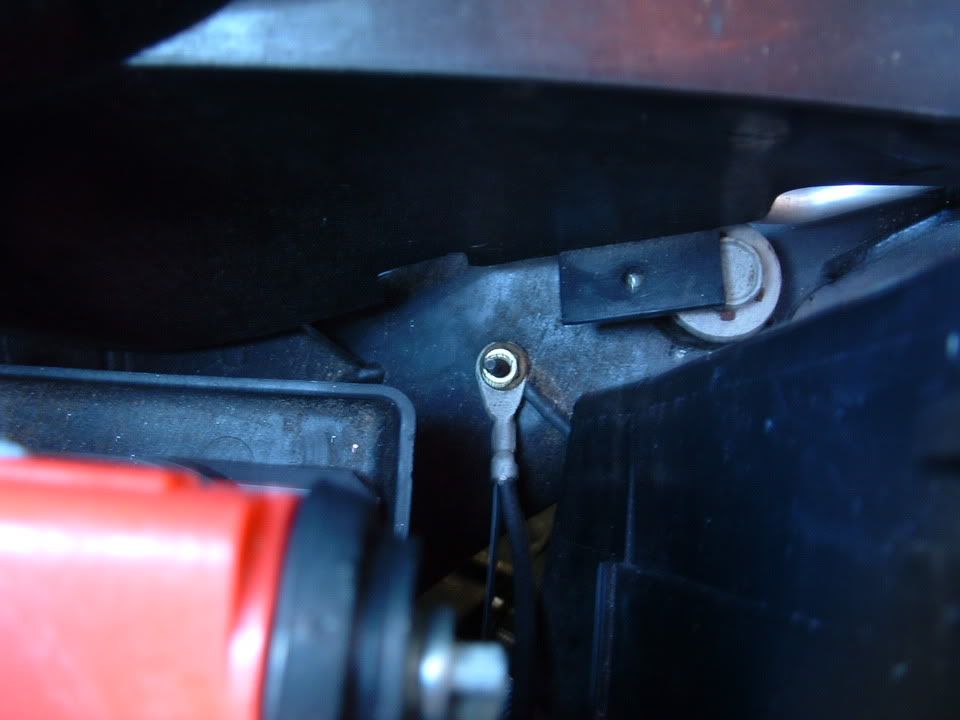
The RFA module communicates birectly with the Instrument panel cluster and sends a "State of Health Message " to the RFA. If it message was not received or acknowledge by the RFA the IPC sets the RFA failure message. You should have seem a U1176 DTC Code.
Hope this helps!
Bill C
GOOD on the LEFT & BAD on the RIGHT!!
If you still have the old module, put it back in and see if the symptions change. Also go back and check the basics:
Instrument Panel Electrical center:
Fuse# 27 (10 amp) (HVACCON)
The chassis ground for that circuit is next to the battery on top of the frame. just follow the small black negative lead down to the frame ground stud:
The RFA module communicates birectly with the Instrument panel cluster and sends a "State of Health Message " to the RFA. If it message was not received or acknowledge by the RFA the IPC sets the RFA failure message. You should have seem a U1176 DTC Code.
Hope this helps!
Bill C
Thread Starter
Racer
Joined: Dec 2002
Posts: 405
Likes: 46
From: Manahawkin NJ
Bill and dpd,
thanks and I will check the plugs and ground tomorrow. I did pull the fuses, even disconnected the battery for awhile and still had the messages. The B0605 code was (and still is) the only code I ever got.
thanks and I will check the plugs and ground tomorrow. I did pull the fuses, even disconnected the battery for awhile and still had the messages. The B0605 code was (and still is) the only code I ever got.
Tech Contributor
Joined: Dec 1999
Posts: 32,910
Likes: 2,402
From: Anthony TX
CI 6,7,8,9,11 Vet
St. Jude Donor '08
Code B0605 is NOT an RFA code. It is a BCM DTC Code. It indicates that your BCM is NOT well!!  The DTC code defination is
The Service Manual defines DTC B0605 as: BCM Internal Memory Malfunction. It directs that the BCM be replaced!!! Before I did that there are a few things that you can do to see if the BCM can be saved.
I would remove the BCM and inspect it for corrocion on the mother board. This happened to mine and I was able to fix it by cleaning the board. It had some serious white crusty corossion on the back of the board causing some of the circuits to short together. Boy did some strange things happen!!
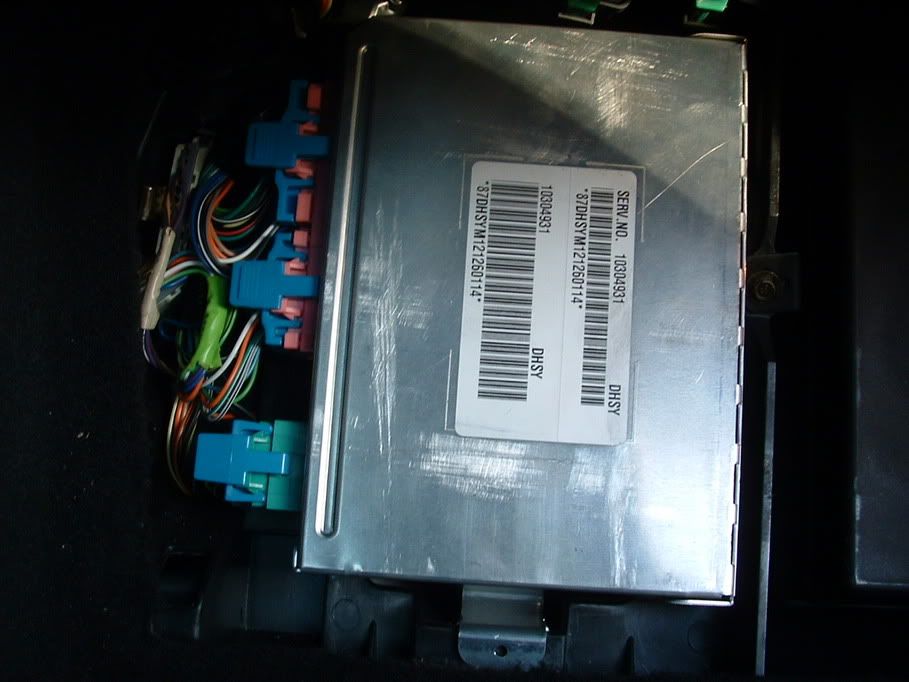
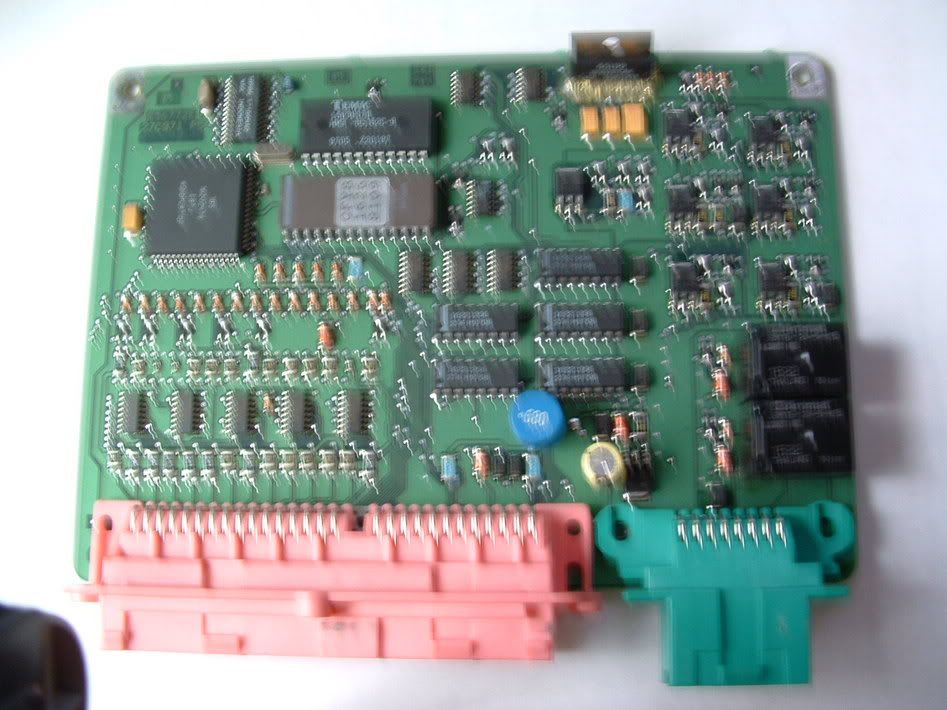
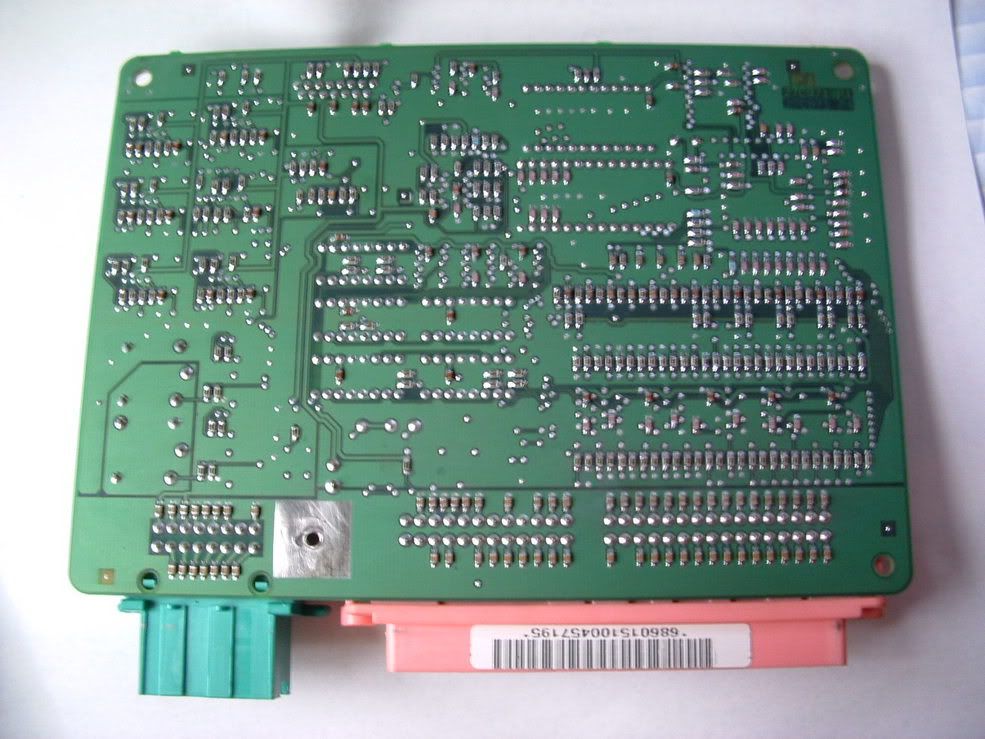
If you decide to tackel this repair, I have some precautions for you to follow.
BC
The DTC code defination isThe Service Manual defines DTC B0605 as: BCM Internal Memory Malfunction. It directs that the BCM be replaced!!! Before I did that there are a few things that you can do to see if the BCM can be saved.
I would remove the BCM and inspect it for corrocion on the mother board. This happened to mine and I was able to fix it by cleaning the board. It had some serious white crusty corossion on the back of the board causing some of the circuits to short together. Boy did some strange things happen!!
If you decide to tackel this repair, I have some precautions for you to follow.
BC









