




Problems after Long Tube Header install

Thread Starter
Intermediate

Joined: Nov 2011
Posts: 26
Likes: 0
 Problems after Long Tube Header install
Lets start off with I have a 02 Z06, 52k miles. for Christmas I got a shiny new pair of xs power long tube headers . The install was a slight pain but not too bad. Ended up breaking 4 of the 8 plug wires trying to remove them, and no I was not pulling on the wire to remove them  . So I ended up with new plugs wires and the headers, also replaced both belts since they had recently began to squeel. The car didn't seem to be running right after this, throttle lag hesitated so I hadn't been driving it. Found out that the water pump was leaking which was causing the belts to squeal. So new water pump, new coolant, new plugs, new wires, replaced the oil while i was at it and the long tubes. Started the car up and it seems to run fine, let run for maybe a 3-5 minutes. Shut it down to check coolant lvl and oil topped both off.
Now when I started it the car is running very rough almost like not all cylinders are firing any more, if I rev it up to 2k rpms and let off it drops below 500rpms like it's about to stall and is running horrible. Everything is connected, I have verified that multiple times, only thought is maybe the rear o2 sensors are causing an issue? I got the set without cats, I do have the rear O2's still connected. the rear o2 coming from the drivers side harness was connected to the passenger side pipe and the rear O2 from the passenger side was connected to the driverside pipe when I removed them. Since the X is before the rear sensor holes i assumed they would need to be reversed if it even really matters at all for the rears. The only other mod i have is a vararam intake, and before this install the car was running perfect. Maybe I just need to let it sit idling for a bit for the computer to readjust?
I appreciate any suggestions or help.
. So I ended up with new plugs wires and the headers, also replaced both belts since they had recently began to squeel. The car didn't seem to be running right after this, throttle lag hesitated so I hadn't been driving it. Found out that the water pump was leaking which was causing the belts to squeal. So new water pump, new coolant, new plugs, new wires, replaced the oil while i was at it and the long tubes. Started the car up and it seems to run fine, let run for maybe a 3-5 minutes. Shut it down to check coolant lvl and oil topped both off. Now when I started it the car is running very rough almost like not all cylinders are firing any more, if I rev it up to 2k rpms and let off it drops below 500rpms like it's about to stall and is running horrible. Everything is connected, I have verified that multiple times, only thought is maybe the rear o2 sensors are causing an issue? I got the set without cats, I do have the rear O2's still connected. the rear o2 coming from the drivers side harness was connected to the passenger side pipe and the rear O2 from the passenger side was connected to the driverside pipe when I removed them. Since the X is before the rear sensor holes i assumed they would need to be reversed if it even really matters at all for the rears. The only other mod i have is a vararam intake, and before this install the car was running perfect. Maybe I just need to let it sit idling for a bit for the computer to readjust?
I appreciate any suggestions or help.

Drifting


Joined: May 2010
Posts: 1,482
Likes: 2
From: Pearland, TX
The rear O2s don't have anything to do with how the car runs and it doesn't matter if they are switched or even unplugged. Are you getting any codes?
It sounds more like a vacuum leak than anything. Did you accidentally knock something loose off the intake when you did the water pump? Is the CAI sealed up?
It sounds more like a vacuum leak than anything. Did you accidentally knock something loose off the intake when you did the water pump? Is the CAI sealed up?

Banned Scam/Spammer
Joined: Feb 2007
Posts: 50,093
Likes: 267
From: Oklahoma City
St. Jude Donor '09-'10-'11-'12-'13-'14-'15-'16-'17,'19,'22
I'll take a wild guess and say you have the front 02's crossed.
If not I bet the plug(s) are cracked. It happened to me.
Check those first they're free and common errors with header installs.
Like mentioned don't worry about the rears. They're not causing this issue. They monitor the cats which doesn't apply here.
If not I bet the plug(s) are cracked. It happened to me.
Check those first they're free and common errors with header installs.
Like mentioned don't worry about the rears. They're not causing this issue. They monitor the cats which doesn't apply here.
Thread Starter
Intermediate
Joined: Nov 2011
Posts: 26
Likes: 0
driver side front O2 is connected to the driver side header, passenger side is connected to the passenger side header.
No codes, and I checked the intake all of the joints looked tight. I might take it apart again put it back together. As far as any other lines being disconnected I did not see anything else that wasn't connected but I am going to check again.
As far as plugs being cracked, thats why I replaced them all, the passenger side header snapped one of them off so rather than just have 1 new plug I replaced all 8 after the headers we on. One of them did fall but it did not appear to be damaged at all when I inspected it before install it.
again I appreciate all the suggests
No codes, and I checked the intake all of the joints looked tight. I might take it apart again put it back together. As far as any other lines being disconnected I did not see anything else that wasn't connected but I am going to check again.
As far as plugs being cracked, thats why I replaced them all, the passenger side header snapped one of them off so rather than just have 1 new plug I replaced all 8 after the headers we on. One of them did fall but it did not appear to be damaged at all when I inspected it before install it.
again I appreciate all the suggests

Tech Contributor


Joined: Dec 1999
Posts: 32,910
Likes: 2,402
From: Anthony TX
CI 6,7,8,9,11 Vet
St. Jude Donor '08
Too many variables,,,,,,,,,,,,,,,, Read and POST your DTCs..
READING YOUR Engine Diagnostic Codes (DTCs)
The Diagnostic Display Mode is entered with the following procedure:
1) Turn on the ignition but don't start the engine.
2) Press the RESET button to turn off any warning messages. (i.e. door open, trunk open etc…)
3) Press and hold OPTIONS
4) While holding OPTIONS, press FUEL four times within a 10-second period.
Initially, on-board diagnostics go into an Automatic Mode which shows diagnostic codes in a pre-set sequence: PCM - TCS - RTD - BCM - IPC - RADIO - HVAC - LDCM - RDCM - SCM - RFA. All codes will be displayed for each. ( i.e. PCM = 4 codes)
If none are present in a given module, you will see No More Codes on the display.
There are two kinds of diagnostic codes, Current and History designated with a letter suffix, C or ;H. A current code indicates a malfunction is present in the module displaying data. A history code indicates a problem existed sometime in the last 40 or 50 ignition cycles. When not accompanied by a current code of the same number, it's potential evidence of a previous problem, now resolved, that was not removed by clearing the codes.
More likely it's an indication of an intermittent malfunction.
Intermittent codes are the most challenging of the diagnostics. An intermittent code may have happened once, may have happened more than once but is inconsistent or may be happening on a regular basis but not at the time the codes are displayed. History codes can also be caused by a current malfunction in a system that is not operating at the time codes are displayed. An example is the rear window defogger which doesn't operate until the Body Control Module detects engine rpm. For history codes set by a module that does not operate with the key on and engine off, a special diagnostic tool called a Scan Tester is necessary to properly diagnose the malfunction.
Once the system has displayed all modules, it goes into the manual mode which allows selection of each module using combinations of Driver Information Center buttons. Manual mode can also be entered during the automatic sequence by pressing any button except E/M. Once the display shows Manual Diagnostics, select a module by pressing the OPTIONS button to go forward or the TRIP button to go back. Once a module is selected, a code is displayed, and if more than one are present;
press GAGES to go forward or FUEL to go back.
To exit the diagnostic mode at any time, press E/M. If you want to erase codes in a given module, press RESET
To reset the codes once in manual mode, press and hold RESET until it displays NO CODES Press OPTIONS to go to the next module. Repeat the steps until you have reset the codes in all the computer modules.
NOTE!! Only reset the codes IF you want to - it is NOT necessary to do this. Clearing a code does not repair a problem. You are simply erasing the evidence of it in the module's memory. If you clear the code/s, and extinguish the Check Engine Light, your emissions status ready will NOT allow you to pass an emissions test until you have completed the required driving cycles.
Once you have the codes, the next question is: What to do with the information?
First, consult the factory service manual. Any serious C5 Do-It-Yourself owner should invest in the Corvette Service Manual of the appropriate model year. The Service Manual is really a requirement if you want to understand and work on your C5.
Here is very good site of DTC definitions:
http://www.gearchatter.com
Make sure to include the H or C suffix!!
READING YOUR Engine Diagnostic Codes (DTCs)
The Diagnostic Display Mode is entered with the following procedure:
1) Turn on the ignition but don't start the engine.
2) Press the RESET button to turn off any warning messages. (i.e. door open, trunk open etc…)
3) Press and hold OPTIONS
4) While holding OPTIONS, press FUEL four times within a 10-second period.
Initially, on-board diagnostics go into an Automatic Mode which shows diagnostic codes in a pre-set sequence: PCM - TCS - RTD - BCM - IPC - RADIO - HVAC - LDCM - RDCM - SCM - RFA. All codes will be displayed for each. ( i.e. PCM = 4 codes)
If none are present in a given module, you will see No More Codes on the display.
There are two kinds of diagnostic codes, Current and History designated with a letter suffix, C or ;H. A current code indicates a malfunction is present in the module displaying data. A history code indicates a problem existed sometime in the last 40 or 50 ignition cycles. When not accompanied by a current code of the same number, it's potential evidence of a previous problem, now resolved, that was not removed by clearing the codes.
More likely it's an indication of an intermittent malfunction.
Intermittent codes are the most challenging of the diagnostics. An intermittent code may have happened once, may have happened more than once but is inconsistent or may be happening on a regular basis but not at the time the codes are displayed. History codes can also be caused by a current malfunction in a system that is not operating at the time codes are displayed. An example is the rear window defogger which doesn't operate until the Body Control Module detects engine rpm. For history codes set by a module that does not operate with the key on and engine off, a special diagnostic tool called a Scan Tester is necessary to properly diagnose the malfunction.
Once the system has displayed all modules, it goes into the manual mode which allows selection of each module using combinations of Driver Information Center buttons. Manual mode can also be entered during the automatic sequence by pressing any button except E/M. Once the display shows Manual Diagnostics, select a module by pressing the OPTIONS button to go forward or the TRIP button to go back. Once a module is selected, a code is displayed, and if more than one are present;
press GAGES to go forward or FUEL to go back.
To exit the diagnostic mode at any time, press E/M. If you want to erase codes in a given module, press RESET
To reset the codes once in manual mode, press and hold RESET until it displays NO CODES Press OPTIONS to go to the next module. Repeat the steps until you have reset the codes in all the computer modules.
NOTE!! Only reset the codes IF you want to - it is NOT necessary to do this. Clearing a code does not repair a problem. You are simply erasing the evidence of it in the module's memory. If you clear the code/s, and extinguish the Check Engine Light, your emissions status ready will NOT allow you to pass an emissions test until you have completed the required driving cycles.
Once you have the codes, the next question is: What to do with the information?
First, consult the factory service manual. Any serious C5 Do-It-Yourself owner should invest in the Corvette Service Manual of the appropriate model year. The Service Manual is really a requirement if you want to understand and work on your C5.
Here is very good site of DTC definitions:
http://www.gearchatter.com
Make sure to include the H or C suffix!!
Thread Starter
Intermediate
Joined: Nov 2011
Posts: 26
Likes: 0
I would have thought it would have thrown a check engine for any codes, guess I was wrong. But none of the codes it has currently explain anything about the problem
10 PCM P0530HC
A1 RDCM B2265H
A6 SCM B2607H
TCS C1288??
TCS C1295
and thats it, I have gotten the TCS ones a couple of times before randomly. The 0530 I need probably just need to check the sensor connection, but none of them would have any effect on the engine.
i will run it longer tomorrow and see if it throws up any other codes.
10 PCM P0530HC
A1 RDCM B2265H
A6 SCM B2607H
TCS C1288??
TCS C1295
and thats it, I have gotten the TCS ones a couple of times before randomly. The 0530 I need probably just need to check the sensor connection, but none of them would have any effect on the engine.
i will run it longer tomorrow and see if it throws up any other codes.
Corvette Stories
The Best of Corvette for Corvette Enthusiasts

10 Most Common Corvette Problems of the Last 20 Years!
Joe Kucinski
5 MOST and 5 LEAST Popular Corvette Model Years in History!
Joe Kucinski
2027 Corvette Buyer's Guide: Everything You Need to Know!
Joe Kucinski
10 Things C8 Corvette Owners Hate (But Won't Tell You)
Joe Kucinski
10 Best Corvettes Coming to Barrett-Jackson Palm Beach 2026!
Brett Foote
Every Corvette Grand Sport Explained! (C2, C4, C6, C7, & C8)
Joe Kucinski
Grand Sport & Grand Sport X Launch Alongside All-New 535hp LS6 V8!
Michael S. Palmer
5 Reasons Bad Drivers Crash & 5 Ways to Avoid a Costly Mistake!
Joe Kucinski
7 Bolt-On Upgrades From Extreme Online Store to Level Up Your C6 Corvette
Pouria Savadkouei
Thread Starter
Intermediate
Joined: Nov 2011
Posts: 26
Likes: 0
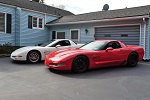
ok so I took out all the plugs, no problems with any of them as far as cracks or damage, but I did find what appeared to be the cylinder that wasn't firing. Re-installed the plugs and wires and it was running fine. Engine revs nice and smooth like it used to, only issue I am noticing now is when under load above say 1/4 throttle I start hearing a rattling sound from the engine. the sound is not like detonation more like really bad gas, but it only happens when the engine is underload, it revs and sounds fine when it's parked. Anyone have any thoughts on that?
Melting Slicks


Joined: May 2008
Posts: 2,606
Likes: 355
From: Rochester New York
Rear 02 sensors need to be crossed. If you are running no cats, then disconnect them or remove them and use bung caps and have the codes tuned out. If you have the rear 02 sensors in the wrong spot, the car will run fine when cold but like crap when warm. This is a common mistake people make when installing long tubes. Some people think the post cat 02 sensors wont effect how the car runs, but for some reason they do. Disconnect them and see if it runs any better.
Some other mistakes people make when installing long tubes:
ALWAYS remove the spark plugs before remove the manifolds and install the spark plugs after you install the long tube headers. If you let the factory manifold fall or even rest on the spark plugs they can easily crack and cause a skip. Same thing with installing the headers with the plugs installed.
Gap your new plugs to spec.
Make sure the coils and plug wires are properly connected.
Make sure you have secured all wiring harnesses away from the exhaust, especially all 02 sensor wires! They will melt if close enough to the pipes.
Front 02 sensors stay on their side, rears cross.
Make sure the ground on the drivers side of the engine block is installed and tight.
Let us know what you find. Even after you figure it out you should get it tuned.
Some other mistakes people make when installing long tubes:
ALWAYS remove the spark plugs before remove the manifolds and install the spark plugs after you install the long tube headers. If you let the factory manifold fall or even rest on the spark plugs they can easily crack and cause a skip. Same thing with installing the headers with the plugs installed.
Gap your new plugs to spec.
Make sure the coils and plug wires are properly connected.
Make sure you have secured all wiring harnesses away from the exhaust, especially all 02 sensor wires! They will melt if close enough to the pipes.
Front 02 sensors stay on their side, rears cross.
Make sure the ground on the drivers side of the engine block is installed and tight.
Let us know what you find. Even after you figure it out you should get it tuned.

Thread Starter
Intermediate
Joined: Nov 2011
Posts: 26
Likes: 0
positive it wasn't the main connection to the coilpacks, I know what that would be like. It seems like it might have been a leak between the header and engine on the driver side second from the firewall. I disconnected the rear O2's as well. I am thinking that it was the header, if it still is making the sound I guess I will need to buy a new gasket since the one that came with the headers isn't cutting it.
once again I appreciate all the helpful advice.
once again I appreciate all the helpful advice.

Former Vendor
Joined: Oct 2006
Posts: 7,331
Likes: 61
From: Port Huron MI
If you think you may have a leak, swap out those gaskets for some GM ones, tighten down, heat cycle, and tighten down once again. I would also recommend tossing in a fresh set of plugs, go with some NGK TR6's 
Let me know if you need anything!
Jon
Let me know if you need anything!
Jon
positive it wasn't the main connection to the coilpacks, I know what that would be like. It seems like it might have been a leak between the header and engine on the driver side second from the firewall. I disconnected the rear O2's as well. I am thinking that it was the header, if it still is making the sound I guess I will need to buy a new gasket since the one that came with the headers isn't cutting it.
once again I appreciate all the helpful advice.
once again I appreciate all the helpful advice.
Thread Starter
Intermediate
Joined: Nov 2011
Posts: 26
Likes: 0
so the gasket is fubar, 
and the local parts place only has paper gaskets so any recommendations on where to get a replacement soon?
thanks again.
just to clarify only 1 of those was broken like that while the header was on and it was not that way when I installed it what 30 miles ago. All of the bolts were nice and tight as well, a lot of pieces of that gasket were falling off just from me handling it now.
and the local parts place only has paper gaskets so any recommendations on where to get a replacement soon?
thanks again.
just to clarify only 1 of those was broken like that while the header was on and it was not that way when I installed it what 30 miles ago. All of the bolts were nice and tight as well, a lot of pieces of that gasket were falling off just from me handling it now.
Last edited by killerslp; Jan 23, 2013 at 07:40 PM.
Banned Scam/Spammer
Joined: Feb 2007
Posts: 50,093
Likes: 267
From: Oklahoma City
St. Jude Donor '09-'10-'11-'12-'13-'14-'15-'16-'17,'19,'22