




'99 Steering Position Sensor

Thread Starter
Heel & Toe

Joined: Aug 2020
Posts: 21
Likes: 2
From: Mankato, MN
 '99 Steering Position Sensor
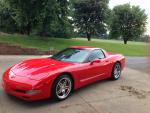
I purchased my first Vette (a '99 convertible) about 2 months ago. I love it... But, with anything that is 20+ years old, it has its issues. That being said, I still love it.
I have done a boatload of reading over the last 2 months. The main issue that I have, is the nagging message on the console indicating to "Service Ride Control". After reading the codes, this led back to the steering position sensor (part#: 26058286) and finding that it wasn't outputting anything.
In the reading that I've done, I have found that this is a common issue with the '99's. And unfortunately this was a one-year only part and then discontinued in 2012 or around there. Leaving those of us with the issue high and dry. First off, I know there isn't a fix for this besides a Used-New part. Which by the searches I've done, inventories seem to be dwindling by the prices being asked. Eventually they will run out...
So...I have two questions that I am hoping to get some feedback from those of you that have owned these cars and/or know much, much more than I do.
First, What are the side effects of not servicing this part? Am I going to lose ABS? Traction Control? Does my steering or handling get affected drastically or negatively? Is this a safety issue? If so, in what circumstances?
Second, I have see the schematics of the electrical system where these sensors fit in. (by the way I'm an electrical engineer) I understand, somewhat, the circuit. But I guess what I would be more interested in, is if there is a spec/requirement sheet for the sensor itself. For example, if I wanted to attempt building one myself, what are the voltages per degree that need to be output. Does anyone have or know where something like that could be obtained? Has this been attempted before?
I appreciate any help or guidance anyone can offer.
Thank you!
I have done a boatload of reading over the last 2 months. The main issue that I have, is the nagging message on the console indicating to "Service Ride Control". After reading the codes, this led back to the steering position sensor (part#: 26058286) and finding that it wasn't outputting anything.
In the reading that I've done, I have found that this is a common issue with the '99's. And unfortunately this was a one-year only part and then discontinued in 2012 or around there. Leaving those of us with the issue high and dry. First off, I know there isn't a fix for this besides a Used-New part. Which by the searches I've done, inventories seem to be dwindling by the prices being asked. Eventually they will run out...
So...I have two questions that I am hoping to get some feedback from those of you that have owned these cars and/or know much, much more than I do.
First, What are the side effects of not servicing this part? Am I going to lose ABS? Traction Control? Does my steering or handling get affected drastically or negatively? Is this a safety issue? If so, in what circumstances?
Second, I have see the schematics of the electrical system where these sensors fit in. (by the way I'm an electrical engineer) I understand, somewhat, the circuit. But I guess what I would be more interested in, is if there is a spec/requirement sheet for the sensor itself. For example, if I wanted to attempt building one myself, what are the voltages per degree that need to be output. Does anyone have or know where something like that could be obtained? Has this been attempted before?
I appreciate any help or guidance anyone can offer.
Thank you!
Last edited by terry_opie; Aug 24, 2020 at 02:21 PM.

Melting Slicks


Joined: Mar 2004
Posts: 2,398
Likes: 407
From: Horseshoe Bend ID
[search the forum, there any many posts on this subject]
What codes do you have?
"Service Ride Control" is related to the F45/55 shocks (magnetic ride control)
If the SPS is bad, you will lose Traction Control, ABS and F45
I have not heard of anyone building a replacement part, the later SPS are 4 wire, and the 99 is a 3 wire. (analog signal vs. digital I think)
There are some write-ups about cleaning the part and getting a few more miles out of it.
Depending on where you live, you might fail a vehicle inspection with the light on.
What codes do you have?
"Service Ride Control" is related to the F45/55 shocks (magnetic ride control)
If the SPS is bad, you will lose Traction Control, ABS and F45
I have not heard of anyone building a replacement part, the later SPS are 4 wire, and the 99 is a 3 wire. (analog signal vs. digital I think)
There are some write-ups about cleaning the part and getting a few more miles out of it.
Depending on where you live, you might fail a vehicle inspection with the light on.
Thread Starter
Heel & Toe
Joined: Aug 2020
Posts: 21
Likes: 2
From: Mankato, MN
[search the forum, there any many posts on this subject]
What codes do you have?
"Service Ride Control" is related to the F45/55 shocks (magnetic ride control)
If the SPS is bad, you will lose Traction Control, ABS and F45
I have not heard of anyone building a replacement part, the later SPS are 4 wire, and the 99 is a 3 wire. (analog signal vs. digital I think)
There are some write-ups about cleaning the part and getting a few more miles out of it.
Depending on where you live, you might fail a vehicle inspection with the light on.
What codes do you have?
"Service Ride Control" is related to the F45/55 shocks (magnetic ride control)
If the SPS is bad, you will lose Traction Control, ABS and F45
I have not heard of anyone building a replacement part, the later SPS are 4 wire, and the 99 is a 3 wire. (analog signal vs. digital I think)
There are some write-ups about cleaning the part and getting a few more miles out of it.
Depending on where you live, you might fail a vehicle inspection with the light on.
I unfortunately don't have the codes. My mechanic pulled them shortly after I purchased it. That's what sent him towards the position sensor. They measured the output and it wasn't outputting anything. I concede that the "Service Ride Control" error on the dash might be something completely different...
Race Director


Joined: Oct 2004
Posts: 12,860
Likes: 4,661
Steering sensor......
Hello there. Welcome to C5 Ville! I feel your pain, as I have a 2000 C5 Convertible. My sensor went out in 2006. I should've bought one then. It's now too late. Unless you get mighty lucky, and find some mechanic somewhere that has one stashed somewhere, you have 2 avenues: Try your luck at a used one, or get an '01-'04. More on this later. Used generally start around $500/up. I know little about the '99 vs 2000 differences. What I can do, after owning my 2000 for 17 years, is tell you my 2000 is part analog, and part digital. I HAVE NOT LOST MY TRACTION CONTROL, OR ABS. What I HAVE lost is my active handling. I'm primarily a straight line performance guy, but osing AH would be HUGE to some C5 owners. It would also fail a car in a state which requires a safety check/road test. My state (Michigan) does NOT. Now to the second option I mentioned earlier. I don't know where you can find this info, but it IS out there. Im very good mechanically, with engines, etc., but I could never try this myself, as I am not good enough at electronics. Somewhere out there is a C5 owner like us, whose ABS went bad. This is even more money as the ABS unit is also no longer available, either. Anyway, this owner was VERY adept at electronics, and somehow changed his entire system, including the body control module, the ABS system, and I believe the steering position sensor, to an '01 or newer system. Even though he did this himself, it still is not cheap! I guess it boils down to how much you like your C5. I've found I can get along without my AH like this: After I start driving it, it goes about 1/4 mile and starts showing "Active Handling warming up" in the DIC. Then I push the Reset button. After several more miles, the DIC flashes Service Traction Control, Service Active Handling, and a few others. Anyway, if you push reset for each DIC warning, eventually they are all gone, and only the yellow icon, showing an out of control Vette on the dash, lights up. You can continue to drive the car now all the way to California from NY, if you had enough fuel, and no more warnings from the DIC will flash.....Until you shut the car off. Then the whole process needs to be repeated. Good luck, and don't give up on that major surgery post about changing everything over. It IS out there. I believe it actually was on this forum......
Race Director
Joined: Oct 2004
Posts: 12,860
Likes: 4,661
Electrical Engineering.....
I failed to see you're an electrical engineer. BIG thing, all good for you!! If I were you, more than ever, I would look really hard for the post about the guy who replaced everything with '01-'04 parts, as per my previous post. It sounds like something you could handle yourself. 2 more suggestions....
1: Call Marc at Vettenuts, a VERY knowledgeable guy about the steering sensor, and a used Corvette parts vendor.
2: QUICKLY.....Find and purchase a new C6 steering sensor. If you replace everything like the individual I mentioned previously, you WILL need this part, and you'll have it. If you DON'T replace everything, when the supply of C6 steering sensors dries up, you could double, maybe more, your money by selling it!! Again, good luck......
1: Call Marc at Vettenuts, a VERY knowledgeable guy about the steering sensor, and a used Corvette parts vendor.
2: QUICKLY.....Find and purchase a new C6 steering sensor. If you replace everything like the individual I mentioned previously, you WILL need this part, and you'll have it. If you DON'T replace everything, when the supply of C6 steering sensors dries up, you could double, maybe more, your money by selling it!! Again, good luck......

Tech Contributor


Joined: Dec 1999
Posts: 32,910
Likes: 2,402
From: Anthony TX
CI 6,7,8,9,11 Vet
St. Jude Donor '08
FIRST OFF, I THINK THAT YOUR C5 TECH IS BLOWING SOME SMOKE UP YOUR TAIL PIPE.
You can read your OWN DTCs by utilizing the BUILT IN DTC reading hardware. The Service Ride control deals with the F-45 RTD Ride Control System.
RECOMMENDATION: Get to your car, jump in the drivers seat and READ THE DTCs using the C5 DTC reading procedure. Its FREE and very easy!
Read ALL the DTCs, wright them down and POST THEM. It will allow us to get you on a better path for repair/ correcting the issue that you have.
If you have a TON of old history DTCs, DO NOT be afraid to clear ALL of them and start fresh. Trust me, if the car has issues that DTC will come back and you will be able to read and troubleshoot it. Here is your procedure:READING YOUR Engine Diagnostic Codes
The Diagnostic Display Mode is entered with the following procedure:
1) Turn on the ignition but don't start the engine. NOTE! You can read the DTCs with the engine running and or driving down the road but it can distract you. BE careful! Some DTCs clear themselves when you turn the ignition OFF!
2) Press the RESET button to turn off any warning messages. (i.e. door open, trunk open ect)
3) Press and hold OPTIONS
4) While holding OPTIONS, press FUEL four times within a 10-second period.
Initially, on-board diagnostics go into an Automatic Mode which shows diagnostic codes in a pre-set sequence: PCM - TCS - RTD - BCM - IPC - RADIO - HVAC - LDCM - RDCM - SCM - RFA. All codes will be displayed for each. ( i.e. PCM = 4 codes) If none are present in a given module, you will see No More Codes on the display.
There are two kinds of diagnostic codes, Current and History designated with a letter suffix, “C” or “H”. A current C code indicates a malfunction is present and active in the module displaying data. A history code indicates a problem existed sometime in the last 40 or 50 ignition cycles. When not accompanied by a current code of the same number, it's potential evidence of a previous problem, now resolved, that was not removed by clearing the codes.
More likely it's an indication of an intermittent malfunction.
Intermittent codes are the most challenging of the diagnostics. An intermittent code may have happened once, may have happened more than once but is inconsistent or may be happening on a regular basis but not at the time the codes are displayed. History codes can also be caused by a current malfunction in a system that is not operating at the time codes are displayed. An example is the rear window defogger which doesn't operate until the Body Control Module detects engine rpm. For history codes set by a module that does not operate with the key on and engine off, a special diagnostic tool called a Scan Tester is necessary to properly diagnose the malfunction.
Once the system has displayed all modules, it goes into the manual mode which allows selection of each module using combinations of Driver Information Center buttons. Manual mode can also be entered during the automatic sequence by pressing any button except English/Metric (E/M). Once the display shows Manual Diagnostics, select a module by pressing the OPTIONS button to go forward or the TRIP button to go back. Once a module is selected, a code is displayed, and if more than one are present; press GAGES to go forward or FUEL to go back.
To exit the diagnostic mode at any time, press E/M. If you want to erase codes in a given module, press and hold the RESET button To reset the codes once in manual mode, press and hold RESET until it displays NO CODES Press OPTIONS to go to the next module. Repeat the steps until you have reset the codes in all the computer modules.
NOTE!! Only reset the codes IF you want to - it is NOT necessary to do this. Clearing a code does not repair a problem. You are simply erasing the evidence of it in the module's memory. If you clear the code/s,
and extinguish the Check Engine Light, your emissions status ready will NOT allow you to pass an emissions test until you have completed the required driving cycles.
Once you have the codes, the next question is: What to do with the information?
First, consult the factory service manual. Any serious C5 Do-It-Yourself owner should invest in the Corvette Service Manual of the appropriate model year. The Service Manual is really a requirement if you want to understand and work on your C5. You can GOOGLE the DTC and also find information on it.
Here is very good site that explains the DTCs:
http://www.corvette-web-central.com/C5DTCcode.html
http://www.obd-codes.com/trouble_cod...d-ii-codes.php
Make sure to include the H or C suffix!
You can read your OWN DTCs by utilizing the BUILT IN DTC reading hardware. The Service Ride control deals with the F-45 RTD Ride Control System.
RECOMMENDATION: Get to your car, jump in the drivers seat and READ THE DTCs using the C5 DTC reading procedure. Its FREE and very easy!
Read ALL the DTCs, wright them down and POST THEM. It will allow us to get you on a better path for repair/ correcting the issue that you have.
If you have a TON of old history DTCs, DO NOT be afraid to clear ALL of them and start fresh. Trust me, if the car has issues that DTC will come back and you will be able to read and troubleshoot it. Here is your procedure:READING YOUR Engine Diagnostic Codes
The Diagnostic Display Mode is entered with the following procedure:
1) Turn on the ignition but don't start the engine. NOTE! You can read the DTCs with the engine running and or driving down the road but it can distract you. BE careful! Some DTCs clear themselves when you turn the ignition OFF!
2) Press the RESET button to turn off any warning messages. (i.e. door open, trunk open ect)
3) Press and hold OPTIONS
4) While holding OPTIONS, press FUEL four times within a 10-second period.
Initially, on-board diagnostics go into an Automatic Mode which shows diagnostic codes in a pre-set sequence: PCM - TCS - RTD - BCM - IPC - RADIO - HVAC - LDCM - RDCM - SCM - RFA. All codes will be displayed for each. ( i.e. PCM = 4 codes) If none are present in a given module, you will see No More Codes on the display.
There are two kinds of diagnostic codes, Current and History designated with a letter suffix, “C” or “H”. A current C code indicates a malfunction is present and active in the module displaying data. A history code indicates a problem existed sometime in the last 40 or 50 ignition cycles. When not accompanied by a current code of the same number, it's potential evidence of a previous problem, now resolved, that was not removed by clearing the codes.
More likely it's an indication of an intermittent malfunction.
Intermittent codes are the most challenging of the diagnostics. An intermittent code may have happened once, may have happened more than once but is inconsistent or may be happening on a regular basis but not at the time the codes are displayed. History codes can also be caused by a current malfunction in a system that is not operating at the time codes are displayed. An example is the rear window defogger which doesn't operate until the Body Control Module detects engine rpm. For history codes set by a module that does not operate with the key on and engine off, a special diagnostic tool called a Scan Tester is necessary to properly diagnose the malfunction.
Once the system has displayed all modules, it goes into the manual mode which allows selection of each module using combinations of Driver Information Center buttons. Manual mode can also be entered during the automatic sequence by pressing any button except English/Metric (E/M). Once the display shows Manual Diagnostics, select a module by pressing the OPTIONS button to go forward or the TRIP button to go back. Once a module is selected, a code is displayed, and if more than one are present; press GAGES to go forward or FUEL to go back.
To exit the diagnostic mode at any time, press E/M. If you want to erase codes in a given module, press and hold the RESET button To reset the codes once in manual mode, press and hold RESET until it displays NO CODES Press OPTIONS to go to the next module. Repeat the steps until you have reset the codes in all the computer modules.
NOTE!! Only reset the codes IF you want to - it is NOT necessary to do this. Clearing a code does not repair a problem. You are simply erasing the evidence of it in the module's memory. If you clear the code/s,
and extinguish the Check Engine Light, your emissions status ready will NOT allow you to pass an emissions test until you have completed the required driving cycles.
Once you have the codes, the next question is: What to do with the information?
First, consult the factory service manual. Any serious C5 Do-It-Yourself owner should invest in the Corvette Service Manual of the appropriate model year. The Service Manual is really a requirement if you want to understand and work on your C5. You can GOOGLE the DTC and also find information on it.
Here is very good site that explains the DTCs:
http://www.corvette-web-central.com/C5DTCcode.html
http://www.obd-codes.com/trouble_cod...d-ii-codes.php
Make sure to include the H or C suffix!
Race Director
Joined: Oct 2004
Posts: 12,860
Likes: 4,661
'01 and later SWPS, EBCM into a '99......
I purchased my first Vette (a '99 convertible) about 2 months ago. I love it... But, with anything that is 20+ years old, it has its issues. That being said, I still love it.
I have done a boatload of reading over the last 2 months. The main issue that I have, is the nagging message on the console indicating to "Service Ride Control". After reading the codes, this led back to the steering position sensor (part#: 26058286) and finding that it wasn't outputting anything.
In the reading that I've done, I have found that this is a common issue with the '99's. And unfortunately this was a one-year only part and then discontinued in 2012 or around there. Leaving those of us with the issue high and dry. First off, I know there isn't a fix for this besides a Used-New part. Which by the searches I've done, inventories seem to be dwindling by the prices being asked. Eventually they will run out...
So...I have two questions that I am hoping to get some feedback from those of you that have owned these cars and/or know much, much more than I do.
First, What are the side effects of not servicing this part? Am I going to lose ABS? Traction Control? Does my steering or handling get affected drastically or negatively? Is this a safety issue? If so, in what circumstances?
Second, I have see the schematics of the electrical system where these sensors fit in. (by the way I'm an electrical engineer) I understand, somewhat, the circuit. But I guess what I would be more interested in, is if there is a spec/requirement sheet for the sensor itself. For example, if I wanted to attempt building one myself, what are the voltages per degree that need to be output. Does anyone have or know where something like that could be obtained? Has this been attempted before?
I appreciate any help or guidance anyone can offer.
Thank you!
I have done a boatload of reading over the last 2 months. The main issue that I have, is the nagging message on the console indicating to "Service Ride Control". After reading the codes, this led back to the steering position sensor (part#: 26058286) and finding that it wasn't outputting anything.
In the reading that I've done, I have found that this is a common issue with the '99's. And unfortunately this was a one-year only part and then discontinued in 2012 or around there. Leaving those of us with the issue high and dry. First off, I know there isn't a fix for this besides a Used-New part. Which by the searches I've done, inventories seem to be dwindling by the prices being asked. Eventually they will run out...
So...I have two questions that I am hoping to get some feedback from those of you that have owned these cars and/or know much, much more than I do.
First, What are the side effects of not servicing this part? Am I going to lose ABS? Traction Control? Does my steering or handling get affected drastically or negatively? Is this a safety issue? If so, in what circumstances?
Second, I have see the schematics of the electrical system where these sensors fit in. (by the way I'm an electrical engineer) I understand, somewhat, the circuit. But I guess what I would be more interested in, is if there is a spec/requirement sheet for the sensor itself. For example, if I wanted to attempt building one myself, what are the voltages per degree that need to be output. Does anyone have or know where something like that could be obtained? Has this been attempted before?
I appreciate any help or guidance anyone can offer.
Thank you!
Corvette Stories
The Best of Corvette for Corvette Enthusiasts

150 hp to 1,250 hp: Every Corvette Generation Compared by the Specs That Matter
Joe Kucinski
8 Coolest Corvette Pace Cars (and Replicas) of All Time
Verdad Gallardo
Top 10 Corvette Engines RANKED by Peak Torque (70+ Years of Muscle!)
Joe Kucinski
Corvette ZR1X Will Be Pacing the Indy 500, And Could Probably Race, Too!
Verdad Gallardo
Top 10 Corvettes Coming to Mecum Indy 2026!
Brett Foote
Top 10 C9 Corvette MUST-HAVES to Fix These C8 Generation Flaws!
Michael S. Palmer
10 Revolutionary 'Corvette Firsts' Most People Don't Know
Joe Kucinski
5 Reasons to Upgrade to an LS6-Powered Corvette; 5 Reasons to Stay LT2
Michael S. Palmer
2027 Corvette vs The World: Every C8 vs Its Closest Competitor
Joe Kucinski
Race Director
Joined: Oct 2004
Posts: 12,860
Likes: 4,661
Here's one SMART electrical guy......
FIRST OFF, I THINK THAT YOUR C5 TECH IS BLOWING SOME SMOKE UP YOUR TAIL PIPE.
You can read your OWN DTCs by utilizing the BUILT IN DTC reading hardware. The Service Ride control deals with the F-45 RTD Ride Control System.
RECOMMENDATION: Get to your car, jump in the drivers seat and READ THE DTCs using the C5 DTC reading procedure. Its FREE and very easy!
Read ALL the DTCs, wright them down and POST THEM. It will allow us to get you on a better path for repair/ correcting the issue that you have.
If you have a TON of old history DTCs, DO NOT be afraid to clear ALL of them and start fresh. Trust me, if the car has issues that DTC will come back and you will be able to read and troubleshoot it. Here is your procedure:READING YOUR Engine Diagnostic Codes
The Diagnostic Display Mode is entered with the following procedure:
1) Turn on the ignition but don't start the engine. NOTE! You can read the DTCs with the engine running and or driving down the road but it can distract you. BE careful! Some DTCs clear themselves when you turn the ignition OFF!
2) Press the RESET button to turn off any warning messages. (i.e. door open, trunk open ect)
3) Press and hold OPTIONS
4) While holding OPTIONS, press FUEL four times within a 10-second period.
Initially, on-board diagnostics go into an Automatic Mode which shows diagnostic codes in a pre-set sequence: PCM - TCS - RTD - BCM - IPC - RADIO - HVAC - LDCM - RDCM - SCM - RFA. All codes will be displayed for each. ( i.e. PCM = 4 codes) If none are present in a given module, you will see No More Codes on the display.
There are two kinds of diagnostic codes, Current and History designated with a letter suffix, “C” or “H”. A current C code indicates a malfunction is present and active in the module displaying data. A history code indicates a problem existed sometime in the last 40 or 50 ignition cycles. When not accompanied by a current code of the same number, it's potential evidence of a previous problem, now resolved, that was not removed by clearing the codes.
More likely it's an indication of an intermittent malfunction.
Intermittent codes are the most challenging of the diagnostics. An intermittent code may have happened once, may have happened more than once but is inconsistent or may be happening on a regular basis but not at the time the codes are displayed. History codes can also be caused by a current malfunction in a system that is not operating at the time codes are displayed. An example is the rear window defogger which doesn't operate until the Body Control Module detects engine rpm. For history codes set by a module that does not operate with the key on and engine off, a special diagnostic tool called a Scan Tester is necessary to properly diagnose the malfunction.
Once the system has displayed all modules, it goes into the manual mode which allows selection of each module using combinations of Driver Information Center buttons. Manual mode can also be entered during the automatic sequence by pressing any button except English/Metric (E/M). Once the display shows Manual Diagnostics, select a module by pressing the OPTIONS button to go forward or the TRIP button to go back. Once a module is selected, a code is displayed, and if more than one are present; press GAGES to go forward or FUEL to go back.
To exit the diagnostic mode at any time, press E/M. If you want to erase codes in a given module, press and hold the RESET button To reset the codes once in manual mode, press and hold RESET until it displays NO CODES Press OPTIONS to go to the next module. Repeat the steps until you have reset the codes in all the computer modules.
NOTE!! Only reset the codes IF you want to - it is NOT necessary to do this. Clearing a code does not repair a problem. You are simply erasing the evidence of it in the module's memory. If you clear the code/s,
and extinguish the Check Engine Light, your emissions status ready will NOT allow you to pass an emissions test until you have completed the required driving cycles.
Once you have the codes, the next question is: What to do with the information?
First, consult the factory service manual. Any serious C5 Do-It-Yourself owner should invest in the Corvette Service Manual of the appropriate model year. The Service Manual is really a requirement if you want to understand and work on your C5. You can GOOGLE the DTC and also find information on it.
Here is very good site that explains the DTCs:
http://www.corvette-web-central.com/C5DTCcode.html
http://www.obd-codes.com/trouble_cod...d-ii-codes.php
Make sure to include the H or C suffix!
You can read your OWN DTCs by utilizing the BUILT IN DTC reading hardware. The Service Ride control deals with the F-45 RTD Ride Control System.
RECOMMENDATION: Get to your car, jump in the drivers seat and READ THE DTCs using the C5 DTC reading procedure. Its FREE and very easy!
Read ALL the DTCs, wright them down and POST THEM. It will allow us to get you on a better path for repair/ correcting the issue that you have.
If you have a TON of old history DTCs, DO NOT be afraid to clear ALL of them and start fresh. Trust me, if the car has issues that DTC will come back and you will be able to read and troubleshoot it. Here is your procedure:READING YOUR Engine Diagnostic Codes
The Diagnostic Display Mode is entered with the following procedure:
1) Turn on the ignition but don't start the engine. NOTE! You can read the DTCs with the engine running and or driving down the road but it can distract you. BE careful! Some DTCs clear themselves when you turn the ignition OFF!
2) Press the RESET button to turn off any warning messages. (i.e. door open, trunk open ect)
3) Press and hold OPTIONS
4) While holding OPTIONS, press FUEL four times within a 10-second period.
Initially, on-board diagnostics go into an Automatic Mode which shows diagnostic codes in a pre-set sequence: PCM - TCS - RTD - BCM - IPC - RADIO - HVAC - LDCM - RDCM - SCM - RFA. All codes will be displayed for each. ( i.e. PCM = 4 codes) If none are present in a given module, you will see No More Codes on the display.
There are two kinds of diagnostic codes, Current and History designated with a letter suffix, “C” or “H”. A current C code indicates a malfunction is present and active in the module displaying data. A history code indicates a problem existed sometime in the last 40 or 50 ignition cycles. When not accompanied by a current code of the same number, it's potential evidence of a previous problem, now resolved, that was not removed by clearing the codes.
More likely it's an indication of an intermittent malfunction.
Intermittent codes are the most challenging of the diagnostics. An intermittent code may have happened once, may have happened more than once but is inconsistent or may be happening on a regular basis but not at the time the codes are displayed. History codes can also be caused by a current malfunction in a system that is not operating at the time codes are displayed. An example is the rear window defogger which doesn't operate until the Body Control Module detects engine rpm. For history codes set by a module that does not operate with the key on and engine off, a special diagnostic tool called a Scan Tester is necessary to properly diagnose the malfunction.
Once the system has displayed all modules, it goes into the manual mode which allows selection of each module using combinations of Driver Information Center buttons. Manual mode can also be entered during the automatic sequence by pressing any button except English/Metric (E/M). Once the display shows Manual Diagnostics, select a module by pressing the OPTIONS button to go forward or the TRIP button to go back. Once a module is selected, a code is displayed, and if more than one are present; press GAGES to go forward or FUEL to go back.
To exit the diagnostic mode at any time, press E/M. If you want to erase codes in a given module, press and hold the RESET button To reset the codes once in manual mode, press and hold RESET until it displays NO CODES Press OPTIONS to go to the next module. Repeat the steps until you have reset the codes in all the computer modules.
NOTE!! Only reset the codes IF you want to - it is NOT necessary to do this. Clearing a code does not repair a problem. You are simply erasing the evidence of it in the module's memory. If you clear the code/s,
and extinguish the Check Engine Light, your emissions status ready will NOT allow you to pass an emissions test until you have completed the required driving cycles.
Once you have the codes, the next question is: What to do with the information?
First, consult the factory service manual. Any serious C5 Do-It-Yourself owner should invest in the Corvette Service Manual of the appropriate model year. The Service Manual is really a requirement if you want to understand and work on your C5. You can GOOGLE the DTC and also find information on it.
Here is very good site that explains the DTCs:
http://www.corvette-web-central.com/C5DTCcode.html
http://www.obd-codes.com/trouble_cod...d-ii-codes.php
Make sure to include the H or C suffix!

Thread Starter
Heel & Toe
Joined: Aug 2020
Posts: 21
Likes: 2
From: Mankato, MN
 And the steering sensor was the one that I felt was the biggest issue right now. Since there isn't a replacement.
I knew I could read the codes on my own, but I just didn't have them handy when I sat down to write this post. But I will go through it later today. Thank you for sending it!
Thread Starter
Heel & Toe
Joined: Aug 2020
Posts: 21
Likes: 2
From: Mankato, MN
Safety Car

Joined: Mar 2005
Posts: 3,753
Likes: 1,212
From: Wisconsin
Thread Starter
Heel & Toe
Joined: Aug 2020
Posts: 21
Likes: 2
From: Mankato, MN
Thread Starter
Heel & Toe
Joined: Aug 2020
Posts: 21
Likes: 2
From: Mankato, MN
I finally got around to getting the codes... but there was only one of them that was current. Everything else had the 'H' designation. And were in the LDCM, RDCM and RFA sections. I also have an issue with the wheel pressure sensors
The code I had was C1780 C. From the links you provided that is:
C1780 Loss of Steering Position Signal
But on the DIC, I have "Service Ride Control". So, if that isn't directly related to that message, then I suspect like others, that I have grounding issues that I should clean up. Could very well be the case, but I am not seeing anything else "weird". Just this message...
The code I had was C1780 C. From the links you provided that is:
C1780 Loss of Steering Position Signal
But on the DIC, I have "Service Ride Control". So, if that isn't directly related to that message, then I suspect like others, that I have grounding issues that I should clean up. Could very well be the case, but I am not seeing anything else "weird". Just this message...
FIRST OFF, I THINK THAT YOUR C5 TECH IS BLOWING SOME SMOKE UP YOUR TAIL PIPE.
You can read your OWN DTCs by utilizing the BUILT IN DTC reading hardware. The Service Ride control deals with the F-45 RTD Ride Control System.
RECOMMENDATION: Get to your car, jump in the drivers seat and READ THE DTCs using the C5 DTC reading procedure. Its FREE and very easy!
Read ALL the DTCs, wright them down and POST THEM. It will allow us to get you on a better path for repair/ correcting the issue that you have.
If you have a TON of old history DTCs, DO NOT be afraid to clear ALL of them and start fresh. Trust me, if the car has issues that DTC will come back and you will be able to read and troubleshoot it. Here is your procedure:READING YOUR Engine Diagnostic Codes
The Diagnostic Display Mode is entered with the following procedure:
1) Turn on the ignition but don't start the engine. NOTE! You can read the DTCs with the engine running and or driving down the road but it can distract you. BE careful! Some DTCs clear themselves when you turn the ignition OFF!
2) Press the RESET button to turn off any warning messages. (i.e. door open, trunk open ect)
3) Press and hold OPTIONS
4) While holding OPTIONS, press FUEL four times within a 10-second period.
Initially, on-board diagnostics go into an Automatic Mode which shows diagnostic codes in a pre-set sequence: PCM - TCS - RTD - BCM - IPC - RADIO - HVAC - LDCM - RDCM - SCM - RFA. All codes will be displayed for each. ( i.e. PCM = 4 codes) If none are present in a given module, you will see No More Codes on the display.
There are two kinds of diagnostic codes, Current and History designated with a letter suffix, “C” or “H”. A current C code indicates a malfunction is present and active in the module displaying data. A history code indicates a problem existed sometime in the last 40 or 50 ignition cycles. When not accompanied by a current code of the same number, it's potential evidence of a previous problem, now resolved, that was not removed by clearing the codes.
More likely it's an indication of an intermittent malfunction.
Intermittent codes are the most challenging of the diagnostics. An intermittent code may have happened once, may have happened more than once but is inconsistent or may be happening on a regular basis but not at the time the codes are displayed. History codes can also be caused by a current malfunction in a system that is not operating at the time codes are displayed. An example is the rear window defogger which doesn't operate until the Body Control Module detects engine rpm. For history codes set by a module that does not operate with the key on and engine off, a special diagnostic tool called a Scan Tester is necessary to properly diagnose the malfunction.
Once the system has displayed all modules, it goes into the manual mode which allows selection of each module using combinations of Driver Information Center buttons. Manual mode can also be entered during the automatic sequence by pressing any button except English/Metric (E/M). Once the display shows Manual Diagnostics, select a module by pressing the OPTIONS button to go forward or the TRIP button to go back. Once a module is selected, a code is displayed, and if more than one are present; press GAGES to go forward or FUEL to go back.
To exit the diagnostic mode at any time, press E/M. If you want to erase codes in a given module, press and hold the RESET button To reset the codes once in manual mode, press and hold RESET until it displays NO CODES Press OPTIONS to go to the next module. Repeat the steps until you have reset the codes in all the computer modules.
NOTE!! Only reset the codes IF you want to - it is NOT necessary to do this. Clearing a code does not repair a problem. You are simply erasing the evidence of it in the module's memory. If you clear the code/s,
and extinguish the Check Engine Light, your emissions status ready will NOT allow you to pass an emissions test until you have completed the required driving cycles.
Once you have the codes, the next question is: What to do with the information?
First, consult the factory service manual. Any serious C5 Do-It-Yourself owner should invest in the Corvette Service Manual of the appropriate model year. The Service Manual is really a requirement if you want to understand and work on your C5. You can GOOGLE the DTC and also find information on it.
Here is very good site that explains the DTCs:
http://www.corvette-web-central.com/C5DTCcode.html
http://www.obd-codes.com/trouble_cod...d-ii-codes.php
Make sure to include the H or C suffix!
You can read your OWN DTCs by utilizing the BUILT IN DTC reading hardware. The Service Ride control deals with the F-45 RTD Ride Control System.
RECOMMENDATION: Get to your car, jump in the drivers seat and READ THE DTCs using the C5 DTC reading procedure. Its FREE and very easy!
Read ALL the DTCs, wright them down and POST THEM. It will allow us to get you on a better path for repair/ correcting the issue that you have.
If you have a TON of old history DTCs, DO NOT be afraid to clear ALL of them and start fresh. Trust me, if the car has issues that DTC will come back and you will be able to read and troubleshoot it. Here is your procedure:READING YOUR Engine Diagnostic Codes
The Diagnostic Display Mode is entered with the following procedure:
1) Turn on the ignition but don't start the engine. NOTE! You can read the DTCs with the engine running and or driving down the road but it can distract you. BE careful! Some DTCs clear themselves when you turn the ignition OFF!
2) Press the RESET button to turn off any warning messages. (i.e. door open, trunk open ect)
3) Press and hold OPTIONS
4) While holding OPTIONS, press FUEL four times within a 10-second period.
Initially, on-board diagnostics go into an Automatic Mode which shows diagnostic codes in a pre-set sequence: PCM - TCS - RTD - BCM - IPC - RADIO - HVAC - LDCM - RDCM - SCM - RFA. All codes will be displayed for each. ( i.e. PCM = 4 codes) If none are present in a given module, you will see No More Codes on the display.
There are two kinds of diagnostic codes, Current and History designated with a letter suffix, “C” or “H”. A current C code indicates a malfunction is present and active in the module displaying data. A history code indicates a problem existed sometime in the last 40 or 50 ignition cycles. When not accompanied by a current code of the same number, it's potential evidence of a previous problem, now resolved, that was not removed by clearing the codes.
More likely it's an indication of an intermittent malfunction.
Intermittent codes are the most challenging of the diagnostics. An intermittent code may have happened once, may have happened more than once but is inconsistent or may be happening on a regular basis but not at the time the codes are displayed. History codes can also be caused by a current malfunction in a system that is not operating at the time codes are displayed. An example is the rear window defogger which doesn't operate until the Body Control Module detects engine rpm. For history codes set by a module that does not operate with the key on and engine off, a special diagnostic tool called a Scan Tester is necessary to properly diagnose the malfunction.
Once the system has displayed all modules, it goes into the manual mode which allows selection of each module using combinations of Driver Information Center buttons. Manual mode can also be entered during the automatic sequence by pressing any button except English/Metric (E/M). Once the display shows Manual Diagnostics, select a module by pressing the OPTIONS button to go forward or the TRIP button to go back. Once a module is selected, a code is displayed, and if more than one are present; press GAGES to go forward or FUEL to go back.
To exit the diagnostic mode at any time, press E/M. If you want to erase codes in a given module, press and hold the RESET button To reset the codes once in manual mode, press and hold RESET until it displays NO CODES Press OPTIONS to go to the next module. Repeat the steps until you have reset the codes in all the computer modules.
NOTE!! Only reset the codes IF you want to - it is NOT necessary to do this. Clearing a code does not repair a problem. You are simply erasing the evidence of it in the module's memory. If you clear the code/s,
and extinguish the Check Engine Light, your emissions status ready will NOT allow you to pass an emissions test until you have completed the required driving cycles.
Once you have the codes, the next question is: What to do with the information?
First, consult the factory service manual. Any serious C5 Do-It-Yourself owner should invest in the Corvette Service Manual of the appropriate model year. The Service Manual is really a requirement if you want to understand and work on your C5. You can GOOGLE the DTC and also find information on it.
Here is very good site that explains the DTCs:
http://www.corvette-web-central.com/C5DTCcode.html
http://www.obd-codes.com/trouble_cod...d-ii-codes.php
Make sure to include the H or C suffix!
Tech Contributor
Joined: Dec 1999
Posts: 32,910
Likes: 2,402
From: Anthony TX
CI 6,7,8,9,11 Vet
St. Jude Donor '08
There are not any per/say chassis grounds for the RTD. All of the sensor signals are data and data/signal return. The RTD Module has a chassis ground. If the module is working at all, the module ground is most likely good.
Clear all the DTCs and when the message pops up in the DIC, without turning off the ignition, press and hold the RESET button on the IPC until all messages in the DIC are gone and then read the DTCs. See if you have a RTD DTC. If you do, post those DTCs.
Bill
Clear all the DTCs and when the message pops up in the DIC, without turning off the ignition, press and hold the RESET button on the IPC until all messages in the DIC are gone and then read the DTCs. See if you have a RTD DTC. If you do, post those DTCs.
Bill