When you click on links to various merchants on this site and make a purchase, this can result in this site earning a commission. Affiliate programs and affiliations include, but are not limited to, the eBay Partner Network.
Hey yall. First time vette owner and new to the forum. Sorry for the lengthy post but heres the deal. So I came home from being at work for 2 weeks and my car wouldnt start. Its a 2008, Base, LS3, M6. She ran fine the day before I left and after 2 weeks, this. When attempting to start the fuel pump runs, dash goes dark and it doesn't crank at all. After the dash lights come back on all warning lights are on and the DIC says service fuel system, service ABS, service vehicle soon, and low fuel. None of the gauges show anything with the exception of the voltage. Almost all of the pressures and temperatures, as well as everything fuel related, show "XXX". I swapped the battery for a known good battery but that made no difference. Inspected and dielectric greased the BCM connections and started inspecting grounds. The link for a video of what it taking place is here, https://youtu.be/1TyuPw9yWCk . Has anyone encountered anything like this? Also, I ordered a VXdiag nano that will be here tomorrow so I will update with what that brings.
With changing your battery I’d ensure that the battery cables on BOTH ends are tight and corrosion free...also check for any DTC’s with your new Nano...look for “U” or communication codes...you may have a network issue. With a network issue your scan tool will not to be able to communicate with some or all modules !!
Load tested the battery this morning and it checked out fine. Got the TechII connected and it is unable to communicate with most of the modules and all have a stored code U1000.
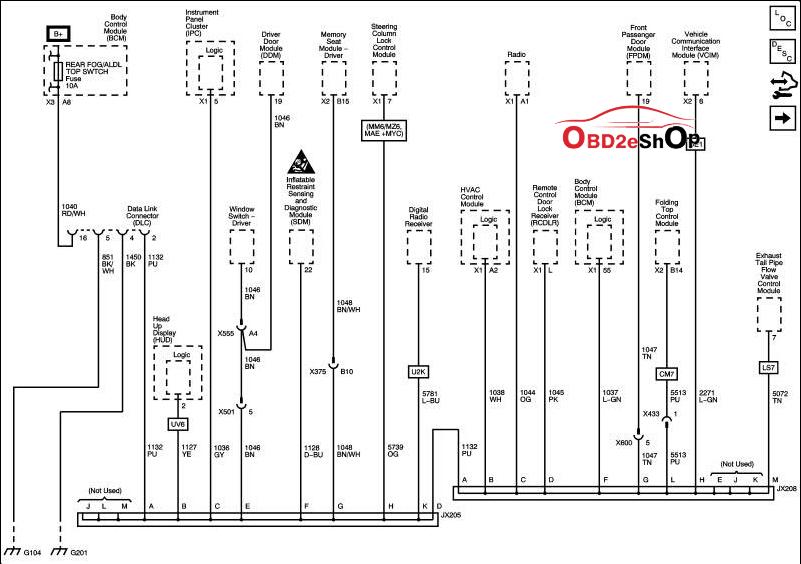
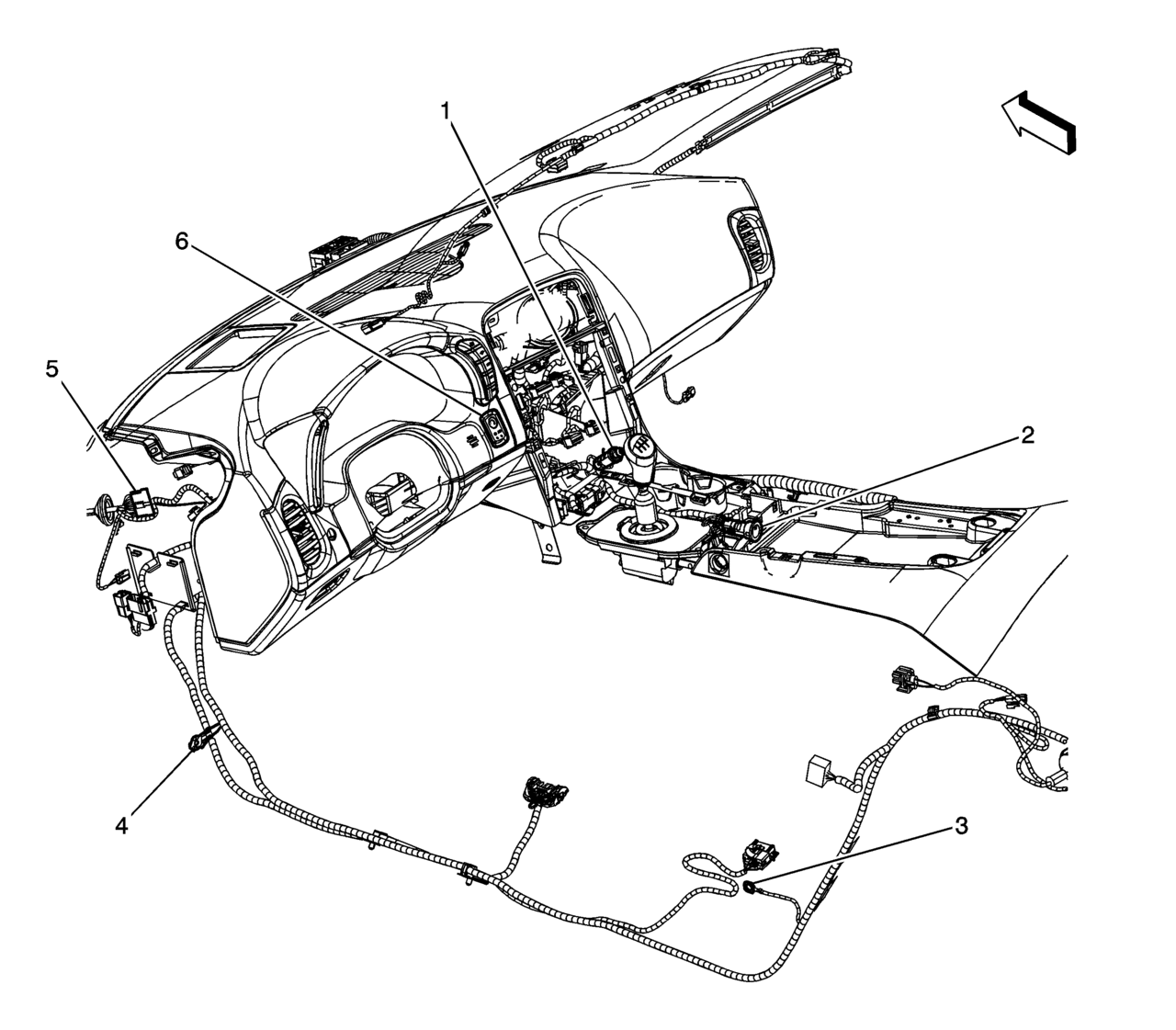
With all those no comms it looks like you may have a Class 2 network issue with the U1000...don’t know how much you know about network communications but that allows all of the modules to be able to talk to one another...if you lose power or ground if 12 volts or grounds gets on the network the car will not start...I’m referencing a 2006 and it looks like you have a combination of the old class 2 network and the GMLAN data network...can you communicate with the ESC, EBCM , and ECM ??...they are the modules that are only on the GMLAN( high speed network) ...all others are either Class 2 or Class 2 and GMLAN...watch this video and you can see how a real diagnostic tech will troubleshoot this...I use the same OTC breakout box and scope and it makes diagnosing a breeze...you can try using your multimeter and see if you read 12 volts or ground on pin 2 of the DLC (pic enclosed)...also pins 6 and 14 (GMLAN)...there are 2 splice packs for the Class 2 (SP205 and SP208) and their locations are enclosed...I’d remove the bus bar off SP205 and see if the car starts...you would have to go pin by pin and see if you have either 12 volts or ground to narrow it down to one module...good luck !!
IF SOMEONE HAS THE 2008 MODEL YEAR COMM NETWORK WIRING CAN YOU POST IT...I don’t want to give out bad wiring info !!...and BTW if you decide this may be a little over your head as far as diagnosing you MAY find 1 in a hundred dealerships that know how to diagnose this if you decide on having the dealer work on it !!
So first off, try a basic scanner on the OBDII port, and see if it will talk to the BCM. All the other modules talk to the BCM, so will tell you if the problem may be lines to the BCM itself, or if you can talk to the BCM, but say not to the ECM, then you know that the problem is the wiring down line of the BCM instead.
If basic scanner can talk to BCM, then could be a locked tune in the car, and this locks out the Tech II from being able to communicate with the BCM in the first place.
If tune is not locked, then disconnect the battery, then clean the OBDii pins, as well as pulling the BCM connectors to clean those connection as well.
And quick note, but if you can start the car, then BCM is communicating with the ECM and rest of the modules like the RCDLR, the Starter switch, brake or clutch switch, and ECM in the first place. Hence some cars that nothing has been plugged into the OBDII in a while, have has to put a towel down and go to town with spray electrical cleaner to clean the OBDII port pins.
The second one since you are running tech2win, make sure that you got all the windows to connect the MDI/Nano device to tech2win.
Hence when you started the cracked Tech2 win, should have got these screens.
If you clicked on the Tech2win short cut, and went directly to the last screen without getting the other pop up screens and selecting the correct information, then you have problems with the Tech2 win software load and the MDI device was never connected to Tech2win in the first place. If such is the case, send me a email with your phone number and name, and I will call you to talk you through loading the software correctly.
If you are using TDS tech2win, them make sure you have the correct drivers and selecting the correct device, so it loading to tech2win to start with as well.
________________________________________ ______
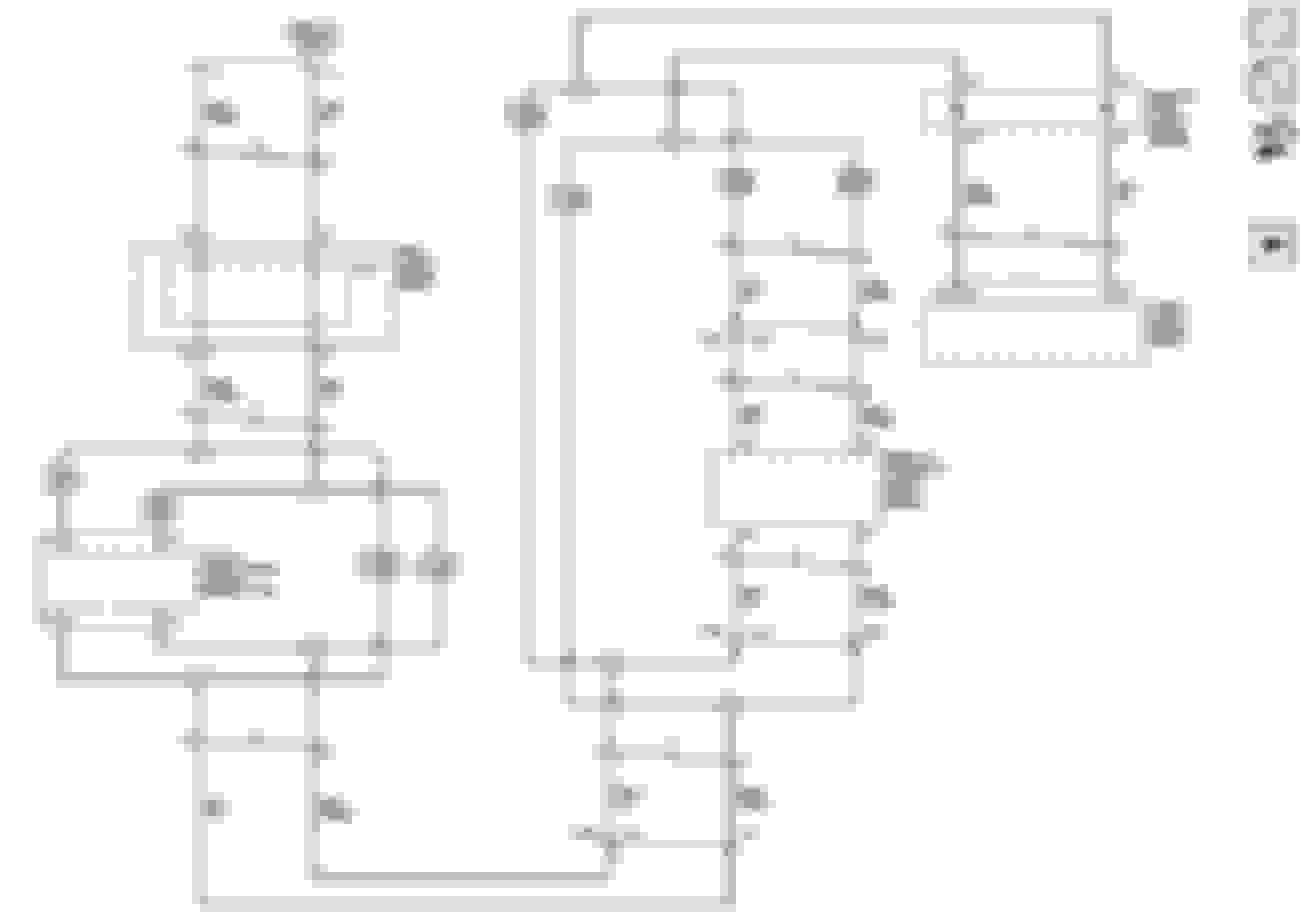
As for bus's on the car, you have the main gm high speed land bus that is the tan wires on the main connectors, and will be the direct shot of the OBDII port to the BCM.
Then you have the serial 2 bus, that is on SP205 and SP206, and which other modules not on the main high speed bus, communicate with the BCM instead.
Note pin 2 from above on the OBDII port left middle of the above diagram, and the pin 2 noted from the above on the port pin position.
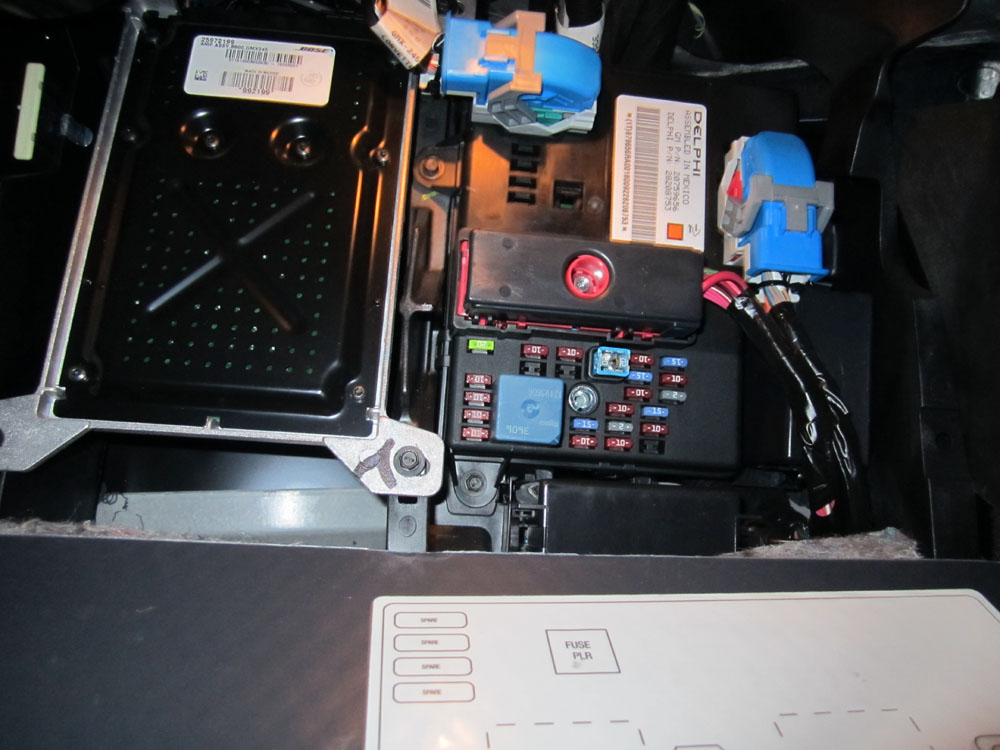
The SP206 splice block is a straight 11 wire connector, is located next to the Bose amp location.
In this photo, look at the upper middle of the bose amp where it has the two screws in the middle of it, and look to the left on the screw line to see the white top connector that is clipped to the plastic left of the bose amp (top left in the photo) that is the splice block.
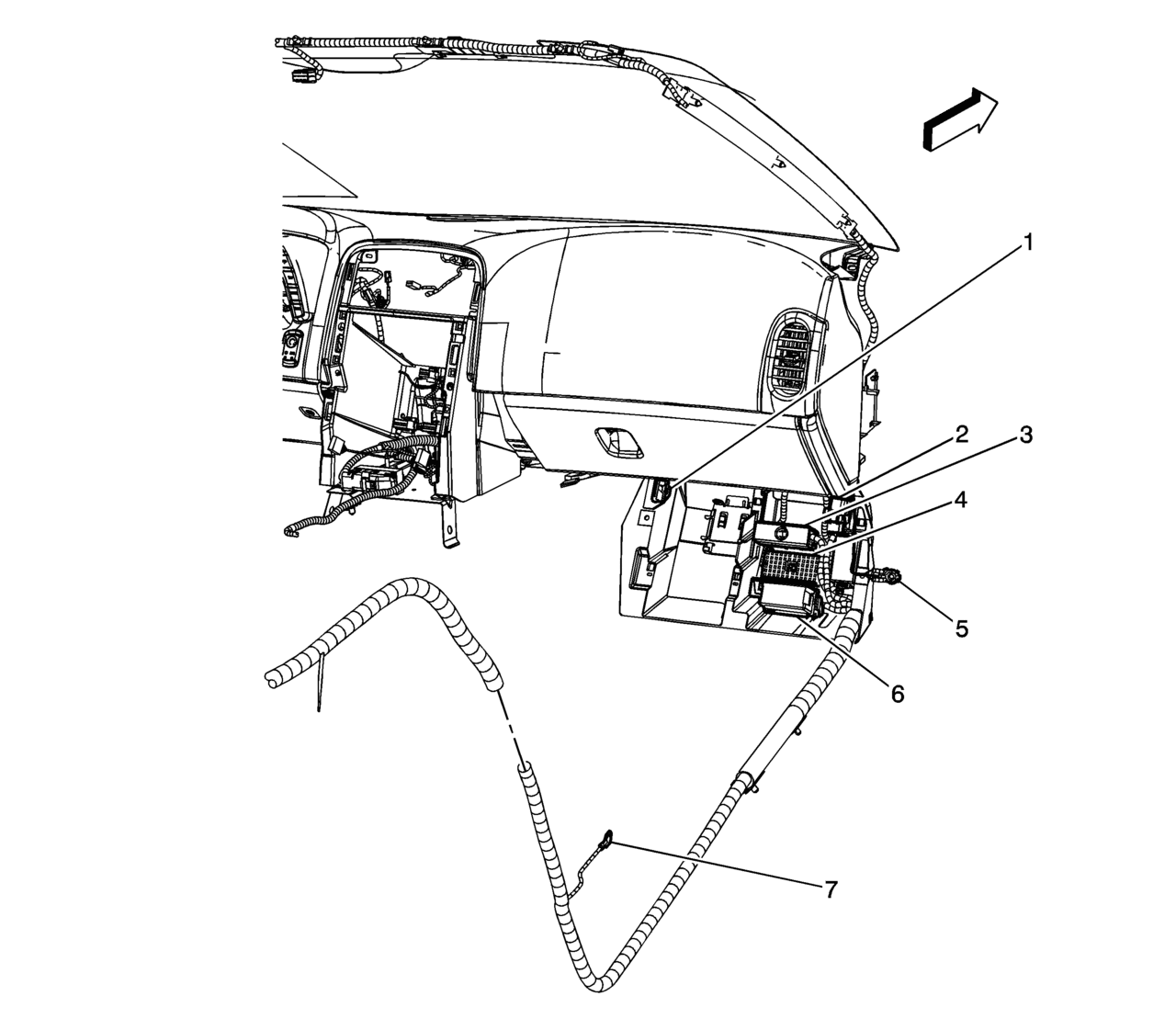
Number 1
The SP205 is Number 5 in the below diagram, and again, just a straight single line connector. To get to it, you will need to pull the IPC bezel or you can pull the bottom bezel of the dash, but it the hard way, since it really up there in the dash bowels.
Also, may need to check the grounds on the module, if you can communicate with the BCM, but on not something down line of the BCM if the serial 2 wires/splice blocks are fine.
BCM, ESC and ECM have no communication. TechII is operating properly and sets up just like it does in your pictures. I am able to do special functions on the doors, hvac and radio so I'm assuming it is working as it should.
BCM, ESC and ECM have no communication. TechII is operating properly and sets up just like it does in your pictures. I am able to do special functions on the doors, hvac and radio so I'm assuming it is working as it should.
Your good on the serial 2 port (pin #2 on the OBDII port maybe*), but have problem on the main high speed bus pins/wires 6 and 14 isntead (tan wires).
*note that you have the jump wire between 205 and 206 on the spice blocks, and OBDII #2 lands on 205, has the wire jump to 206, and the BCM is on 206. So if you can communicate with say the HVAC controller, then has continuity to at least the 206 splice block from 205, and maybe only a problem with the L-gr wire to the BCM off SP206, or maybe even something most stupid, like a bad ground connection for the BCM at the ground point 5 instead.
Note, someone at GM should have been kicked right in the nuts for all the splice blocks that were using in the car wiring. Yes, it makes it easy to assembly the car, but the corrode over time, and makes troubling shooting continuity on the wires from end point to end point a PITA.
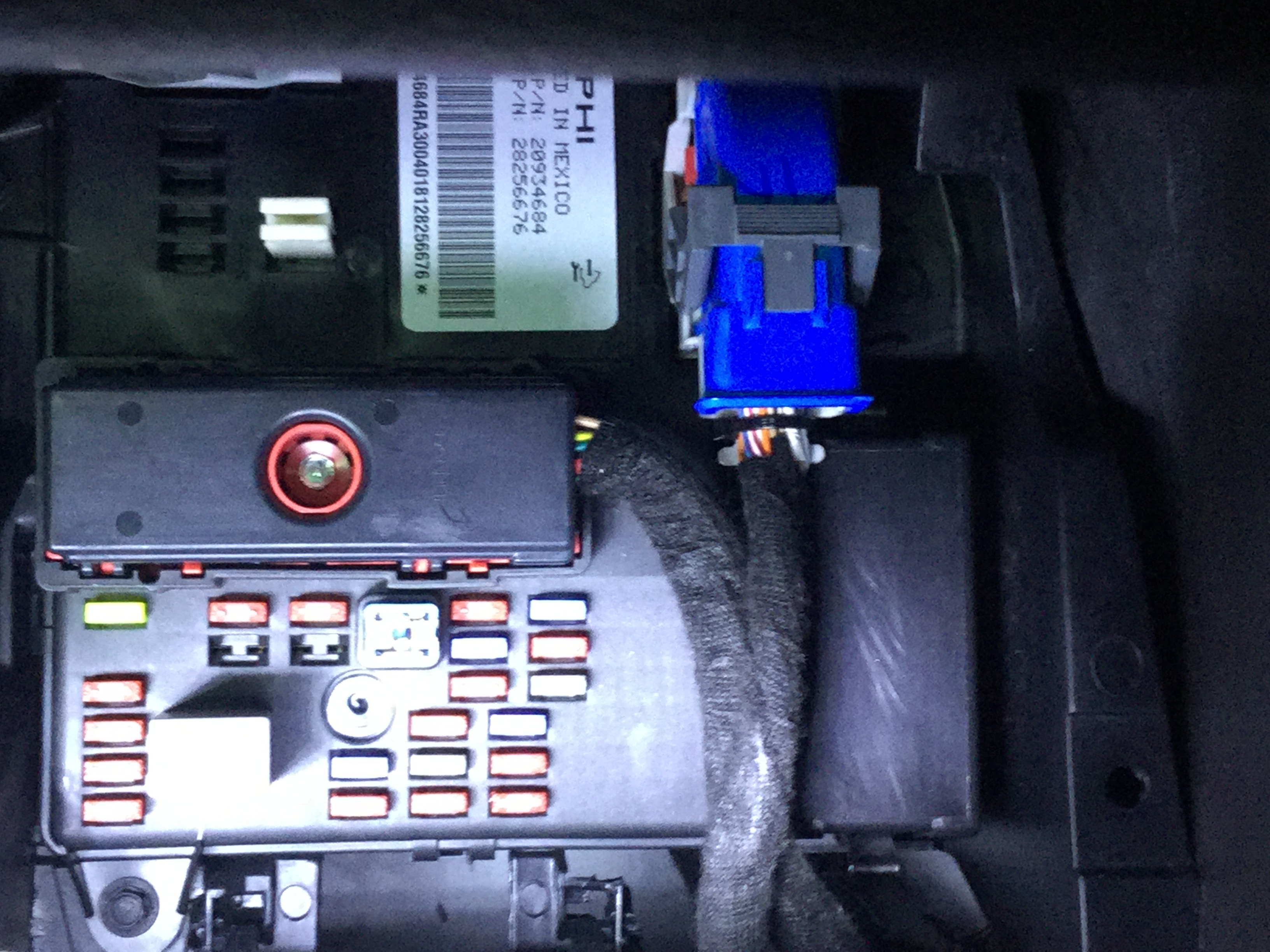
Start with cleaning the pins on the ODBII port, and then disconnect the battery to pull the BCM connectors (including the center one held on by the bolt) to clean both the connector pins and BCM pins with spray electrical cleaner as well. Also, pull the 30 amp fuse on the BCM (big blue one center), since it the can bus breaker, to make sure it not blow, or its U slot connector in the BCM having problems.
Didn't have much time to look at it today. Cleaned the BCM connections, checked the CAN fuse and pulled SP205 and attempted to connect just to see but I couldn't pick up a single module. I have yet to check out the T/S video, ill look it over tonjght. In the meantime, does anyone have a wiring diagram that shows which wires are for which modules in the splice packs? Maybe if I jump them out one at a time I can isolate which one has the issue.
Just making sure, the one in #6 is for a 06 Z06. Will they be the same for an 08 Base?
Yes and comes down to if you have a specific module in the car or not, that its' wire be run down to the splice block in the first place during the cars assembly.
Yes and comes down to if you have a specific module in the car or not, that its' wire be run down to the splice block in the first place during the cars assembly.
Good deal. Thanks for the clarification. Gonna dig in tomorrow afternoon and hopefully come up with something solid.
So I finally got to look at the car after being at work for a couple weeks. Just wanted to follow up and say that I really appreciate all the help and resources y'all gave me. The issue ended up being a bad BCM. Inatalled and programmed the new one last night and took the boss lady for a drive! Still have a SRS light that I have to look into but everything else is functioning as it should!
I really respect Dano523's knowledge and advice. I live near where he does, and he gave me a one-day Seminar when I bought my 2007. This car had just under 52,000 miles then ... today I saw it turn over 75,000. Weather was nice enough to get out before the next snow.







 Multiple electrical issues at once