




Mp3, SD ?????
Thread Starter
Advanced


Joined: May 2003
Posts: 62
Likes: 1
From: dillsburg pa
 Mp3, SD ?????
Help! I'm out of the loop when it comes to new music sources. I would like to know which is better for the c7. I don't have a cell phone or ipod or tablet. Would like something cheap to download music off of my cd's or the internet. I see the car has a place for a memory stick (sd I presume) .Can a sd shuffle songs . What about an m3p player. The ipods have more things than I need. Today I was at Best Buy and got confused. Is it better to have them pluged in or use bluetooth. Senior citizen needs help.

Melting Slicks

Joined: Feb 2014
Posts: 2,406
Likes: 3
From: Austin Texas
NCM Sinkhole Donor
Help! I'm out of the loop when it comes to new music sources. I would like to know which is better for the c7. I don't have a cell phone or ipod or tablet. Would like something cheap to download music off of my cd's or the internet. I see the car has a place for a memory stick (sd I presume) .Can a sd shuffle songs . What about an m3p player. The ipods have more things than I need. Today I was at Best Buy and got confused. Is it better to have them pluged in or use bluetooth. Senior citizen needs help.
If you have 8 tracks, cassette, or 45's you're probably screwed.

Race Director

Joined: Mar 2002
Posts: 14,611
Likes: 3
From: Retired Suffolk County Police Dept NY South Carolina
I just bought a bunch of flash drives from Amazon $19.09 for 32 GB
It is a real PITA to transfer my CDs, I usually do a few at night while I watch TV with my computer next to my bedroom TV.
I got a lot of negative comments when I said I was disappointed about no CD player in the C7
==================================
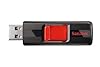
SanDisk Cruzer 32 GB USB Flash Drive (SDCZ36-032G-AFFP)
by SanDisk
3,770 customer reviews | 161 answered questions
List Price: $48.99
Price: $19.09
You Save: $29.90 (61%)
In Stock.
Ships from and sold by Amazon.com in easy-to-open packaging. Gift-wrap available.
It is a real PITA to transfer my CDs, I usually do a few at night while I watch TV with my computer next to my bedroom TV.
I got a lot of negative comments when I said I was disappointed about no CD player in the C7
==================================
SanDisk Cruzer 32 GB USB Flash Drive (SDCZ36-032G-AFFP)
by SanDisk
3,770 customer reviews | 161 answered questions
List Price: $48.99
Price: $19.09
You Save: $29.90 (61%)
In Stock.
Ships from and sold by Amazon.com in easy-to-open packaging. Gift-wrap available.

CORVETTE TODAY Show Host


Joined: Oct 2013
Posts: 26,017
Likes: 7,882
From: Kansas City, Missouri
CORVETTE TODAY Host
St. Jude Donor'15
Rawhide, putting your music on a flash drive is best for you. It will transfer your favorite music as an MP3 file (not an M3P file).
I've fixed the title of your thread for you!
I've fixed the title of your thread for you!
Thread Starter
Advanced
Joined: May 2003
Posts: 62
Likes: 1
From: dillsburg pa
CORVETTE TODAY Show Host
Joined: Oct 2013
Posts: 26,017
Likes: 7,882
From: Kansas City, Missouri
CORVETTE TODAY Host
St. Jude Donor'15
I think so-I might be wrong though. I have my music on my iPhone with iTunes Match. So I've never tried one of the drives in it. But those cards from Amazon are inexpensive and worth a try for less than $20.

Team Owner

Joined: Aug 2007
Posts: 136,140
Likes: 2,432
From: I live my life by 2 rules. 1) Never share everything you know. 2)
St. Jude Donor '11-'12-'13, '16-'17-'18
I would use an SD card if your computer supports them.
As it doesn't extend much past the socket in the C7's center console (as does a USB flash drive), there is much less chance breaking it off.
Electrically, the car doesn't care which...
As it doesn't extend much past the socket in the C7's center console (as does a USB flash drive), there is much less chance breaking it off.
Electrically, the car doesn't care which...
Last edited by Steve Garrett; Mar 20, 2014 at 09:34 PM.
Race Director
Joined: Mar 2002
Posts: 14,611
Likes: 3
From: Retired Suffolk County Police Dept NY South Carolina
I think you will have better compatibility with USB if you have other vehicles. MY 2012 Volt and 2014 Silverado had CD players and a USB slot but no SD slot. If you used an SD car for the Vette you would need a USB drive for other car. Use USB and it will be more likely to be compatible with other cars
Corvette Stories
The Best of Corvette for Corvette Enthusiasts

Top 10 Most Explosive Corvettes Ever Made: Power-to-Weight Ratio Ranked!
Joe Kucinski
150 hp to 1,250 hp: Every Corvette Generation Compared by the Specs That Matter
Joe Kucinski
8 Coolest Corvette Pace Cars (and Replicas) of All Time
Verdad Gallardo
Top 10 Corvette Engines RANKED by Peak Torque (70+ Years of Muscle!)
Joe Kucinski
Corvette ZR1X Will Be Pacing the Indy 500, And Could Probably Race, Too!
Verdad Gallardo
Top 10 Corvettes Coming to Mecum Indy 2026!
Brett Foote
Top 10 C9 Corvette MUST-HAVES to Fix These C8 Generation Flaws!
Michael S. Palmer
10 Revolutionary 'Corvette Firsts' Most People Don't Know
Joe Kucinski
5 Reasons to Upgrade to an LS6-Powered Corvette; 5 Reasons to Stay LT2
Michael S. Palmer
Team Owner
Joined: Aug 2007
Posts: 136,140
Likes: 2,432
From: I live my life by 2 rules. 1) Never share everything you know. 2)
St. Jude Donor '11-'12-'13, '16-'17-'18
I think you will have better compatibility with USB if you have other vehicles. MY 2012 Volt and 2014 Silverado had CD players and a USB slot but no SD slot. If you used an SD car for the Vette you would need a USB drive for other car. Use USB and it will be more likely to be compatible with other cars

Team Owner
Joined: Aug 2007
Posts: 136,140
Likes: 2,432
From: I live my life by 2 rules. 1) Never share everything you know. 2)
St. Jude Donor '11-'12-'13, '16-'17-'18
Supported Apple® Devices
The following Apple devices are
supported:
. iPod touch® (5th generation)
. iPod touch® (4th generation)
. iPod touch® (3rd generation)
. iPod touch® (2nd generation)
. iPod touch® (1st generation)
. iPod nano® (7th generation)
. iPod nano® (6th generation)
. iPod nano® (5th generation)
. iPod nano® (4th generation)
. iPod nano® (3rd generation)
. iPod nano® (2nd generation)
. iPod nano® (1st generation)
. iPod classic®
. iPod® with video
The following Apple devices are
supported:
. iPod touch® (5th generation)
. iPod touch® (4th generation)
. iPod touch® (3rd generation)
. iPod touch® (2nd generation)
. iPod touch® (1st generation)
. iPod nano® (7th generation)
. iPod nano® (6th generation)
. iPod nano® (5th generation)
. iPod nano® (4th generation)
. iPod nano® (3rd generation)
. iPod nano® (2nd generation)
. iPod nano® (1st generation)
. iPod classic®
. iPod® with video
Race Director
Joined: Mar 2002
Posts: 14,611
Likes: 3
From: Retired Suffolk County Police Dept NY South Carolina
My point was that I hate to have to transfer all my CDs to a USB drive, once is bad enough of what I already consider a wast of time, doing it all over again is just a double waste of time. I want to do it once and not repeat it all over on a SD card By the way I own close to 2,000 CDs which is going to take a long tine the time it will take for both is just too much trouble
Last edited by 2 Ag R8Cs; Mar 20, 2014 at 10:07 PM.
Team Owner
Joined: Aug 2007
Posts: 136,140
Likes: 2,432
From: I live my life by 2 rules. 1) Never share everything you know. 2)
St. Jude Donor '11-'12-'13, '16-'17-'18
Ain't rocket science here


Race Director

Joined: Aug 1999
Posts: 17,541
Likes: 2
From: Manhattan, KS Missing SoCal since 2005
There are multiple options once you get your CD's onto a flash drive or SIM card. I am using a 32 Gig flash drive in the USB port behind the Nav screen. I have about 45 CD's on the drive at this point, and am using about 10% of the available space. Took about two nights watching TV to "rip" those to the flash drive. You can elect to shuffle, select by artist, album name, song, or genre (i.e, country, folk, rock, etc.) You can select by tapping the screen, or by voice command: e.g,: me: "Play Emmy Lou Harris." a: "You said Emmy Lou Harris, correct?" me: "Yes." [music plays!]
It is a fantastic improvement over CD's! If you have a PC with a USB port, and/or a SIM card slot, you are golden. The car has three USB ports, including the one behind the NAV, and two in the console. The SIM card slot is also in the console.
It is a fantastic improvement over CD's! If you have a PC with a USB port, and/or a SIM card slot, you are golden. The car has three USB ports, including the one behind the NAV, and two in the console. The SIM card slot is also in the console.
Pro


Joined: Jul 2013
Posts: 705
Likes: 35
From: Montreal Quebec
2024 C8 of the Year Finalist - Unmodified
Supported Apple® Devices
The following Apple devices are
supported:
. iPod touch® (5th generation)
. iPod touch® (4th generation
Perfecto... Only a couple weeks to go...
The following Apple devices are
supported:
. iPod touch® (5th generation)
. iPod touch® (4th generation
Perfecto...
Only a couple weeks to go...
Team Owner
Joined: Aug 2007
Posts: 136,140
Likes: 2,432
From: I live my life by 2 rules. 1) Never share everything you know. 2)
St. Jude Donor '11-'12-'13, '16-'17-'18
When I found out the C7 supported SD cards, I went and bought a 16 gig one and transferred my music and playlists from iTunes to it. Why tie up a $100+ iPod when a $10 SD card does the same thing? And I also have the added advantage of not having an iPod and its cable rattling around in the center console or compartment behind the screen
Last edited by KenHorse; Mar 20, 2014 at 10:19 PM.
Race Director
Joined: Mar 2002
Posts: 14,611
Likes: 3
From: Retired Suffolk County Police Dept NY South Carolina
So far I have burned less than 10 CDs and decided investing my time downloading old radio shows directly. With CD it is more of a PITA because first I need to transfer the CD to my computer then I need to convert it to a format that will work in my truck. Apparently AIFF and Apple lossless will not work in my truck the only thing that seems to work is using a MP3 encoder @ 192 KBPS. My blood pressure just went up while I typed this

Race Director
Joined: Sep 2011
Posts: 10,742
Likes: 211
From: Marana, Arizona
Yes! For any media playback (USB or SD card) you can select "playlists", "albums", "artists", "songs", etc. If you have shuffle on and select an album, it will shuffle the tunes from that album. If you select "songs", all the tunes on the SD card or jump drive will shuffle. Simple enough.
Last edited by VETJAZZ; Mar 20, 2014 at 10:37 PM.
Team Owner
Joined: Aug 2007
Posts: 136,140
Likes: 2,432
From: I live my life by 2 rules. 1) Never share everything you know. 2)
St. Jude Donor '11-'12-'13, '16-'17-'18
I am already ticked off about being forced into burning my CDs because Chevy failed to include a CD player in a $70,000 car. My Vold and Silverado has a CD player and if I bought a Cadillac or any other GM car it would have a CD player so this whole topic of burning CDs is really getting me ticked off all over again.
So far I have burned less than 10 CDs and decided investing my time downloading old radio shows directly. With CD it is more of a PITA because first I need to transfer the CD to my computer then I need to convert it to a format that will work in my truck. Apparently AIFF and Apple lossless will not work in my truck the only thing that seems to work is using a MP3 encoder @ 192 KBPS. My blood pressure just went up while I typed this
So far I have burned less than 10 CDs and decided investing my time downloading old radio shows directly. With CD it is more of a PITA because first I need to transfer the CD to my computer then I need to convert it to a format that will work in my truck. Apparently AIFF and Apple lossless will not work in my truck the only thing that seems to work is using a MP3 encoder @ 192 KBPS. My blood pressure just went up while I typed this
Once ripped.. no muss no fuss....