When you click on links to various merchants on this site and make a purchase, this can result in this site earning a commission. Affiliate programs and affiliations include, but are not limited to, the eBay Partner Network.
The memory buttons, (SET, #1 & #2) fail to store the seat and side mirrors correctly: I have the car in PARK, set the PARKING BRAKE, turn on ACCESSORY, move the seat, steering column and side mirrors to a position I want to store, then press SET (beep), press #1 (2X beep) the seat and mirrors change position by it self but the column stays in place. I started the engine and repeat above steps with the engine running---same results. Change FOB's, repeat-----same results for #2. I can get the seat to stay if I move it in small increments pressing SET and #2 along the way. The EXIT feature works fine. Another example: I'm in traffic at a stop signal and find a side view mirror needs to be tweaked; I adjust to a new position, press SET (beep) then #2 (2X beep) THERE GOES THE MIRROR BACK TO THE OTHER POSISION. I don't think a four day old 2015 Corvette with 56 miles should act this way, what say anybody?
Storing Memory Positions
To save positions to the “1” and “2”
buttons:
1. Adjust the driver seat, outside
mirrors, and the power tilt and
telescoping steering column to
the desired driving positions.
2. Press and hold SET and “1” at
the same time until a beep
sounds.
3. Repeat Steps 1 and 2 for a
second driver using “2.”
The memory buttons, (SET, #1 & #2) fail to store the seat and side mirrors correctly: I have the car in PARK, set the PARKING BRAKE, turn on ACCESSORY, move the seat, steering column and side mirrors to a position I want to store, then press SET (beep), press #1 (2X beep) the seat and mirrors change position by it self but the column stays in place. I started the engine and repeat above steps with the engine running---same results. Change FOB's, repeat-----same results for #2. I can get the seat to stay if I move it in small increments pressing SET and #2 along the way. The EXIT feature works fine. Another example: I'm in traffic at a stop signal and find a side view mirror needs to be tweaked; I adjust to a new position, press SET (beep) then #2 (2X beep) THERE GOES THE MIRROR BACK TO THE OTHER POSISION. I don't think a four day old 2015 Corvette with 56 miles should act this way, what say anybody?
Hi Two Toes, I have a '14, AT/2LT/non-Z51/conv. The memory function for the driver's seat was a nightmare from day 1. Intermittent problems, consistent problems, the same as you are having. The first thing I noticed is that the instructions for setting the presets for the seat in the owner's manual are different then the instructions you find on line. The manual says press "set" then press "1". On line it says to press them at the same time. Long story short, last week, after several trips to the dealer, they and GM engineering discovered that the two remotes were programmed wrong. My situation was complicated by the fact that I ran one of the original remotes thru the washing machine, and had to get a new one. However this did not change the fact that the problem existed with the 2 original remotes. After removing all 3 remotes from the cars memory, and re-programming the 2 good ones everything has worked as it should. Hope this helps.
My hat is off to Zymurgy. Your fix for pressing the SET and a # button together is the answer. The Corvette manual, page 3-4 states "Press and release SET, a beep will sound. Immediately press and hold "1" until two beeps sound." Thanks again.
THIS FIX SHOULD BE A HEADLINER AT THE TOP OF THE FORUM!
My hat is off to Zymurgy. Your fix for pressing the SET and a # button together is the answer. The Corvette manual, page 3-4 states "Press and release SET, a beep will sound. Immediately press and hold "1" until two beeps sound." Thanks again.
THIS FIX SHOULD BE A HEADLINER AT THE TOP OF THE FORUM!
My 2015 does not work in accordance to the manual. Zymurgy stated that two buttons must be pressed simultaneously; this worked for me, #1 & #2 are now programed.
mjw930 you have a 2014, this could be different. Woodson doesn't state the year of his vehicle. All I can state is mine is fixed and I am HAPPY.
I seriously doubt there's a difference between the manual and an early build 2014 or the 2015. Perhaps it works both ways since the old "hold both buttons" is the way the older GM systems worked?
I know there are some timing issues doing it the way the manual suggests but I've got mine down to the point where I routinely set it while driving down the road if I tweak the seat, wheel or mirrors and have "reset" the number 1 position about 100 times in the 4 months I've owned the car.
Seat memory works perfectly for me, maybe I'm lucky.
Mine works per the manual. Press set then within a second or two press the desired memory button. Have had mine for a year, done a number of times, even when driving. I get one beep.
The keys are not numbered, that could be one problem! If you think the 1 & 2 inside the movable key are FOB numbers they are not! Someone guessed those numbers are a mold or a production machine number for the movable key! Probably right since numbering the inside of the removable key is not logical! They could be switched and the FOB does not change. If true, there is a 50% chance you have both numbers. But only a 25% chance the number matches your FOB! I have two 1's! There is a 25% chance of that or having two 2's. Apparently means nothing.
Maybe the "hold both" works for automatics or maybe both proceedures work. For whatever reason there are differences on how recall works between M7's and autos.
I seriously doubt there's a difference between the manual and an early build 2014 or the 2015. Perhaps it works both ways since the old "hold both buttons" is the way the older GM systems worked?
I know there are some timing issues doing it the way the manual suggests but I've got mine down to the point where I routinely set it while driving down the road if I tweak the seat, wheel or mirrors and have "reset" the number 1 position about 100 times in the 4 months I've owned the car.
Seat memory works perfectly for me, maybe I'm lucky.
Originally Posted by JerryU
Mine work per the manual. Press set then within a second or two press the desired memory button. Have had mine for a year, done a number of times, even when driving. I get one beep.
The keys are not numbered, that could be one problem! If you think the 1 & 2 inside the movable key are key numbers they are not! You have a 50% chance you have both numbers. I have two 2's! Means nothing. Someone guessed those numbers are a mold number! Probably right since numbering the inside of the removable key is not logical!
That's where it gets interesting. I went out and checked just to make sure and mine works with the press and release of the set button then the press and hold of the position button. I then went and looked at the printed manual (I know, why would I want to do that.... ) and this is what it says:
Then I pulled up the .pdf stored on my iPad, downloaded from www.chevrolet.com.
Obviously there are 2 versions of their firmware and I doubt it's documented how to determine what you have installed. No wonder this is so frustrating.......
That's where it gets interesting. I went out and checked just to make sure and mine works with the press and release of the set button then the press and hold of the position button. I then went and looked at the printed manual (I know, why would I want to do that.... ) and this is what it says:
Then I pulled up the .pdf stored on my iPad, downloaded from www.chevrolet.com.
Obviously there are 2 versions of their firmware and I doubt it's documented how to determine what you have installed. No wonder this is so frustrating.......
You're right. I wonder if there are 2 or do they both work? I have been using the press and then quickly press the seat memory desired. It works for me. I'll have to try the "hold both."
There's another thread on this. The memory seat/mirror/steering wheel function won't work if the seat goes all the way back on exit memory. Tap the far forward button to get the seat to go forward a little, then hit the 1 button. It should work fine.
One other thing I noticed, the 1 touch feature does not work if you have the auto memory setting set to on open or on start. 1 touch only seems to work if you have that feature turned off.







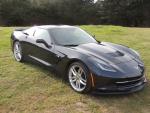


 Memory nightmare














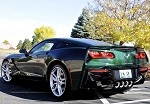



 Mine works per the manual. Press set then within a second or two press the desired memory button. Have had mine for a year, done a number of times, even when driving. I get one beep.




 ) and this is what it says:


