







CD Player
Le Mans Master


Joined: Jan 2006
Posts: 6,800
Likes: 2,653
From: Down south in Dixie
Safety Car


Joined: Aug 2005
Posts: 3,968
Likes: 867
From: Tulsa Oklahoma
Burning Brakes

Joined: Jun 2015
Posts: 850
Likes: 415

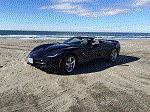
I have the chrome wheel, automatic transmission and convertible option package. It was my $75k so i figured I should spend it on what I wanted.
They really should include the CD player in the coupe. The hatchback T-top is more reminiscent of the '80s.
They really should include the CD player in the coupe. The hatchback T-top is more reminiscent of the '80s.
Melting Slicks


Joined: Aug 2014
Posts: 2,746
Likes: 916
Hmmm, my coupe didn't come with the T-top option...I feel like I've been slighted by the dealer...
Corvette Stories
The Best of Corvette for Corvette Enthusiasts

5 Best & 5 Worst Corvette Daily Drivers
Joe Kucinski
The Headlights of Every Corvette Generation Explained
Joe Kucinski
5 Best & 5 Most Overrated Corvette Track Packages of All Time!
Joe Kucinski
Every 2027 Corvette Engine Explained
Joe Kucinski
Designer Imagines A Corvette That Looks More Like a Corvette Than the Corvette
Verdad Gallardo
10 Ugly Corvettes That We Still Kinda Love
Joe Kucinski
Top 10 Most Expensive Corvettes Ever Sold on Bring A Trailer
Brett Foote
10 Things Every Corvette Owner Needs (2026 Edition)
Michael S. Palmer
8 Most "Only Corvette Owners Understand" Quirks and Problems
Pouria Savadkouei
Le Mans Master
Joined: Nov 2004
Posts: 7,850
Likes: 142
From: Tampa, Fl.


Racer

Joined: Nov 2012
Posts: 268
Likes: 50
Funny thread.  Fewer and fewer vehicles include CD players and the technology is expected to disappear from most new vehicles early in the next decade. Chevy has eliminated CD players in their performance vehicles, but still offer them throughout the rest of the product line, such as in the Impala. The Cadillac division offers players as an option which can be installed in the glovebox. CD players are still available as standard equipment in luxury vehicles like the Jaguar F-Type.
Sometimes it is just quicker and more convenient to grab a CD from the collection and be on your way. For those occasions when you don't have time to rip music and format to USB, just use a portable CD player and connect it to the vehicle's auxiliary port.
Fewer and fewer vehicles include CD players and the technology is expected to disappear from most new vehicles early in the next decade. Chevy has eliminated CD players in their performance vehicles, but still offer them throughout the rest of the product line, such as in the Impala. The Cadillac division offers players as an option which can be installed in the glovebox. CD players are still available as standard equipment in luxury vehicles like the Jaguar F-Type.Sometimes it is just quicker and more convenient to grab a CD from the collection and be on your way. For those occasions when you don't have time to rip music and format to USB, just use a portable CD player and connect it to the vehicle's auxiliary port.
Last edited by live2drive; Nov 16, 2017 at 05:40 PM.
Burning Brakes
Joined: Jun 2015
Posts: 850
Likes: 415
I know the difference between T and Targa, I really do, but I had to come up with a witty retort for the guy who swiped all his put downs from a thread about guys being jerks.
The last three CD players in vehicles I have had, including the Silverado I have now, were rarely used. Still, I understand those who miss them.
I went through the same type of disappointment when cassettes gave way to CDs. I had lots of them and it would take many hours to burn the songs onto CDs. I finally gave up and just bought new. I think that is what the music industry had in mind, anyway. Fortunately it is much easier and quicker to move the digital recordings around.
Race Director

Joined: Sep 2014
Posts: 11,905
Likes: 2,148
Corvettes are for old guys and they don't want to fnck around on a computer just to hear their tunes.
It's a stupid thing Chevrolet has done.
Sometimes it is just quicker and more convenient to grab a CD from the collection and be on your way. For those occasions when you don't have time to rip music and format to USB, just use a portable CD player and connect it to the vehicle's auxiliary port.
My computer is upstairs and my disks are downstairs near the garage.
At that age now where I'm starting to hate stairs...
I'm a collector and have been doing so since the format was brought to market.
Currently, I have approx. 4,000 CDs (in spite of donating thousands to local libraries over the years).
Everything is on shelves and alphabetized for quick access.
I know exactly what I have and almost always know what I want to hear right before I grab the keys to my car.


Le Mans Master
Joined: Oct 2005
Posts: 7,002
Likes: 2,679
Not a troll.
I really would like to know how to rip CDs and copy the MP3s onto a jump drive and have them play in CD/Chapter order. The problem is exacerbated by having the MP3s have the same name on multiple CDs. Also, the infotainment system tries to reorganize the MP3s in some unknown order for playback and seems to ignore folders.
Once you put on ID3Tag info the format you put it in is mostly irrelevant, SD Card, USB, iPod, iPhone, Android Device, et al, doesn't matter. You can also make custom M3U lists to order the files. But I only do that for "Playlists" where I want to string multiple albums together. For listening to albums (and a book on CD is considered an album) you don't need anything but the ID3Tag info.
I have a guide that explains this really well. It's on this forum a few places!
Last edited by Steve Garrett; Nov 16, 2017 at 09:37 PM. Reason: Merged Posts
Burning Brakes

Joined: Feb 2017
Posts: 807
Likes: 313
From: New Jersey
Funny thread. Fewer and fewer vehicles include CD players and the technology is expected to disappear from most new vehicles early in the next decade. Chevy has eliminated CD players in their performance vehicles, but still offer them throughout the rest of the product line, such as in the Impala. The Cadillac division offers players as an option which can be installed in the glovebox. CD players are still available as standard equipment in luxury vehicles like the Jaguar F-Type.
Sometimes it is just quicker and more convenient to grab a CD from the collection and be on your way. For those occasions when you don't have time to rip music and format to USB, just use a portable CD player and connect it to the vehicle's auxiliary port.
Fewer and fewer vehicles include CD players and the technology is expected to disappear from most new vehicles early in the next decade. Chevy has eliminated CD players in their performance vehicles, but still offer them throughout the rest of the product line, such as in the Impala. The Cadillac division offers players as an option which can be installed in the glovebox. CD players are still available as standard equipment in luxury vehicles like the Jaguar F-Type.Sometimes it is just quicker and more convenient to grab a CD from the collection and be on your way. For those occasions when you don't have time to rip music and format to USB, just use a portable CD player and connect it to the vehicle's auxiliary port.

Team Owner


Joined: Aug 2000
Posts: 24,131
Likes: 1,344
From: Spring Texas
To listen to books on CD, it should not take a 12 step process, a degree in computer engineering, and knowledge of 4 software packages to do. What I want is:
1. rip CDs to hard drive. Each CD is a folder and contains all the MP3s in rip-date order. Windows media player works fine for doing this.
2. copy these folders to a "thumb" drive that looks like the image on the HDD.
3. put "thumb" drive in "thumb" drive socket of the car and navigate to it. Select the first CD folder and enjoy the chapters of the first CD in the correct order.
4. When playing that CD folder ends, the system proceeds to the next CD folder and plays those CDs in the correct order.
Obviously I'm axing for too much (or too little, depending on how you regard technology).
1. rip CDs to hard drive. Each CD is a folder and contains all the MP3s in rip-date order. Windows media player works fine for doing this.
2. copy these folders to a "thumb" drive that looks like the image on the HDD.
3. put "thumb" drive in "thumb" drive socket of the car and navigate to it. Select the first CD folder and enjoy the chapters of the first CD in the correct order.
4. When playing that CD folder ends, the system proceeds to the next CD folder and plays those CDs in the correct order.
Obviously I'm axing for too much (or too little, depending on how you regard technology).
Last edited by CP; Nov 22, 2017 at 05:00 PM.
Le Mans Master
Joined: Oct 2005
Posts: 7,002
Likes: 2,679
Originally Posted by CP
To listen to books on CD, it should not take a 12 step process, a degree in computer engineering, and knowledge of 4 software packages to do. What I want is:
1. rip CDs to hard drive. Each CD is a folder and contains all the MP3s in rip-date order. Windows media player works fine for doing this.
2. copy these folders to a "thumb" drive that looks like the image on the HDD.
3. put "thumb" drive in "thumb" drive socket of the car and navigate to it. Select the first CD folder and enjoy the chapters of the first CD in the correct order.
4. When playing that CD folder ends, the system proceeds to the next CD folder and plays those CDs in the correct order.
Obviously I'm axing for too much (or too little, depending on how you regard technology).
1. rip CDs to hard drive. Each CD is a folder and contains all the MP3s in rip-date order. Windows media player works fine for doing this.
2. copy these folders to a "thumb" drive that looks like the image on the HDD.
3. put "thumb" drive in "thumb" drive socket of the car and navigate to it. Select the first CD folder and enjoy the chapters of the first CD in the correct order.
4. When playing that CD folder ends, the system proceeds to the next CD folder and plays those CDs in the correct order.
Obviously I'm axing for too much (or too little, depending on how you regard technology).
Team Owner
Joined: Aug 2000
Posts: 24,131
Likes: 1,344
From: Spring Texas

Instructor
Joined: May 2017
Posts: 176
Likes: 54
From: DFW Texas


Safety Car

Joined: Jul 2011
Posts: 4,496
Likes: 1,209
From: Phoenix, Arizona
How exactly would you make an outgoing call on that "phone"??? Or accept an incoming one?