







Official AVIC Backgrounds Thread

Race Director

Joined: Jul 2007
Posts: 18,681
Likes: 47
From: Reno is so close to Hell you can see Sparks , State Of Confusion
St. Jude Donor '12-'13-'14

Burning Brakes


Joined: Jan 2011
Posts: 800
Likes: 72
From: Calgary Alberta

I just installed a Kenwood DNX690HD, its a new model not even listed on Kenwood's site. it just came out in Jan 2013. I want to change the splash screen to something more C5ish. I've followed instructions from former models: size 800 X 480, saved as a 16 bit BMP using R5,G6,B5 and saved to a flash drive.
I used the Hold menu + Tel and then press the reset button. the unit shut off and then rebooted to the add a image screen where the Kenwood splash screen image resides. I pressed the OEM line and it brought up the bmp thumb nail and a blank thumbnail from my flash drive. I selected the visual thumbnail and it placed the file name on a line and then selected enter... it started to write because it said writing.. then after 2 seconds it said error. I've been doing this all day..
New flash drive.
I've tried about 6 different bmp files, and all show error. I'm thinking this New unit might have a different format. I used two different flash drive both were different manufacturers, and both were new.
Thank for any thoughts.. Kenwood is no help at this point. Dennis is also trying to debug this issue.
Bill aka ET
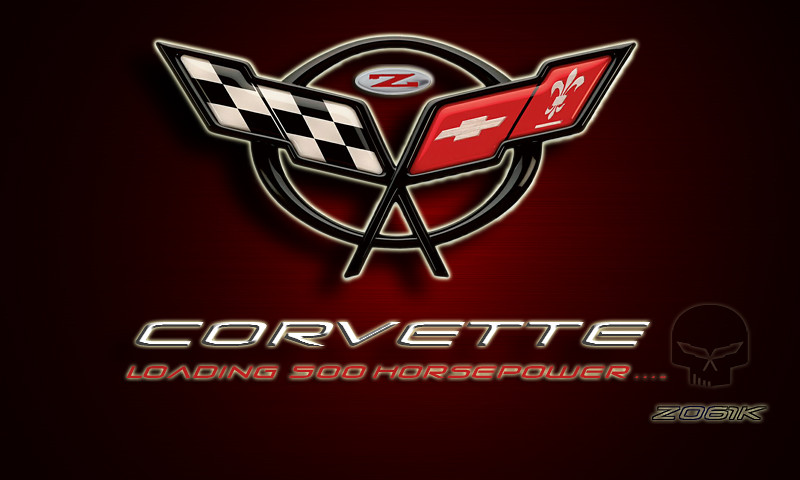
This is what IM trying to load although this is a JPEG, I converted this to a BMP with Photoshop then put it on the flash drive

I used the Hold menu + Tel and then press the reset button. the unit shut off and then rebooted to the add a image screen where the Kenwood splash screen image resides. I pressed the OEM line and it brought up the bmp thumb nail and a blank thumbnail from my flash drive. I selected the visual thumbnail and it placed the file name on a line and then selected enter... it started to write because it said writing.. then after 2 seconds it said error. I've been doing this all day..
New flash drive.
I've tried about 6 different bmp files, and all show error. I'm thinking this New unit might have a different format. I used two different flash drive both were different manufacturers, and both were new.
Thank for any thoughts.. Kenwood is no help at this point. Dennis is also trying to debug this issue.
Bill aka ET
This is what IM trying to load although this is a JPEG, I converted this to a BMP with Photoshop then put it on the flash drive
I would like to try it on my Kenwood DNX9960.
Burning Brakes
Joined: Jan 2011
Posts: 800
Likes: 72
From: Calgary Alberta
I will try there if nobody can help me out here!!!!
Thanks
800 X 480

Successful Plumber


Joined: Feb 2001
Posts: 43,830
Likes: 14
From: Top of the hill, 3rd mailbox on the right. Texas
CF NCM Ambassador
CI 6-7-9-10 Veteran
St. Jude Donor '06-'07-'08-'09-'10
NCM Member '09
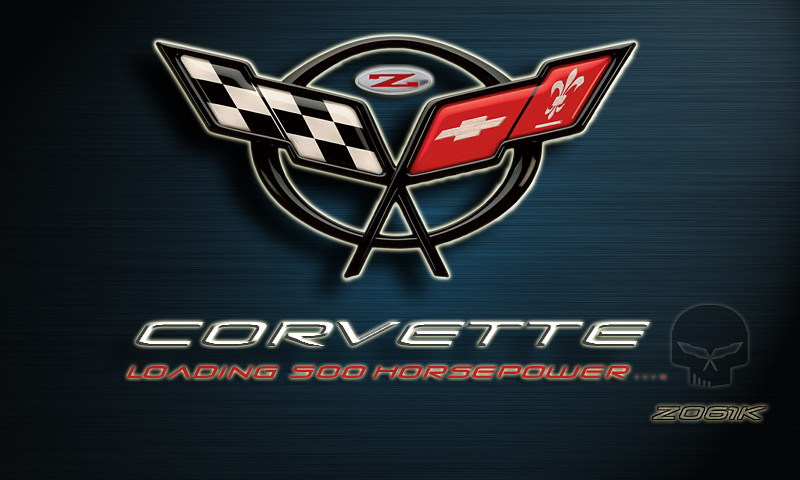
I hadn't seen this thread since I put my AVIC in years ago - I made this to match my Atomic Orange 08. I also cropped it as the background for my iPhone.

Corvette Stories
The Best of Corvette for Corvette Enthusiasts

Top 10 Most Explosive Corvettes Ever Made: Power-to-Weight Ratio Ranked!
Joe Kucinski
150 hp to 1,250 hp: Every Corvette Generation Compared by the Specs That Matter
Joe Kucinski
8 Coolest Corvette Pace Cars (and Replicas) of All Time
Verdad Gallardo
Top 10 Corvette Engines RANKED by Peak Torque (70+ Years of Muscle!)
Joe Kucinski
Corvette ZR1X Will Be Pacing the Indy 500, And Could Probably Race, Too!
Verdad Gallardo
Top 10 Corvettes Coming to Mecum Indy 2026!
Brett Foote
Top 10 C9 Corvette MUST-HAVES to Fix These C8 Generation Flaws!
Michael S. Palmer
10 Revolutionary 'Corvette Firsts' Most People Don't Know
Joe Kucinski
5 Reasons to Upgrade to an LS6-Powered Corvette; 5 Reasons to Stay LT2
Michael S. Palmer
Le Mans Master

Joined: Jun 2005
Posts: 9,948
Likes: 0
From: Hudson Valley Region, NY The "sonoma/napa" of the Northeast~~~~~ Are we there yet?
St. Jude Donor '08
Hi
Im looking for someone with some skills who might be able to help me out. I am trying to make a blanket 60x80 for my toddler sons room. I want the layout to be landscape and I was thinking of huge c6 flag logo in the middle with 2 smaller "Jake" skulls on the top right and left corner with his name written in between them.
Can anyone out there make me an image like this or even send me some ultra high res c6 flags photos? I would really appreciate it.
Thanks
Photos need to be at least 3200x2400 pixels
Im looking for someone with some skills who might be able to help me out. I am trying to make a blanket 60x80 for my toddler sons room. I want the layout to be landscape and I was thinking of huge c6 flag logo in the middle with 2 smaller "Jake" skulls on the top right and left corner with his name written in between them.
Can anyone out there make me an image like this or even send me some ultra high res c6 flags photos? I would really appreciate it.
Thanks
Photos need to be at least 3200x2400 pixels
Drifting

Joined: Jul 2012
Posts: 1,697
Likes: 94
From: Canton MI
2017 C7 of the Year Finalist
I know this thread has been dead for a while, but it gave me a lot of great ideas for my new system. I just put this new startup screen on my Kenwood DNX891HD from Dennis at Double D:







3rd Gear

Joined: Apr 2014
Posts: 3
Likes: 0
What are the file requirements for the DNX891HD? I've been trying to get an image to work, and haven't been able to get it right.
3rd Gear
Joined: Apr 2014
Posts: 3
Likes: 0
What are the file requirements for the DNX891HD? I've been trying to get a startup image to work, and haven't been able to get it right. Figured out how to get into the menu, but replacing the Kenwood startup screen with another image has proven more difficult.
Drifting
Joined: Jul 2012
Posts: 1,697
Likes: 94
From: Canton MI
2017 C7 of the Year Finalist
http://forums.corvetteforum.com/c6-c...d-and-mgw.html
Image formatting information
1) File Type needs to be Bit Map
2) Pixel Size should be 800 * 480
3) Save as 16 bit Full Color BMP and the setting of RGB of R5,G6,B5 THIS IS CRITICAL
4) You need to use a dedicated image processing application such as Photoshop in order to be able to make the right settings and save in the correct format. Windows Applications like Paint cannot be used to make the BMP as the settings for the RGB cannot be done with that application.
3rd Gear
Joined: Apr 2014
Posts: 3
Likes: 0
See post #28 on page 2 of my thread about my upgrades:
http://forums.corvetteforum.com/c6-c...d-and-mgw.html
Image formatting information
1) File Type needs to be Bit Map
2) Pixel Size should be 800 * 480
3) Save as 16 bit Full Color BMP and the setting of RGB of R5,G6,B5 THIS IS CRITICAL
4) You need to use a dedicated image processing application such as Photoshop in order to be able to make the right settings and save in the correct format. Windows Applications like Paint cannot be used to make the BMP as the settings for the RGB cannot be done with that application.
http://forums.corvetteforum.com/c6-c...d-and-mgw.html
Image formatting information
1) File Type needs to be Bit Map
2) Pixel Size should be 800 * 480
3) Save as 16 bit Full Color BMP and the setting of RGB of R5,G6,B5 THIS IS CRITICAL
4) You need to use a dedicated image processing application such as Photoshop in order to be able to make the right settings and save in the correct format. Windows Applications like Paint cannot be used to make the BMP as the settings for the RGB cannot be done with that application.


Intermediate
Joined: Apr 2014
Posts: 44
Likes: 0
From: E. Prospect Pa
St. Jude Donor '14
Ok so I follow the AVIC Z3 instruction manual to burn photos onto a cd-rw to load into Z3 so I can change splash screen. Photos are within dimension limits and under 200 pics total and JPEG format and in "Pictures" file over 100MB and single session finalized.
I put disc in and Z3 recognizes it as cd rom but "import from disc" option is still grayed out. Am I missing a step or doin something wrong?
I put disc in and Z3 recognizes it as cd rom but "import from disc" option is still grayed out. Am I missing a step or doin something wrong?

Tech Contributor

Joined: May 2003
Posts: 7,035
Likes: 134
From: North Augusta, SC

Intermediate
Joined: Apr 2014
Posts: 44
Likes: 0
From: E. Prospect Pa
St. Jude Donor '14
Thanks Mark...downloaded Imgburn...works great now! 
Would one of ya'll make a background with using C4 emblem, like C5/6's on here, and that says (centered):
Loading 330HP...
SO
Get In! Sit Down! Shut Up! N Hold On!
Thanks Michael
Would one of ya'll make a background with using C4 emblem, like C5/6's on here, and that says (centered):
Loading 330HP...
SO
Get In! Sit Down! Shut Up! N Hold On!
Thanks Michael
Last edited by Oldballs65; Aug 23, 2014 at 11:48 AM.