When you click on links to various merchants on this site and make a purchase, this can result in this site earning a commission. Affiliate programs and affiliations include, but are not limited to, the eBay Partner Network.
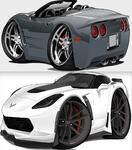
looking to put a background on my new nav unit, how do I collect these pics? or download them....
Right click on the photo you want and save it as a .jpg photo. Move photo onto memory stick/usb flash drive and then connect flash drive to head unit and follow manufacturer's instructions on how to download background.
Hi, I know this is an old thread but I am loving this splash screen and would love to put on my newly installed Kenwood in my '05 Yellow Vert. Can you change the logo to a bigger C6 with the Corvette script in yellow underneath it, and Kenwood in the very bottom (under AUDIO) in yellow as well? Thanks so much!!
Jumping in late. Just found this thread. Mine are all for Pioneer 8200...The first one is my current. I have a "pin-up" theme in my car, so the first 3 are the girls I picked to display. This is Sophia... And for all you Mila Kunis fans out there...
Ahhhh...thanks Ronin, more images for me to load. With my new Kenwood DNX997 I can set it to scroll as many images as I want that are on a thumb drive. I got a bunch of them from on here and it looks cool as sh*t with them scrolling in the background while cruising...
I love that logo. I have an Alpine can soneone walk me step by step who to upload this.Please! Thanks!!
You might want to try a google search with your model number. Every head unit and brand can be a little different. On some it's very easy, while on others it's extremely difficult. On some it's included in the user's settings and features, while on others you need to access a secret menu that's only for installers or service.