


Mod Questions Pics inside


Thread Starter
Late Model Domestics


Joined: Oct 2007
Posts: 1,548
Likes: 46
From: Virginia Beach VA
 Mod Questions Pics inside
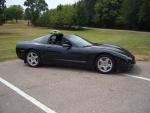
So I bought this car and the guy didn't know the history so i asked for some help here and now I have a few more ?
I have american racing headers, Blackwing air intake, cags, short throw shifter, and a custom sound system, This i figured out.
Car leaks but have sealed most of them up thanks to leak thread!
Is this a factory? or is it a aftermarket H or x pipe? Also the red circled area has drips of oil coming out is this just a gasket that needs to be replaced?

I have a high idle 1050-1200 RPMS i cleaned the throttle body and when i was cleaning it i noticed that it stays open a hair is that normal? Could the previous owner had it tuned or can i turn it down some where?
I have american racing headers, Blackwing air intake, cags, short throw shifter, and a custom sound system, This i figured out.
Car leaks but have sealed most of them up thanks to leak thread!
Is this a factory? or is it a aftermarket H or x pipe? Also the red circled area has drips of oil coming out is this just a gasket that needs to be replaced?
I have a high idle 1050-1200 RPMS i cleaned the throttle body and when i was cleaning it i noticed that it stays open a hair is that normal? Could the previous owner had it tuned or can i turn it down some where?
Burning Brakes

Joined: Oct 2008
Posts: 1,062
Likes: 2
From: Minnesota City MN
You have an aftermarket X-pipe and a leaky oil pan gasket. I'm the car was tuned after the headers were installed. I am pretty sure the throttle body is always open a hair to allow air in. If it was closed, your intake would get no air.

Heel & Toe

Joined: Feb 2009
Posts: 17
Likes: 0
From: Concord NC
That is an aftermarket catted x-pipe prob from ARH. The circled area is the oil pan and if the drips are coming from around it then it is just a gasket. Last but not least if you have a drive-by-wire throttle body (No cable) there is supposed to be a small gap, But if it has a cable then no gap. It may also have a vacuum leak if you spray carb cleaner around the intake manifold and the idle changes any, you have found your leak! Good luck!

Le Mans Master


Joined: May 2007
Posts: 5,753
Likes: 15
From: Parkersburg West Virginia
Cruise-In X Veteran


Tech Contributor


Joined: Dec 1999
Posts: 32,910
Likes: 2,402
From: Anthony TX
CI 6,7,8,9,11 Vet
St. Jude Donor '08
Hang on,,,,,,, . Our C5's are Throttle By Wire and the PCM/TAC module controls the position of the Throttle blade. If you turn the ignition ON with the air bridge removed,,,you will see the Throttle Blade will snap to attention and go to the LAST KNOWN correct idle air position. Yes,,,it is normal for the Throttle Blade to be open quite a bit when there is no power applied to it. You can push it open and it will flop back to the semi closed position. While you have all that stuff open, its a good idea to clean the TB and blade. Open it and wipe it down.
Oil Leaks: Clean up everything and monitor frequently. The oil can be coming from one of 10 different places. My guess is it more likely the front timing chain cover harmonic balancer seal leak. Thats only a guess. Clean up the underside of the car and the bottom of the engine and look closely at where its coming from.
High RPMs: If your RPMs are high, its caused by a vacuum leak stuck throttle blade or improper tuning. Clean the TB and Throttle Blade and make sure that it doesn't stick when you move it. Look at the vacuum connections on the manifold: PCV fittings, MAP fitting, air bridge connections and all the plumbing between the MAF and TB. Make sure that there clean and tight.
Pull up your DTC and see if you have any:
READING YOUR Engine Diagnostic Codes (DTCs)
The Diagnostic Display Mode is entered with the following procedure:
1) Turn on the ignition but don't start the engine.
2) Press the RESET button to turn off any warning messages. (i.e. door open, trunk open etc)
3) Press and hold OPTIONS
4) While holding OPTIONS, press FUEL four times within a 10-second period.
Initially, on-board diagnostics go into an Automatic Mode which shows diagnostic codes in a pre-set sequence: PCM - TCS - RTD - BCM - IPC - RADIO - HVAC - LDCM - RDCM - SCM - RFA. All codes will be displayed for each. ( i.e. PCM = 4 codes)
If none are present in a given module, you will see No More Codes on the display.
There are two kinds of diagnostic codes, Current and History designated with a letter suffix, C or ;H. A current code indicates a malfunction is present in the module displaying data. A history code indicates a problem existed sometime in the last 40 or 50 ignition cycles. When not accompanied by a current code of the same number, it's potential evidence of a previous problem, now resolved, that was not removed by clearing the codes.
More likely it's an indication of an intermittent malfunction.
Intermittent codes are the most challenging of the diagnostics. An intermittent code may have happened once, may have happened more than once but is inconsistent or may be happening on a regular basis but not at the time the codes are displayed. History codes can also be caused by a current malfunction in a system that is not operating at the time codes are displayed. An example is the rear window defogger which doesn't operate until the Body Control Module detects engine rpm. For history codes set by a module that does not operate with the key on and engine off, a special diagnostic tool called a Scan Tester is necessary to properly diagnose the malfunction.
Once the system has displayed all modules, it goes into the manual mode which allows selection of each module using combinations of Driver Information Center buttons. Manual mode can also be entered during the automatic sequence by pressing any button except E/M. Once the display shows Manual Diagnostics, select a module by pressing the OPTIONS button to go forward or the TRIP button to go back. Once a module is selected, a code is displayed, and if more than one are present;
press GAGES to go forward or FUEL to go back.
To exit the diagnostic mode at any time, press E/M. If you want to erase codes in a given module, press RESET
To reset the codes once in manual mode, press and hold RESET until it displays NO CODES Press OPTIONS to go to the next module. Repeat the steps until you have reset the codes in all the computer modules.
NOTE!! Only reset the codes IF you want to - it is NOT necessary to do this. Clearing a code does not repair a problem. You are simply erasing the evidence of it in the module's memory. If you clear the code/s, and extinguish the Check Engine Light, your emissions status ready will NOT allow you to pass an emissions test until you have completed the required driving cycles.
Once you have the codes, the next question is: What to do with the information?
First, consult the factory service manual. Any serious C5 Do-It-Yourself owner should invest in the Corvette Service Manual of the appropriate model year. The Service Manual is really a requirement if you want to understand and work on your C5.
Here is very good site of DTC definitions:
http://www.gearchatter.com
Make sure to include the H or C suffix!!
BC
. Our C5's are Throttle By Wire and the PCM/TAC module controls the position of the Throttle blade. If you turn the ignition ON with the air bridge removed,,,you will see the Throttle Blade will snap to attention and go to the LAST KNOWN correct idle air position. Yes,,,it is normal for the Throttle Blade to be open quite a bit when there is no power applied to it. You can push it open and it will flop back to the semi closed position. While you have all that stuff open, its a good idea to clean the TB and blade. Open it and wipe it down.Oil Leaks: Clean up everything and monitor frequently. The oil can be coming from one of 10 different places. My guess is it more likely the front timing chain cover harmonic balancer seal leak. Thats only a guess. Clean up the underside of the car and the bottom of the engine and look closely at where its coming from.
High RPMs: If your RPMs are high, its caused by a vacuum leak stuck throttle blade or improper tuning. Clean the TB and Throttle Blade and make sure that it doesn't stick when you move it. Look at the vacuum connections on the manifold: PCV fittings, MAP fitting, air bridge connections and all the plumbing between the MAF and TB. Make sure that there clean and tight.
Pull up your DTC and see if you have any:
READING YOUR Engine Diagnostic Codes (DTCs)
The Diagnostic Display Mode is entered with the following procedure:
1) Turn on the ignition but don't start the engine.
2) Press the RESET button to turn off any warning messages. (i.e. door open, trunk open etc)
3) Press and hold OPTIONS
4) While holding OPTIONS, press FUEL four times within a 10-second period.
Initially, on-board diagnostics go into an Automatic Mode which shows diagnostic codes in a pre-set sequence: PCM - TCS - RTD - BCM - IPC - RADIO - HVAC - LDCM - RDCM - SCM - RFA. All codes will be displayed for each. ( i.e. PCM = 4 codes)
If none are present in a given module, you will see No More Codes on the display.
There are two kinds of diagnostic codes, Current and History designated with a letter suffix, C or ;H. A current code indicates a malfunction is present in the module displaying data. A history code indicates a problem existed sometime in the last 40 or 50 ignition cycles. When not accompanied by a current code of the same number, it's potential evidence of a previous problem, now resolved, that was not removed by clearing the codes.
More likely it's an indication of an intermittent malfunction.
Intermittent codes are the most challenging of the diagnostics. An intermittent code may have happened once, may have happened more than once but is inconsistent or may be happening on a regular basis but not at the time the codes are displayed. History codes can also be caused by a current malfunction in a system that is not operating at the time codes are displayed. An example is the rear window defogger which doesn't operate until the Body Control Module detects engine rpm. For history codes set by a module that does not operate with the key on and engine off, a special diagnostic tool called a Scan Tester is necessary to properly diagnose the malfunction.
Once the system has displayed all modules, it goes into the manual mode which allows selection of each module using combinations of Driver Information Center buttons. Manual mode can also be entered during the automatic sequence by pressing any button except E/M. Once the display shows Manual Diagnostics, select a module by pressing the OPTIONS button to go forward or the TRIP button to go back. Once a module is selected, a code is displayed, and if more than one are present;
press GAGES to go forward or FUEL to go back.
To exit the diagnostic mode at any time, press E/M. If you want to erase codes in a given module, press RESET
To reset the codes once in manual mode, press and hold RESET until it displays NO CODES Press OPTIONS to go to the next module. Repeat the steps until you have reset the codes in all the computer modules.
NOTE!! Only reset the codes IF you want to - it is NOT necessary to do this. Clearing a code does not repair a problem. You are simply erasing the evidence of it in the module's memory. If you clear the code/s, and extinguish the Check Engine Light, your emissions status ready will NOT allow you to pass an emissions test until you have completed the required driving cycles.
Once you have the codes, the next question is: What to do with the information?
First, consult the factory service manual. Any serious C5 Do-It-Yourself owner should invest in the Corvette Service Manual of the appropriate model year. The Service Manual is really a requirement if you want to understand and work on your C5.
Here is very good site of DTC definitions:
http://www.gearchatter.com
Make sure to include the H or C suffix!!
BC









