




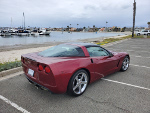
 I just disconnected my battery a few days ago, and it came back. I re-indexed the windows just to be sure.

C6 Clock/Nav fix...

Melting Slicks


Joined: Oct 2015
Posts: 3,299
Likes: 769
From: Mead Wash
2020 C6 of the Year Finalist - Modified
C6 of Year Finalist (appearance mods) 2019
 Clock
Clock

Race Director


Joined: Sep 2009
Posts: 11,351
Likes: 2,445
From: Eastern

Racer


Joined: Mar 2010
Posts: 411
Likes: 81
From: Hackettstown NJ
It finally worked for me with help from my son-in-law (I'm not very good with computers). The strangest thing is: I have a 09 & when I replaced the battery a couple years ago, I didn't loose the clock. A couple days ago I needed to disconnect the battery & lost the clock, go figure. Thank you Mr. Corvette engineer for coming up with the new software for this glitch & also many of the forum members for their help!!!
Instructor

Joined: Mar 2001
Posts: 132
Likes: 2
From: Allen Texas
Yay. this works and it was easy
I sent this email to the individual responsible for the fix:
Well, I finally got the car started (dead battery). I followed your instructions and I now have my clock back. Thanks you from the bottom of my heart. I used a DVD-R disc to burn the fix. Not sure it is necessary to add to your instructions but I encountered the following:
I can’t thank you enough for taking the time to put the fix into a thread in the Corvette Forum.
Well, I finally got the car started (dead battery). I followed your instructions and I now have my clock back. Thanks you from the bottom of my heart. I used a DVD-R disc to burn the fix. Not sure it is necessary to add to your instructions but I encountered the following:
- When initialized, the No GPS symbol was displayed. I had the clock so I knew this was BS. I drove it around the block and got no change to the NO GPS. I reset the system through the menu and recalibrated. I then removed the disk and cleaned the surface of the DVD with a mild detergent and wiped clean. Reinserted and the NO GPS symbol disappeared.
- I then tried to enter an address and the system would not let me enter Plano, Texas as an address. Okay, you probably figured the problem right away. Give me a break, the disc has only been out of the car once on a road trip to Georgia over 5 years ago. I had go into the system and tell it what region I was located. What a stupid system but typical of GM.
I can’t thank you enough for taking the time to put the fix into a thread in the Corvette Forum.

Advanced

Joined: Jul 2008
Posts: 73
Likes: 61
From: Brampton, Ontario
The clock dissapeared after I replaced a 7 yr old battery. I burned a CD-R and followed the procedure....worked like a charm. Many thanks to the person who posted the fix, much appreciated.
Corvette Stories
The Best of Corvette for Corvette Enthusiasts

Top 10 Most Expensive Corvettes Ever Sold on Bring A Trailer
Brett Foote
10 Things Every Corvette Owner Needs (2026 Edition)
Michael S. Palmer
8 Most "Only Corvette Owners Understand" Quirks and Problems
Pouria Savadkouei
10 Reasons the C6 Z06 is Still A Performance Benchmark After 20 Years
Joe Kucinski
How Much Horsepower Every Corvette Engine "LOST" in 1972
Joe Kucinski
Top 10 DOs and DON'Ts for Protecting Your Convertible Top!
Michael S. Palmer
Top 10 Most Explosive Corvettes Ever Made: Power-to-Weight Ratio Ranked!
Joe Kucinski
150 hp to 1,250 hp: Every Corvette Generation Compared by the Specs That Matter
Joe Kucinski
8 Coolest Corvette Pace Cars (and Replicas) of All Time
Verdad Gallardo
2nd Gear
Joined: Apr 2019
Posts: 2
Likes: 0
From: Novi, MI
Hey guys I need some help here. I down loaded the update onto a cd-r disk and installed it in the slot. I close the door and the screen said "connot load system software" / "disk type incorrect" / "Please insert correct system disk". Now the door will not open, the radio dosn't work, and it's still asking to insert correct disk. Please help!

Intermediate
Joined: Feb 2017
Posts: 25
Likes: 2
From: Tehachapi Ca
Try disconnecting the battery for a few seconds and reconnect it. Then don't turn the car on just see if you can open the face plate and eject the disk. I had this problem and this got me going again.
2nd Gear
Joined: Apr 2019
Posts: 2
Likes: 0
From: Novi, MI
Thanks wfojon for your reply. I did do as you said and door will still not open. the screen still says to insert correct system disk. Could I have put the clock update disk into the wrong slot, an ereased the system software? Thanks again for tring to help.

Burning Brakes

Joined: Aug 2011
Posts: 810
Likes: 188
From: andover mn
Well it finally happend to me. After I took it out of storage 3 weeks ago. Every year I take the battery out since 2008. Read the early threads on this and this year the dreaded no clock. Used the super secret code yesterday that was on the long thread from 2018 no luck just showed about 8 error messages with dates. Had a line through the GPS icon and went to set-up and would not let me put in area 4 on the gps menu. It wasn't even on the menu with the disk in.So could someone send me a copy. I have a Apple laptop with no external disk writer. I will make it right to whom ever can get it to me.
Send me a PM and I will send my address
Thanks
Send me a PM and I will send my address
Thanks
Last edited by scottg; Apr 19, 2020 at 06:44 AM.

Le Mans Master


Joined: Sep 2017
Posts: 5,767
Likes: 2,968
From: Rural NW Georgia. GO DAWGS!
2024 C8 of the Year Finalist - Unmodified
Well it finally happend to me. After I took it out of storage 3 weeks ago. Every year I take the battery out since 2008. Read the early threads on this and this year the dreaded no clock. Used the super secret code yesterday that was on the long thread from 2018 no luck just showed about 8 error messages with dates. Had a line through the GPS icon and went to set-up and would not let me put in area 4 on the gps menu. It wasn't even on the menu with the disk in.So could someone send me a copy. I have a Apple laptop with no external disk writer. I will make it right to whom ever can get it to me.
Send me a PM and I will send my address
Thanks
Send me a PM and I will send my address
Thanks
Burning Brakes
Joined: Aug 2011
Posts: 810
Likes: 188
From: andover mn
Yes. FACADE said he would send me one .Thanks for asking. I hope it helps with the NAV problem not letting me put in my region but all others show up on the menu.
Last edited by scottg; Apr 19, 2020 at 04:05 PM.
Le Mans Master
Joined: Sep 2017
Posts: 5,767
Likes: 2,968
From: Rural NW Georgia. GO DAWGS!
2024 C8 of the Year Finalist - Unmodified
Burning Brakes
Joined: Aug 2011
Posts: 810
Likes: 188
From: andover mn
I have the whole cd pack that came wit the car new, and nav still shows my home point. It will not let me put in my region even though thats the disk that is in the car now. FACADE is going to help me out with that too after I answered you back to see if its a separate problem. But somewhere in this thread or the older one that you have to have your region in to get the clock to work. And by the way after 12 years I now can't find the cd pack that came with the car when I bought it new. I have the disk in it for my region. But it is not showing up as a option on the menu. But does show my home location on the map, funny stuff. And is GM still saying they are unaware of a problem with this?

Intermediate
Joined: Dec 2013
Posts: 31
Likes: 2
From: Pocasset MA
I downloaded the file onto a CDR it won't work on a DVD.. Removed the Nav DVD and Inserted the CD, it took about a minute to read it so be patient. Once it starts reading the file just let it run. When it has completed the install the corvette logo will appear remove the CD and reinstall the Nav DVD Clock should be working now.
Many Thanks to the CorvetteMechanic for this fix.
Many Thanks to the CorvetteMechanic for this fix.