


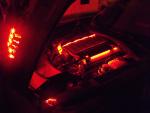



NEW Interior LED Mod Thread
Racer


Joined: May 2008
Posts: 489
Likes: 5
From: Connecticut
St. Jude Donor '11

I've read so much in this thread, refresh my memory on how to check that? Wrap the resistors in some electrical tape comes to mind. Make sure the solder is not connecting to circuits is another I remember.
Thread Starter
Le Mans Master


Joined: May 2006
Posts: 5,987
Likes: 18
From: DuBois PA
St. Jude Donor '11-'12-'13-'14-'15

Here's what I do right after soldering... Ohm out a few of the positive and negative leads, then use a 9 volt battery across one of the LEDs to make sure all of the LEDs are good. Then I'll connect everything up and hook up a 12 volt power supply to the back of the HVAC and leave it "on" for about 4 hours to make sure none of the LEDs will "cook off" and go bad...
Tim
Melting Slicks


Joined: Mar 2006
Posts: 2,997
Likes: 36
From: Ocean Springs MS
Well, my son and I got sort of motivated and a little imaginative with some LED strips this weekend and spliced them into the remote cove light setup I got from JW Motoring a while back. This should be pretty neat for shows, parades and cruise-ins since the setup has different flash and steady modes, obviously not going to use them on a daily basis.
Pics


Some other LED's we had spliced in a while back.


Pics
Some other LED's we had spliced in a while back.
Last edited by rpm462; Nov 13, 2010 at 09:40 PM.
Racer
Joined: Sep 2008
Posts: 435
Likes: 1
Hey guys I am in need of some help. I decided to do the interior in blue LEDs and I have one problem
How do u get the trunk/fog light switch brighter? I used a neo wedge and it's very dim compared to the others.
Also are type a wedges brighter than type b based on size alone??
Please help!!!
How do u get the trunk/fog light switch brighter? I used a neo wedge and it's very dim compared to the others.
Also are type a wedges brighter than type b based on size alone??
Please help!!!
Corvette Stories
The Best of Corvette for Corvette Enthusiasts

Top 10 Most Expensive Corvettes Ever Sold on Bring A Trailer
Brett Foote
10 Things Every Corvette Owner Needs (2026 Edition)
Michael S. Palmer
8 Most "Only Corvette Owners Understand" Quirks and Problems
Pouria Savadkouei
10 Reasons the C6 Z06 is Still A Performance Benchmark After 20 Years
Joe Kucinski
How Much Horsepower Every Corvette Engine "LOST" in 1972
Joe Kucinski
Top 10 DOs and DON'Ts for Protecting Your Convertible Top!
Michael S. Palmer
Top 10 Most Explosive Corvettes Ever Made: Power-to-Weight Ratio Ranked!
Joe Kucinski
150 hp to 1,250 hp: Every Corvette Generation Compared by the Specs That Matter
Joe Kucinski
8 Coolest Corvette Pace Cars (and Replicas) of All Time
Verdad Gallardo
Thread Starter
Le Mans Master
Joined: May 2006
Posts: 5,987
Likes: 18
From: DuBois PA
St. Jude Donor '11-'12-'13-'14-'15
Yeah the Trunk/Fog and Traction Control button need some "help"... I've had good success using a superbright LED in a stock holder or dropping a 3mm down into the switch soldered directly unto the pads (with a resistor of course).
I've seen no brightness level differences between the two sizes...
Tim
I've seen no brightness level differences between the two sizes...
Tim
Racer
Joined: May 2008
Posts: 489
Likes: 5
From: Connecticut
St. Jude Donor '11
One other question.
What do you do about the fit with the new resistors and the rubber mat/overlay on the HVAC. Obviously it doesn't fit great now that the extra resistors are there.
Thanks again.
EDIT: Well I got it together and the "AUTO", "MODE" and "REAR" buttons are a bitch to press down I'm guessing due to the resistors. I'm guess you just have to adjust the resistors and possibly cut the rubber overlay to flatten it out some to free up the buttons?
I'll play with it tomorrow but I'm super happy with the way it came out. Red's are a little dull but I'm ok with that. It looks sick! On to the radio!
What do you do about the fit with the new resistors and the rubber mat/overlay on the HVAC. Obviously it doesn't fit great now that the extra resistors are there.
Thanks again.
EDIT: Well I got it together and the "AUTO", "MODE" and "REAR" buttons are a bitch to press down I'm guessing due to the resistors. I'm guess you just have to adjust the resistors and possibly cut the rubber overlay to flatten it out some to free up the buttons?
I'll play with it tomorrow but I'm super happy with the way it came out. Red's are a little dull but I'm ok with that. It looks sick! On to the radio!
Last edited by VJD2; Nov 23, 2010 at 01:40 AM.
Thread Starter
Le Mans Master
Joined: May 2006
Posts: 5,987
Likes: 18
From: DuBois PA
St. Jude Donor '11-'12-'13-'14-'15
I cut portions (or all) of the "collar" out to accomodate the Resistors then lay the rubber mat down before you insert the LED/resistors... That way they lay on top of the mat.
Pics are a requirement ya know!
Tim
Pics are a requirement ya know!
Tim
Racer
Joined: May 2008
Posts: 489
Likes: 5
From: Connecticut
St. Jude Donor '11
Oh for sure, I'll post up some pics. Snapped a few last night when I hooked it up to a 9V but I'll get more when I reinstall it.
Racer
Joined: May 2008
Posts: 489
Likes: 5
From: Connecticut
St. Jude Donor '11
Final Product!!
Well its finished and installed. Can't believe I got it done and it works and looks great!! The pics make it look much brighter than it is and shows some hot spots but it looks even in person. Now onto the radio!


Thread Starter
Le Mans Master
Joined: May 2006
Posts: 5,987
Likes: 18
From: DuBois PA
St. Jude Donor '11-'12-'13-'14-'15
