







IPOD2 Car

Thread Starter
Team Owner


Joined: Aug 2003
Posts: 24,987
Likes: 26
From: Kerrville, Texas USA Hook 'em Horns!
CentralTX Events Coordinator
St. Jude Donor '03-'04-'05-'06-'07-'08-'09-'10-'11-'12-'13-'14-'15-'16-'17

Le Mans Master


Joined: May 2006
Posts: 6,774
Likes: 363
From: Midland TX

Getting ready to install the iPod2Car using the PXHGM4 cable in my 2001 without CD changer. I see lots of posts saying that Dip Switches 3 & 8 should be set to "ON" - where are you getting that information from? I could not find any Dip Switch recommendations on their web site?
Thread Starter
Team Owner
Joined: Aug 2003
Posts: 24,987
Likes: 26
From: Kerrville, Texas USA Hook 'em Horns!
CentralTX Events Coordinator
St. Jude Donor '03-'04-'05-'06-'07-'08-'09-'10-'11-'12-'13-'14-'15-'16-'17
Getting ready to install the iPod2Car using the PXHGM4 cable in my 2001 without CD changer. I see lots of posts saying that Dip Switches 3 & 8 should be set to "ON" - where are you getting that information from? I could not find any Dip Switch recommendations on their web site?

Le Mans Master
Joined: May 2006
Posts: 6,774
Likes: 363
From: Midland TX
Thanks. My manual just told me to visit their URL for Dip Switch settings, but I saw nothing there? I ordered the PXDP from the Peripheral Electronics Site, came in an "iSimple" box (GM ISGM73) - guess that is the same thing as the iPod2Car?
Last edited by Choreo; May 16, 2008 at 02:27 PM.
Corvette Stories
The Best of Corvette for Corvette Enthusiasts

Top 10 Most Expensive Corvettes Ever Sold on Bring A Trailer
Brett Foote
10 Things Every Corvette Owner Needs (2026 Edition)
Michael S. Palmer
8 Most "Only Corvette Owners Understand" Quirks and Problems
Pouria Savadkouei
10 Reasons the C6 Z06 is Still A Performance Benchmark After 20 Years
Joe Kucinski
How Much Horsepower Every Corvette Engine "LOST" in 1972
Joe Kucinski
Top 10 DOs and DON'Ts for Protecting Your Convertible Top!
Michael S. Palmer
Top 10 Most Explosive Corvettes Ever Made: Power-to-Weight Ratio Ranked!
Joe Kucinski
150 hp to 1,250 hp: Every Corvette Generation Compared by the Specs That Matter
Joe Kucinski
8 Coolest Corvette Pace Cars (and Replicas) of All Time
Verdad Gallardo
Le Mans Master
Joined: May 2006
Posts: 6,774
Likes: 363
From: Midland TX
Two "dumb" questions...
Does the volume on the radio control the iPod or do they work in tandem to affect volume?
I guess if you had a video-capable iPod the sound would still come through the Bose speakers?
Does the volume on the radio control the iPod or do they work in tandem to affect volume?
I guess if you had a video-capable iPod the sound would still come through the Bose speakers?
Thread Starter
Team Owner
Joined: Aug 2003
Posts: 24,987
Likes: 26
From: Kerrville, Texas USA Hook 'em Horns!
CentralTX Events Coordinator
St. Jude Donor '03-'04-'05-'06-'07-'08-'09-'10-'11-'12-'13-'14-'15-'16-'17
Video ipod will work just fine through the factory Bose speakers.


Le Mans Master
Joined: May 2006
Posts: 6,774
Likes: 363
From: Midland TX

Instructor


Joined: Jul 2007
Posts: 161
Likes: 2
From: Le Claire IA
St. Jude Donor '08-'09-'10-'11-'12
I feel like throwing the Ipod2Car out the window. I've tried about 19 combinations of the PXHGM1, PXHGM2, PXHGM4 and GMH20T cables I can possibly think of. Working with a '99 hardtop that from what I can tell had the trunk cable added later (wires spliced behind radio, exactly as Peripheral requires for non-cable-equipped cars in their Corvette appendix notes). Every last combination renders the ERR message, and different cables create the message after different time lengths of being connected. Wishing this was a much simpler affair... odd that for some guys it works great first time, others have the ERR message and can't get things to work. Argh!
Thread Starter
Team Owner
Joined: Aug 2003
Posts: 24,987
Likes: 26
From: Kerrville, Texas USA Hook 'em Horns!
CentralTX Events Coordinator
St. Jude Donor '03-'04-'05-'06-'07-'08-'09-'10-'11-'12-'13-'14-'15-'16-'17
I feel like throwing the Ipod2Car out the window. I've tried about 19 combinations of the PXHGM1, PXHGM2, PXHGM4 and GMH20T cables I can possibly think of. Working with a '99 hardtop that from what I can tell had the trunk cable added later (wires spliced behind radio, exactly as Peripheral requires for non-cable-equipped cars in their Corvette appendix notes). Every last combination renders the ERR message, and different cables create the message after different time lengths of being connected. Wishing this was a much simpler affair... odd that for some guys it works great first time, others have the ERR message and can't get things to work. Argh!
Good luck.


Melting Slicks


Joined: Feb 2004
Posts: 2,791
Likes: 44
From: Loudon/Lake Mary Tennessee/Florida


Pro

Joined: Nov 2005
Posts: 605
Likes: 0
No modification or disassembly of the dash is required. It just snaps into place. I used it for 2+ years and it never moved.
If you want any of the ProClip stuff, send me a PM. I can get you a discount off the web site prices.

Melting Slicks
Joined: Feb 2004
Posts: 2,791
Likes: 44
From: Loudon/Lake Mary Tennessee/Florida
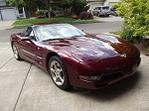
I don't have my car anymore so can't post a picture of it, but here's the stock picture from the ProClip web site. This is just the vehicle mount, you then purchase whatever device mount(s) you need and attach them to the vehicle mount. You can use their web site (http://www.proclipusa.com) to figure out what device mount(s) you need based on the device(s) you want it to hold.
No modification or disassembly of the dash is required. It just snaps into place. I used it for 2+ years and it never moved.
If you want any of the ProClip stuff, send me a PM. I can get you a discount off the web site prices.
No modification or disassembly of the dash is required. It just snaps into place. I used it for 2+ years and it never moved.
If you want any of the ProClip stuff, send me a PM. I can get you a discount off the web site prices.
This info helps.